Archive
#Citrix #XenDesktop 7 released – #RTW, #BYOD, #HSD, #VDI
Ok, it’s here! The official release is now available for everyone!
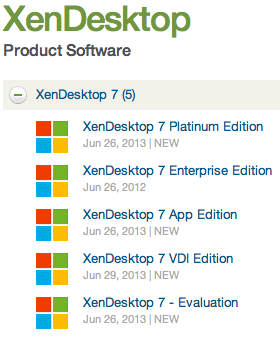
There are tons of blog posts and materials already out there and some great features as well that comes with this new release from Citrix. If you haven’t already played with the Excalibur release and know about them I suggest that you start evaluating and testing now!
Here are some good links to have a look at:
- XenDesktop 7 Overview
- XenDesktop 7 Feature matrix
- Excalibur is XenDesktop 7: what does this mean for XenApp and XenDesktop customers?
- XenDesktop 7: Upgrade & migration paths for XenDesktop and XenApp customers
- XenDesktop 7: AppDNA and Platinum Activation
- Reference Architecture: Director and EdgeSight
- XenDesktop 7 edocs – Documentation
- XenDesktop 7 Admin Guide
- XenDesktop 7 Upgrade Guide
- XenDesktop 7 Install Guide
Enjoy! 🙂
//Richard
Citrix Worx Apps announced! #CitrixSynergy, #BYOD
“Worx Enroll” and “Worx Home” apps announced to support the MDM, MAM, Web, Saas and Win apps/desktop (XA/XD) from ONE STORE!!
This is something that we all have been waiting for!! Finally a one-stop-shop/app in where an end user can use their personal devices and consume MAM, MIM and WaaS (Windows as a Service) deliverables without enrolling to a full MDM service. And those devices that are corporate assets enables you to do the same delivery and add the MDM capabilities needed (e.g: geofencing, pass code and other policies and asset mgmt) with the same end user UI!!!
I want to see this in action and get my hands on it NOW! 😉
//Richard
#CitrixSynergy keynote – What will be announced?
So here we are! Keynote is about to start!
what can we expect? This is one thing that I definitely like to see:
– MDM + MAM + MIM + XA/XD= one solution/service! Have they finally made some progress into integrating Zenprise, AppController and StoreFront into one “App Store” and policy governance model so that we have one (1) app that handles both MDM, MAM and MIM from a device/user perspective?
Let the show begin! 🙂
//Richard

#Citrix Knowledge Center Top 10 – March 2013
Citrix Support is focused on ensuring Customer and Partner satisfaction with our products.
One of our initiatives is to increase the ability of our Partners and Customers to leverage self-service avenues via our Knowledge Center.
Find below the Citrix Knowledge Center Top 10 for March 2013.
Top 10 Technical Articles
| Article Number | Article Title |
|---|---|
| CTX129229 | Recommended Hotfixes for XenApp 6.0 and Later on Windows Server 2008 R2 |
| CTX129082 | Application Launch Fails with Web Interface using Internet Explorer 9 |
| CTX804493 | Users Prompted to Download ICA File, Launch.ica, Instead of Launching the Connection |
| CTX132875 | Citrix Receiver Error 2320 |
| CTX105793 | Error: Cannot connect to the Citrix server. Protocol Driver Error |
| CTX127030 | Citrix Guidelines for Antivirus Software Configuration |
| CTX115637 | Citrix Multi-Monitor Configuration Settings and Reference |
| CTX133997 | Citrix Receiver 3.x – Issues Fixed in This Release |
| CTX325140 | Manually and Safely Removing Files after Uninstalling the Receiver for Windows |
| CTX101644 | Seamless Configuration Settings |
Top 10 Whitepapers
| Article Number | Article Title |
|---|---|
| CTX131577 | XenApp 6.x (Windows 2008 R2) – Optimization Guide |
| CTX132799 | XenDesktop and XenApp Best Practices |
| CTX101997 | Citrix Secure Gateway Secure Ticket Authority Frequently Asked Questions |
| CTX136546 | Citrix Virtual Desktop Handbook 5.x |
| CTX136547 | StoreFront Planning Guide |
| CTX133185 | Citrix CloudGateway Express 2.0 – Implementation Guide |
| CTX129761 | XenApp Planning Guide – Virtualization Best Practices |
| CTX134081 | Planning Guide – Citrix XenApp and XenDesktop Policies |
| CTX130888 | Technical Guide for Upgrading/Migrating to XenApp 6.5 |
| CTX122978 | XenServer: Understanding Snapshots |
Top 10 Hotfixes
| Article Number | Article Title |
|---|---|
| CTX136714 | Hotfix XS61E016 – For XenServer 6.1.0 |
| CTX132122 | Hotfix Rollup Pack 1 for Citrix XenApp 6.5 for Microsoft Windows Server 2008 R2 |
| CTX126653 | Citrix Online Plug-in 12.1.44 for Windows with Internet Explorer 9 Support |
| CTX136483 | Hotfix XS61E014 – For XenServer 6.1.0 |
| CTX133882 | Hotfix Rollup Pack 2 for Citrix XenApp 6 for Microsoft Windows Server 2008 R2 |
| CTX133066 | 12.3 Online Plug-In – Issues Fixed in This Release |
| CTX136253 | Hotfix XS61E010 – For XenServer 6.1.0 |
| CTX136482 | Hotfix XS61E013 – For XenServer 6.1.0 |
| CTX136085 | Hotfix XA650R01W2K8R2X64061 – For Citrix XenApp 6.5 |
| CTX136674 | Hotfix XS61E012 – For XenServer 6.1.0 |
Top 10 Presentations
| Article Number | Article Title |
|---|---|
| CTX135521 | TechEdge Barcelona 2012 PowerPoint and Video Presentations – Reference List |
| CTX129669 | TechEdge 2011 – Overview of XenServer Distributed Virtual Switch/Controller |
| CTX121090 | Planning and implementing a Provisioning Server high availability (HA) solution |
| CTX133375 | TechEdge 2012 PowerPoint and Video Presentations – Reference List |
| CTX135356 | TechEdge Barcelona 2012 – Understanding and Troubleshooting ICA Session Initialisation |
| CTX135358 | TechEdge Barcelona 2012 – XenDesktop Advanced Troubleshooting |
| CTX133374 | TechEdge 2012 – Monitoring your NetScaler Traffic with AppFlow |
| CTX135361 | Troubleshooting Tools: How to Isolate and Resolve Issues in your XA and XD Env Rapidly |
| CTX135360 | TechEdge Barcelona 2012 – Planning, Implementing and Troubleshooting PVS 6.x |
| CTX135357 | TechEdge Barcelona 2012 – Implementing and Troubleshooting SF and Rec for Windows |
Top 10 Tools
| Article Number | Article Title |
|---|---|
| CTX122536 | Citrix Quick Launch |
| CTX135075 | Citrix Diagnostics Toolkit – 64bit Edition |
| CTX130147 | Citrix Scout |
| CTX111961 | CDFControl |
| CTX106226 | Repair Clipboard Chain 2.0.1 |
| CTX109374 | StressPrinters 1.3.2 for 32-bit and 64-bit Platforms |
| CTX124406 | StressPrinters 1.3.2 for 32-bit and 64-bit Platforms |
| CTX113472 | Citrix ICA File Creator |
| CTX123278 | XDPing Tool |
Continue reading here!
//Richard
Simplified VDI Architecture – #Citrix, #XenDesktop
This is a great start of a blog series from Citrix!
There’s a perception that VDI is complicated. I’m far from being a rocket scientist, and I’ve managed to implement many successful VDI projects over the past ten years. I truly believe that VDI is one of those things that is only as complicated as you make it.
It’s like saying that driving is complicated. You’d have to be crazy [or very brave] to take your first lesson in Manhattan…during rush hour. That’s why your driving instructor starts you off on a quiet street. You need to know your boundaries. Being successful with VDI is the same – keep things simple to start with and slowly increase complexity at your own pace, when you’re ready for it.
This raises the question – what’s the quiet street equivalent of a beginner’s VDI architecture? It might not be the most optimized and efficient solution, but it would be quick to implement, do the job well and wouldn’t require specialist knowledge or skills. I’ve been thinking about this a lot lately, and I’d like to share my thoughts.
There’s a lot to consider, so I’m going to break this up over four different blog posts:
- Simplified VDI Architecture – Introduction & FlexCast
- Simplified VDI Architecture – Storage
- Simplified VDI Architecture – Provisioning
- Simplified VDI Architecture – Reference Architecture
Martin Zugec will be helping me out with this blog series and will be referring to his experience on actual customer projects that followed many of these recommendations.
XenDesktop or VDI in a Box?
First up, you need to make a decision on VDI in a Box or XenDesktop. VDI in a Box is easier to setup but does have some limitations. Check out Allen Furmanski’s excellent blog post for guidance on how to make this decision. I’m going to concentrate on XenDesktop for this post.
FlexCast
Although each FlexCast model has its own unique advantages, each additional model included adds complexity to the overall project. There is a great table in the Virtual Desktop Handbook (FlexCast Model Selection – Table 11) that provides guidance on the capabilities of each model. The main thing to note is that all scenarios, apart from offline, can be accommodated using the Hosted VDI model (XenDesktop), either with or without a Personal vDisk. It may not be the optimal selection in every instance, but it is almost always a viable solution.
There are a number of reasons why I think that XenDesktop is simpler than XenApp, including:
- Desktop applications are developed to run on desktop operating systems such as Windows XP or Windows 7. There aren’t many developers that test their applications on Windows Server 2003 or 2008. Therefore, you’re far less likely to run into application issues with XenDesktop than you are with XenApp. Even if your applications run okay on 2008 with XenApp, you’re probably going to have issues getting support from the application vendors.
- Hosting applications on multi-user operating systems can introduce additional application compatibility challenges. Users may share the same configuration files and registry hives, especially if the applications are not multi-user aware. This means that one user may change a setting that affects all other users of that server. There are a ton of tips and tricks to get these apps working correctly but we want to keep things simple and choosing XenDesktop helps us achieve this goal.
- As multiple users are hosted on the same operating system, it is important that XenApp desktops are locked down to prevent security breaches and misconfiguration that could impact all users sharing the environment. Typically, this results in an extremely controlled and restricted user experience, hindering user satisfaction and acceptance.
- With XenApp desktops, a single user can consume a disproportionate amount of resources, impacting the performance of other users sharing the same XenApp server. XenDesktop, on the other hand, allows vCPU and RAM assignments to be controlled on a per-user basis. For this reason, I strongly recommend that heavy users are hosted on XenDesktop rather than XenApp.
- With XenDesktop, it is possible to provide users with fully personalized desktops. This includes the ability for users to install their own applications.
- Unlike XenApp, XenDesktop supports generic USB redirection:

I’m a huge fan of Remote PC, especially when you consider just how simple it is to deploy. However, there are some things Remote PC just can’t do, including:
- You don’t have the flexibility to quickly provision or de-provision desktops based on business demands.
- Image management is more complicated than a virtual desktop because you can’t use MCS and PVS can be challenging with desktops outside of the data center
- You need to have a good connection between your XenDesktop Controllers and the physical desktops. Something not always available for WAN users.
Regardless, Remote PC is a great solution in many scenarios. Consider deploying Remote PC at the very start of your project. It allows you to realize immediate value while you’re designing and implementing your full VDI solution.
If XenDesktop is so much simpler why do so many projects still standardize on XenApp? It all comes down to cost – XenApp offers significantly higher levels of scalability than XenDesktop (some sources quote 300% more users). Let’s take a look at this in more detail.
Processor
The Virtual Desktop Handbook provides us with guidelines on processor requirements for both XenApp and XenDesktop (Processor Requirements by Workload – Table 22):

If processor is the bottleneck, we can estimate the scalability of XenApp and XenDesktop for a fairly typical server configuration (2×8 cores):

As you can see, XenApp offers between 17% (heavy user) and 28% (light user) more users than XenDesktop – but nowhere near 300%! Let’s put this into context, if you had 1,000 concurrent normal users, you would need seven physical servers for ‘XenDesktop: Windows 7’ and six physical servers for ‘XenApp: 2008 R2’. Is one additional server per ~1,000 users enough to justify the additional complexity of XenApp?
RAM
For RAM, the Virtual Desktop Handbook table (Memory Requirements by Workload – Table 23) shows us that ‘XenDesktop: Windows 7’ requires significantly…
Continue reading here!
//Richard
New v3 #AWS CloudFormation Template for #XenApp with support for #NetScaler and #StoreFront
Great info and post from Peter Bats!
Since Paul Wilson and myself first introduced a CloudFormation template in the blog “Jumpstarting your XenDesktop Farm in AWS with a CloudFormation Template,” we’ve added support for multiple Regions and Availability Zones in a v2 version of this CloudFormation template in the blog “Announcing the Multi-Region AWS CloudFormation Template for XenDesktop”.
We are now announcing the third version of our AWS CloudFormation template which adds the new Asia Pacific Sydney region and support for StoreFront and NetScaler Access Gateway Enterprise. This release makes use of the NetScaler VPX instances available via AWS MarketPlace, and replaces Web Interface with StoreFront to be able to support all the advanced features of our latest Citrix Receivers.
Version 3 of the CloudFormation JSON template can be downloaded from here.
We’ve also made a video available for you that walks you through the whole process on Citrix TV. Check it out here.
For detailed instructions on using the v3 CloudFormation template, download the setup guide here.
Using this new template, in only a couple of hours you’ve constructed a XenApp farm in your selected Region within the AWS cloud using Netscaler and StoreFront technology. You can use the farm for a number of purposes, including:
- Application Testing
- Business Continuity
- Proof-of-Concept
- Testing XenApp performance in the cloud
- Learning how to manage AWS resources
We welcome your…
Continue reading here!
//Richard
Demystifying Citrix Excalibur Architecture – via @kbaggerman
A great blog post by Kees Baggerman! 🙂
For all XenApp admins and consultants out there Project Avalon will bring a big change as we are used to having XenApp servers running on the (what seemed to be) everlasting Citrix Independent Management Architecture and we’re heading to Citrix FlexCast Management Architecture (already included in XenDesktop at this moment) and will be included in the Citrix Excalibur Architecture.
IMA
When looking up IMA in the eDocs you’ll find:
Independent Management Architecture (IMA) is the underlying architecture used in XenApp for configuring, monitoring, and operating all XenApp functions. The IMA data store stores all XenApp configurations.
Basically IMA exists to manage the XenApp or Presentation Server farms by enabling the communications between servers. As stated it transfers information about all XenApp functions like licenses, policies, sessions and server loads. All management tooling within these versions of Citrix’s PS/XA rely on this service for information.
According to Communication ports used by Citrix Technologies IMA uses the following ports:
| Ports | Source | Prot. | Comment |
| 2512 | Common Citrix Communication Ports | TCP | Independent Management Architecture (IMA) |
| 2513 | Access Gateway 5.0 Controller administration | TCP | IMA-based Communication |
As we can see IMA uses 2512 (by default) to communicate with other servers and the Access Gateway Controller uses 2513 (by default) for IMA-based communication. The port IMA uses can be changed or queried via the commandline tool IMAPORT.
Brian Madden did a blogpost way back in 2007 but it’s definition of IMA is still current:
Independent Management Architecture is:
- A data store, which is a database for storing MetaFrame XP server configuration information, such as published applications, total licenses, load balancing configuration, MetaFrame XP security rights, and printer configuration.
- A protocol for transferring the ever-changing background information between MetaFrame XP servers, including server load, current users and connections, and licenses in use
FMA
With the introduction of XenDesktop we got a new architecture called Flexcast Management Architecture. This new architecture has got an agent-based setup where we can install the operating system including the basic applications that need to be installed and after that we can install an agent. This agent registers itself to a controller and is offered through StoreFront to the end user.
This will be delivered by two different types of agents, one to support Windows Server OS’s and one for Windows Desktop OS’s.
Andrew Wood did an article on Excalibur and used this diagram to explain the architecture:
 Citrix FlexCast Management Architecture
- Receiver provides users with self-service access to published resources.
- StoreFront authenticates users to site(s) hosting resources and manages stores of desktops and applications that users access – Web Interface as a platform is essentially resting, but it will cease to be.
- Studio is a single management console that enables you to configure and manage your deployment, a dramatic reduction over the 23 consoles you could well have today. Studio provides various wizards to guide you through the process of setting up an environment, creating workloads to host applications and desktops, and assigning applications and desktops to users.
- Delivery Controller distributes applications and desktops, manages user access, and optimizes…
Continue reading here!
//Richard
Tech Preview of #Citrix #XenApp support for the #Lync 2013 VDI Plug-in
Good info from Derek Thorslund.
As you may have already noticed, earlier this week we opened up our Tech Preview program for optimized support of the Microsoft Lync™ 2013 client to all current Citrix XenApp customers under active Subscription Advantage. This phase of the Tech Preview program gives our customers the opportunity to evaluate the Citrix Receiver Display Adapter that integrates with Microsoft’s Lync™ 2013 VDI Plug-in for Windows. The Display Adapter plug-in has been posted on the Citrix Downloads page under “Citrix Receiver” in the “Betas and Tech Previews” section (visible to Citrix customers and partners after login). Please use the Support Forum to provide feedback or request assistance from the community.
Read more here!
//Richard
Explaining #Citrix Pass-through Authentication
Check out this great blog post from Joel Bejar:
Introduction
Pass-through authentication is a simple concept. User credentials are passed to a Web Interface site and then to the XenApp/XenDesktop servers, preventing users from having to explicitly authenticate at any point during the Citrix application launch process. While this authentication method seems straightforward, there are some moving pieces, and this article aims to break these down to provide a more detailed understanding of how this process truly works within Citrix.
Pass-Through Authentication – Web Interface Site
The first step to the pass-through process occurs at the Web Interface site. Users are able to navigate to the web interface site, and their credentials are passed through and they are presented with their Citrix delivered resources. Web Interface is built on Internet Information Services (IIS). For pass-through authentication to work, IIS Integrated Windows Authentication must be leveraged. Formerly called NTLM, this authentication method hashes the user credentials before they are sent over the network. When this type of authentication is enabled, the client browser proves its is authenticated through a cryptographic exchange with the Web Interface server, involving hashing. Because of this, the web browser is responsible for authenticating with the Web Interface Server (IIS). It is important to note, though, that credentials are actually never exchanged. Instead, the signed hash is provided to IIS, proving that said user had already been authenticated at the Windows desktop. The web interface user uses the user’s AD context (sometimes referred to as a token) to retrieve the user’s AD group membership and pass this list of groups directly to the XML service for authentication. At this point, the user has successfully passed through to the Web Interface site, and can now view his/her Citrix resources.
- The WI server must be in the same domain as the user, or in a domain that has a trust relationship with domain of the user.
- If the WI server and user are in different domains, and resources are published using Domain Local AD groups in the user domain, then the WI will not be able to enumerate these, even with a proper AD trust relationship (due to the very nature of Domain Local groups).
- The WI site should be added as a Trusted Site or Intranet Zone site in Internet Explorer. In addition, the security settings should be modified so that User Authentication\Logon is set to ‘Automatic Logon with Username and Password’.
- Pass-through authentication is not supported on Web Interface for NetScalerPlease Note: Pass-through authentication and Kerberos authentication are not interchangeable and they have different requirements.
Pass-Through Authentication – XenApp/XenDesktop Session
One of the biggest misconceptions with Pass-Through authentication in Citrix is that it only occurs when a user navigates to the Web Interface site and he/she is automatically passed through. As mentioned above, this IIS authentication method that is being used does not actually exchange the user password. In other words, Web Interface is never in control of the user credentials. This brings up the question: How are users passed through to the actual XenApp/XenDesktop ICA session?
While the web browser has a role in authenticating the user to the web site, the Citrix client (Citrix Receiver) plays an integral role in making sure the user is fully passed through to the application or desktop. Citrix Receiver installs a process called SSONSVR.exe, which is the single sign-on component of the client (no, not password manager SSO, but rather desktop credential pass-through authentication SSO.) This process is fully responsible for passing the user credentials to XenApp or XenDesktop. Without this piece, pass-authentication will not function.
Continue reading here!
//Richard
Delivering #Citrix #XenApp on #Hyper-V with PVS and #McAfee – via @TonySanchez_CTX
Good Citrix blog post from Tony Sanchez!
Architectures—whether physical or virtual—should be flexible enough to adapt to different workloads, allowing them to support changing business needs. Although implementing a new IT architecture takes time and careful planning, the process to test and validate an architecture should be easy. In the case of a virtual desktop architecture, test engineers should be able to follow a repeatable pattern, step by step, simply changing out the workload to validate the architecture under different anticipated user densities, application workloads, and configuration assumptions. The procedure should be as easy as learning a new series of dance steps (think PSY’s Gangnam Style, the most watched dance video on YouTube). The point causes me as a test engineer to ask the question: in the case of VDI, why can’t a hypervisor simply learn a new workload just like I might learn a new sequence of dance steps?
Luckily for test engineers, Citrix FlexCast® provides the ability to learn and deliver any workload type by leveraging the power of the Citrix Provisioning Services® (PVS). Recently I worked with engineers from Citrix and Dell, collaborating to build a FlexCast reference architecture for deploying XenApp® and XenDesktop® on Hyper-V on a Dell infrastructure. Testing of this reference architecture looked at how XenApp and XenDesktop performed under various workloads, altering hypervisor configuration settings and examining the overall user experience and user densities. At the drop of dime, FlexCast and PVS enabled a simple switch of the architecture to a new workload.
Based on that reference architecture effort, we recently began a Single Server Scalability (SSS) test using the latest hardware and software releases available. This blog focuses on that effort — what I call the “XenApp dance step for FlexCast style” and how XenApp workloads perform on Hyper-V. (A follow-on blog article will focus on an alternate “dance” sequence for XenDesktop.) The focus of this blog is how the configuration of the McAfee virus scanning software can impact performance and scaling.
In previous blogs, I describe the testing process and methodology that leverages the Login VSI test harness, along with key tips for success. Since those same methods and recommendations apply here, let’s review the configurations we used for this scalability testing as well as the workloads and actual test results.
For background reading, I highly recommend that you review Frank Anderson’s post on XenApp physical versus virtual testing results with Hyper-V. Frank is my colleague and a great resource for insights about testing, including implementation tips and general best practices. In addition, the related Dell and Citrix white paper describing the FlexCast reference architecture for deploying XenApp and XenDesktop on Hyper-V is available here.
Continue reading here!
//Richard




 The IT Melting Pot!