Archive
Upgrading to #Citrix #Receiver for #Windows – why and how?
This is something that all Citrix admins should read! How many questions don’t U get about which version of the client to use and why etc?
This document describes the various versions of Receivers for Windows, lists the reasons for upgrading, and recommends best practices for upgrading to the latest version of Receiver based on specific circumstances.
Note: The Online Plug-in 12.x will reach end of its maintenance in March 2013. Customers using Online Plug-in with XenApp 5, XenApp 6.x, XenDesktop 4.x, or XenDesktop 5.x must upgrade to the latest version of Receiver for Windows 3.X prior to that date where practical.
Citrix Receiver is the latest Citrix software you install on Windows end points to gain access to virtualized apps and desktops. It is also regularly installed on virtual desktops to enable access to virtualized apps.
The name of Citrix client software and the built-in functions are changed over the years. The clients in common use today are the Online Plug-in for Windows 12.X and the Receiver for Windows 3.X.

Where the Online Plug-in for Windows 12.X provided Web and PNAgent support, Receiver for Windows 3.X provides additional support. It can be configured for self-service access to applications, VPN-less remote access, single sign-on the Windows, Web, and SaaS applications, and has a built-in method to check for updates.
Both the Online Plug-in and Receiver have two versions.
- The Online Plug-in Web is used solely for Web access to applications and the Online Plug-in (Full) supports Web access as well as PNA Services. The Full version supported SSO, Smart Cards, and access to apps through the Start menu
The standard Receiver for Windows, CitrixReceiver.exe, can be considered is a complete replacement for the Online Plug-in Web and largely a replacement for the Online Plug-in (Full). It can be used for web access. It can be configured to access PNA Services. And it can also be used with the latest versions of StoreFront, CloudGateway (App Controller), and Access Gateway to provide a rich set of services. It contains the latest, multithread, multi-stream HDX engine.

NEW #Citrix Apps and Desktops certifications – #CCIA, #CCE, #CCA, #XenDesktop
Ok, Citrix has now released the new certifications! Have a look, plan, study and take them! 😉
Now in Beta and launching live in early Q4 – a new solutions-focused certification program designed to validate IT professional skills for strategic app and desktop solutions in support of Citrix XenDesktop 7.

- Citrix Certified Associate – Apps and Desktops (CCA-AD) validates the skills IT operators and administrators need to manage, maintain, monitor and troubleshoot XenDesktop 7 solutions.
- Prepare with the Managing Citrix XenDesktop 7 Solutions training course.
- Pass the Managing Citrix XenDesktop 7 Solutions exam.
- Citrix Certified Professional – Apps and Desktops (CCP-AD) validates the skills experienced IT solution builders, such as engineers and consultants, need to install, configure and roll out common XenDesktop 7 solutions.
- Obtain the CCA-AD certification.
- Prepare with the Deploying Citrix XenDesktop 7 Solutions training course.
- Pass the Deploying Citrix XenDesktop 7 Solutions exam.
- Citrix Certified Expert – Apps and Desktops (CCE-AD) validates the skills experienced IT solution designers, such as architects, engineers and consultants need to assess and design comprehensive XenDesktop 7 solutions.
- Obtain the CCP-AD certification.
- Prepare with the Designing Citrix XenDesktop 7 Solutions training course .
- Pass the Designing Citrix XenDesktop 7 Solutions exam.
Update Paths
We have a simple transition path for you.
CCIAs and CCEEs may update to the new equivalent level by passing only one exam. Eligibility to update will require an unexpired credential. The update path for existing CCIAs and CCEEs will be available until this first version of the CCE-AD or CCP-AD exams are retired. We will provide 3 months notice of any changes to the update requirements or update path availability.
Existing Citrix Certified Administrators (CCAs) and Citrix…
Continue reading here!
//Richard
Hosting #Citrix Desktops from the #Amazon Cloud – #AWS, #BYOD, #DaaS, #NetScaler
A good blog post by Ken Oestreich.
That’s right. Run your XenApp on AWS and NetScaler on AWS .
Those capabilities has been around for a while, and over time Citrix has been working to make set-up and configuration even easier.
Whether you are a large enterprise, smaller business, or even a service provider, deploying on the AWS cloud could yield you many more benefits and operational advantages than you could get than deploying XenApp on your own equipment.
Is it for me?
It could be. If you answer “yes” to any of the following, you may want to look more closely:
- You’re Moving infrastructure to the cloud – if you wish to leverage the cloud to host infrastructure – either for convenience, cost, capital expense avoidance, availability, or other attributes.
- You’re Cost-conscious – Amazon’s EC2 cloud often provides customers with a significant reduction in hardware, networking and/or storage costs, particularly due to the pay-as-you-go nature of EC2 capacity. This helps avoid over-provisioning, and allows for real-time matching of capacity to demand.
- You don’t have a data center – Many customers chose to avoid building on-premesis data centers altogether while remaining staunch believers in Citrix software. These are small/medium businesses require agile – and often outsourced – infrastructure
- You have modest administration/deployment knowledge – Many customers prefer not to invest in the skills needed to maintain data center hardware, but insist on retaining application administration skills. Leveraging IaaS infrastructure in the cloud is the ideal approach whereby hardware configuration and maintenance is avoided.
- You have a dynamic business that needs to quickly react to change – Businesses with significant growth curves or seasonality often over-provision infrastructure for peak use, locking-up precious fixed capital that is frequently idle.
Tools, resources, economics
The Citrix community has made available Amazon CloudFormation scripts that greatly simplify configuration, set-up and operation of large-scale XenApp instances. We also have spent hours looking at the economics of running your Citrix infrastructure on AWS. These include
We also make it easy to use products/licenses on AWS…
Continue reading here!
//Richard
#Citrix #XenDesktop 7 released – #RTW, #BYOD, #HSD, #VDI
Ok, it’s here! The official release is now available for everyone!
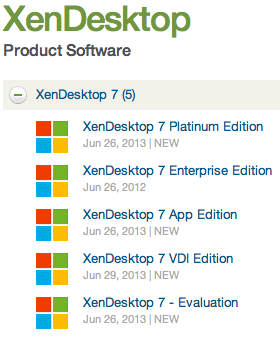
There are tons of blog posts and materials already out there and some great features as well that comes with this new release from Citrix. If you haven’t already played with the Excalibur release and know about them I suggest that you start evaluating and testing now!
Here are some good links to have a look at:
- XenDesktop 7 Overview
- XenDesktop 7 Feature matrix
- Excalibur is XenDesktop 7: what does this mean for XenApp and XenDesktop customers?
- XenDesktop 7: Upgrade & migration paths for XenDesktop and XenApp customers
- XenDesktop 7: AppDNA and Platinum Activation
- Reference Architecture: Director and EdgeSight
- XenDesktop 7 edocs – Documentation
- XenDesktop 7 Admin Guide
- XenDesktop 7 Upgrade Guide
- XenDesktop 7 Install Guide
Enjoy! 🙂
//Richard
#BYOD + #Messaging + #Collaboration + #Data securely = How??
Yes, how do you solve this?
I’m running into this topic lately with a lot of people and customers….
It’s around the whole BYOD and unmanaged devices and how useful they are in an enterprise world and all the capabilities and way of working that you’re used to in a secure and still cost effective way (and let’s not forget in a USER FRIENDLY way)!
One question that I’ve not yet found an answer to is:
How do we have all offline capabilities needed for an “Office” worker on a BYOD in our enterprise landscape? How do we ensure that you can use our Messaging, Collaboration and Data/Info services on this totally unmanaged device in a SECURE way?
This is a tough challenge! I guess that most of your users are used to using the Office suite locally on their managed device where they can use Outlook offline, work with data/files in Excel and Word etc offline. But what happens if you tell them to use an unmanaged device or their own personal device of their choice?
All of a sudden there is no real good way of providing them with offline messaging and collaboration (Outlook Anywhere and Lync for instance) capabilities in a secure manner. This BYOD/unmanaged device is not a part of your AD, you have no control and cannot enforce anything! So Outlook that is installed on it may use your Outlook Anywhere service but then its data sits on that unmanaged device unencrypted and unsecured!
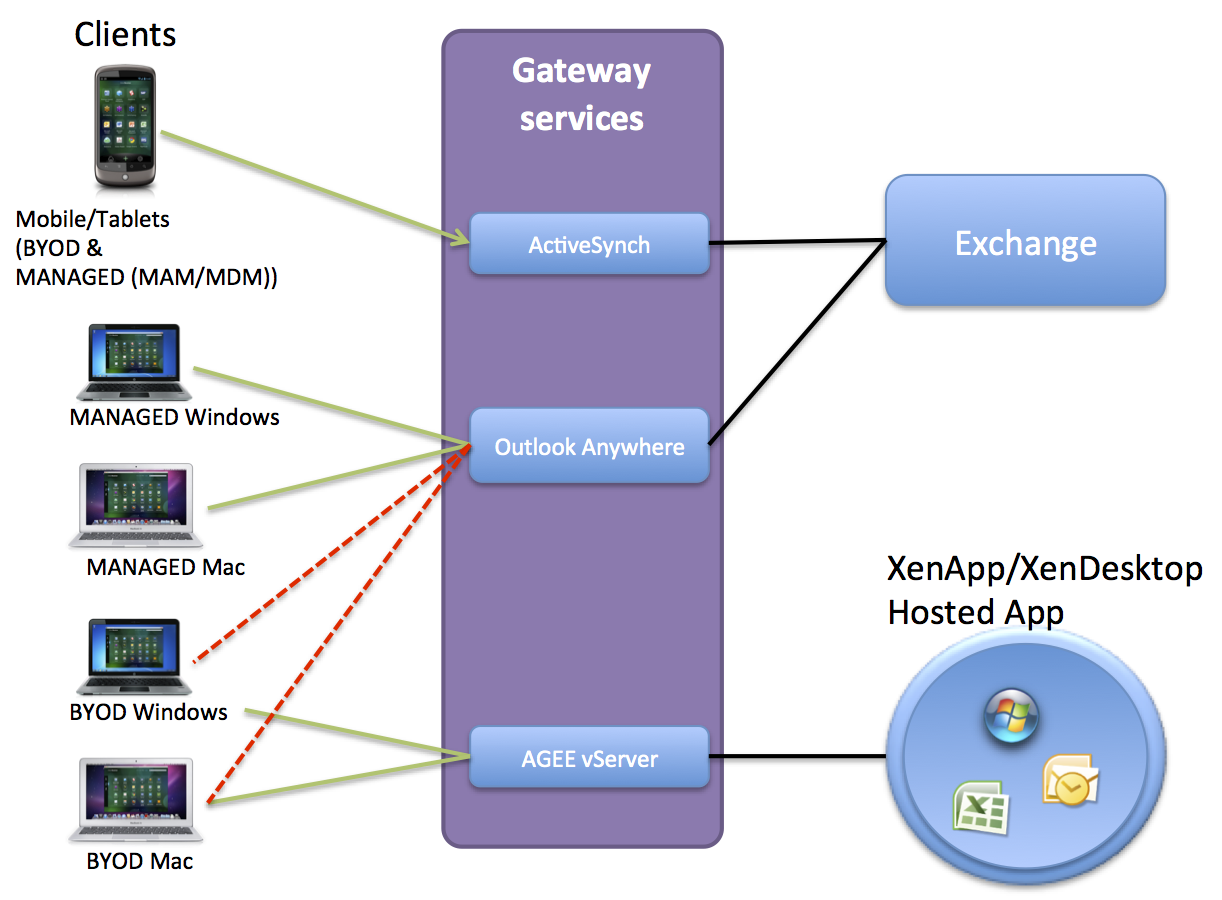
Think of the picture above (yes I know it’s a mess but I just want to illustrate the issue), you have BYOD devices that are running Windows 7, XP, 8 etc and also Mac OS X. What if you open up your Outlook anywhere service to those devices, then all your emails etc. will be unsecured on them!
Citrix and others are focusing on providing this email capability in a secure manner on all mobile OS’s like iOS and Android etc through it’s Citrix Worx apps for mail and also the newly announced Hosted MobileMail. But these are more or less just targeted against mobile devices (smartphones and tablets), but what about the standard laptop users!?!?! They need something as well!
And Windows RMS and other solutions just wont fit very well here… Citrix XenVault was something that could have worked to enable offline support for corporate Messaging services but it’s not there… I’d like to run corporate apps locally on the device offline in a secure and controllable container!!
The same issue you have with Data!!!
ShareFile doesn’t support encryption on Windows or OS X!!!
But it does on mobile devices.. I guess you have to trust your users and BYOD devices that they are encrypted using BitLocker or FileVault etc…. but can you?
So please enlighten me here what the missing puzzle piece is!! Because I have a hard time taking away a managed device form a user and tell them that they on their BYOD device HAVE TO BE ONLINE TO WORK! It’s a step back from a usability and productiveness point of view… but it may be a cost saver though… but is a BYOD/unmanaged device and a VDI or Hosted Shared Desktop always a good option to provide business apps to that laptop? NO! I guess everyone have understood that making business apps and functions web-based or mobile app based is good and a lot of focus is there, but we cannot forget the traditional productive device that the laptop is!
If you know the magic solution to these challenges please let me know! 🙂
Cheers!
//Richard
Top 10 #CitrixSynergy sessions…watch them today!
Have a look at the 10 most popular Citrix synergy sessions! They are now uploaded and ready for you to see:
- SYN501: Geek Speak Tonight! (Desktop Virtualization panel) & SYN501 (Mobility panel)
- SYN415: Advanced best practices for migrating from Web Interface to StoreFront
- SYN321: Next-generation desktop and app delivery with XenDesktop 7, Microsoft System Center 2012
- SYN334: What’s new in XenDesktop and XenApp Platinum
- SYN320: XenDesktop 7: what you should know about FlexCast management architecture and XenApp migration
- SYN299: One Step Beyond – An audience with the Citrix CTO’s
- SYN322: XenDesktop 7: reinventing HDX for mobile, 3D graphics and beyond
- SYN222: Architecting a global XenApp farm with regional users using NetScaler and StoreFront
- SYN404: Introducing the Citrix Diagnostic Toolkit
- SYN206: What’s new in ShareFile Enterprise
Continue reading here!
//Richard
Citrix Worx Apps announced! – part 2, #CitrixSynergy, #BYOD
Hi again,
Ok, yesterday I posted that Citrix announces the Worx apps which I think is a GREAT story and it looks as the killer apps!
Citrix Worx Apps announced! #CitrixSynergy, #BYOD
I got you excited I guess, but this is of course also not something that we’ll see released in May! The first release now in June will release the Worx Enroll and Worx Home apps, but Worx Home will only be the “store” for Mobile and Web apps. The XenDesktop/XenApp integration comes in the next release so until then the Receiver is still the client for that type of delivery.
I got to play around with Worx Home a bit yesterday and I really liked the way it displays the apps and how they easily can be sorted in a groups by type or folder structure. And then when you get XA/XD items in there and they are placed right next to all the other apps on your mobile device and you can launch Excel from you iPad directly instead of going through and opening the Worx Home or Receiver app the integration is really user friendly. But then again; don’t we still for the majority of the use cases think that XA/XD are “legacy” solutions? wouldn’t we rather strive to get into a complete SaaS model instead of adding these expensive hosted solutions? I know it won’t go away and there are great use cases for XA and XD but I would still say it’s legacy, park it and contain it and work on your strategy to change the model and become future ready! 😉
And for those that don’t go off and purchase the Mobile Solution Bundle in the future can continue to use the Receiver for their “legacy” XenApp/XenDesktop service delivery. The question is how this will be evolving though, I foresee a risk that to much of the focus in the future will be agains the Worx apps and that is something that may lead to longer release cycles of fixes and updates of the Receiver. That my of course not be an issue either though many companies today are struggling with that Citrix “goes to fast” and it’s hard to keep up (and Citrix has a hard time keeping up as well).
Stay tuned for a more complete update after Synergy!
//Richard
Citrix Worx Apps announced! #CitrixSynergy, #BYOD
“Worx Enroll” and “Worx Home” apps announced to support the MDM, MAM, Web, Saas and Win apps/desktop (XA/XD) from ONE STORE!!
This is something that we all have been waiting for!! Finally a one-stop-shop/app in where an end user can use their personal devices and consume MAM, MIM and WaaS (Windows as a Service) deliverables without enrolling to a full MDM service. And those devices that are corporate assets enables you to do the same delivery and add the MDM capabilities needed (e.g: geofencing, pass code and other policies and asset mgmt) with the same end user UI!!!
I want to see this in action and get my hands on it NOW! 😉
//Richard
Login VSI 4.0 – #LoginVSI, #VDI, #Scalability, #BYOD – @LoginVSI
Login VSI 4.0 released!!
Wow, I can’t believe that my week was this busy… tooo bad though I must say thank you so much to the Login VSI team for giving me the privilege to test Login VSI 4.0 Pro prior to the release… but did I have the time? Nooooo…. 😦
But it’s gonna be one of the first things I do when I get some spare time over some night/weekend in the near future!!
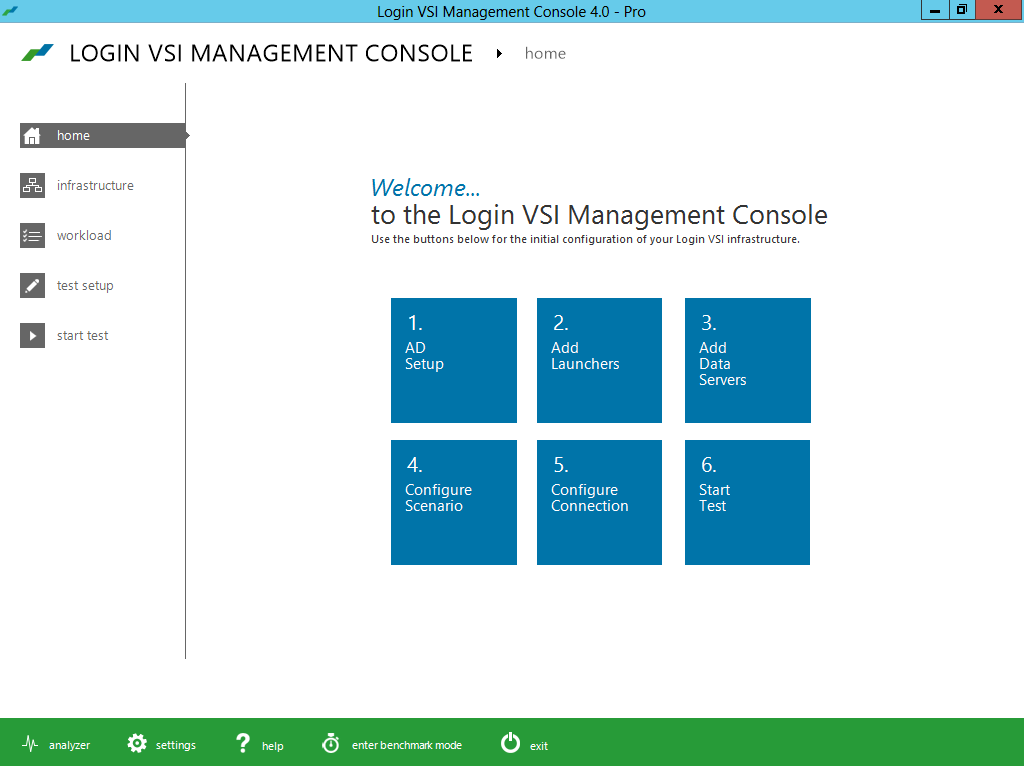
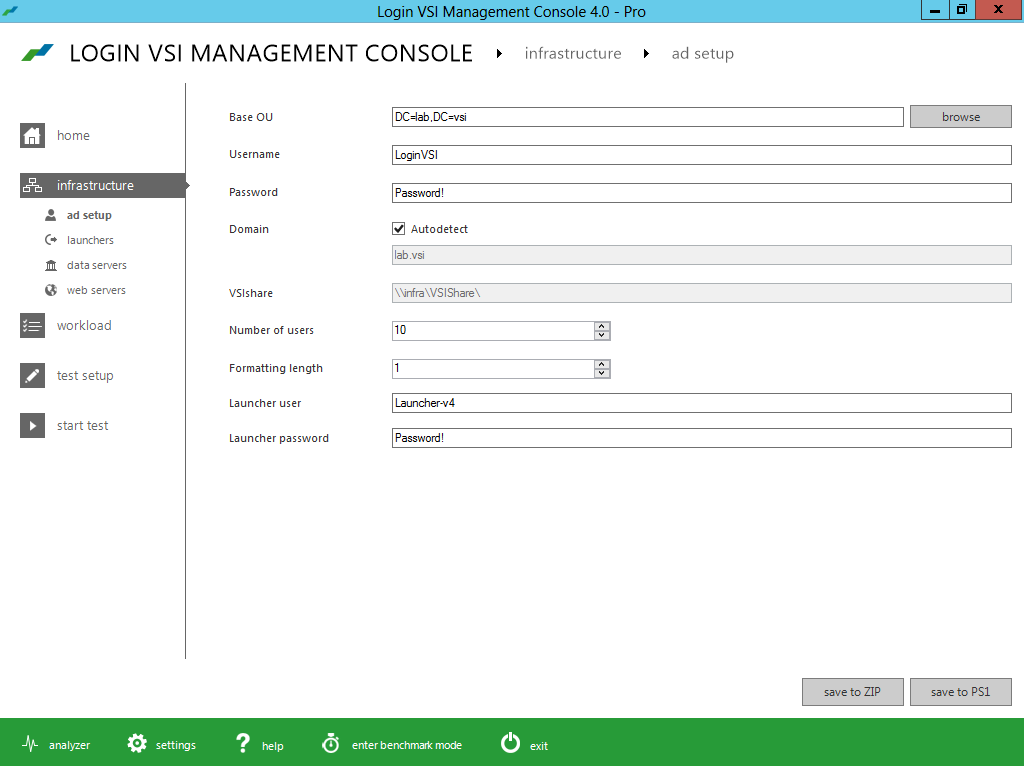
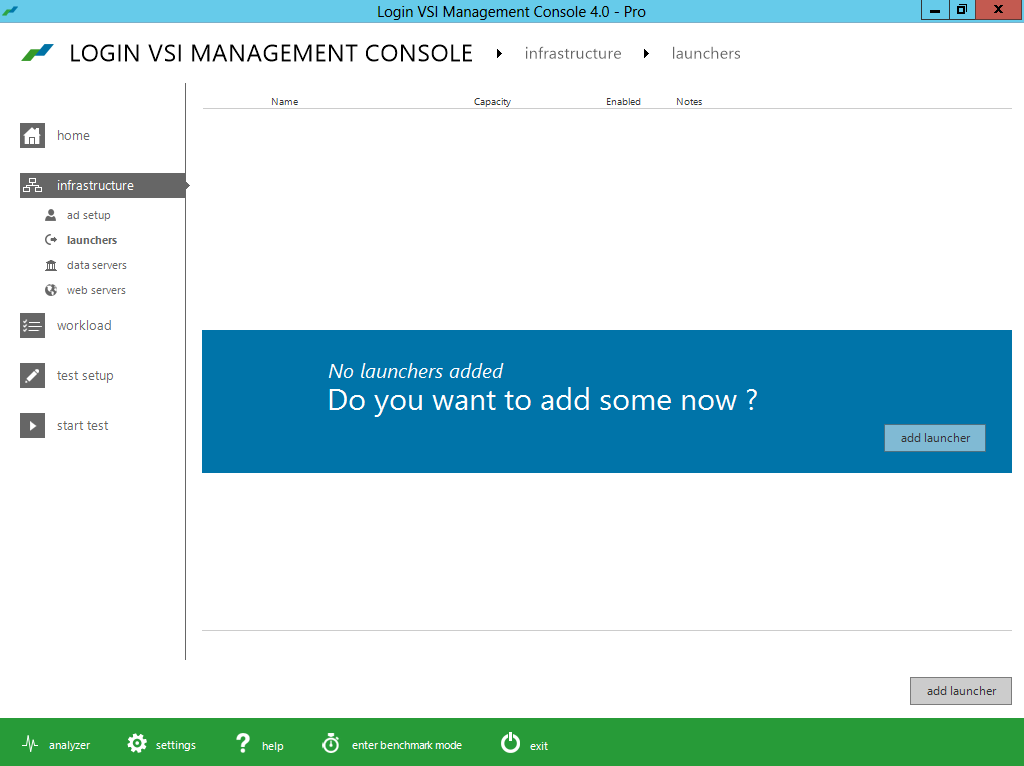
Below you find the press release and a bunch of pictures I got as a part of the “blogger preview” kit!
Improved ease of installation
- Minimized test image footprint
- Centralized management and updates
- Direct Desktop Launch Mode, saves on infrastructure
Improved ease of test creation
- New intuitive and workflow oriented UI
- New editor simplifies workload customization
- Benchmarking mode simplifies comparisons
Improved test realism
- More realistic user workload patterns
- More realistic dataset and data/file access
- Real-world test execution with multiple phases
Improved test insight
- New dashboard with real-time test feedback
- Enhanced VSImax accuracy
- Automated reporting of all relevant data

#Citrix Knowledge Center Top 10 – March 2013
Citrix Support is focused on ensuring Customer and Partner satisfaction with our products.
One of our initiatives is to increase the ability of our Partners and Customers to leverage self-service avenues via our Knowledge Center.
Find below the Citrix Knowledge Center Top 10 for March 2013.
Top 10 Technical Articles
| Article Number | Article Title |
|---|---|
| CTX129229 | Recommended Hotfixes for XenApp 6.0 and Later on Windows Server 2008 R2 |
| CTX129082 | Application Launch Fails with Web Interface using Internet Explorer 9 |
| CTX804493 | Users Prompted to Download ICA File, Launch.ica, Instead of Launching the Connection |
| CTX132875 | Citrix Receiver Error 2320 |
| CTX105793 | Error: Cannot connect to the Citrix server. Protocol Driver Error |
| CTX127030 | Citrix Guidelines for Antivirus Software Configuration |
| CTX115637 | Citrix Multi-Monitor Configuration Settings and Reference |
| CTX133997 | Citrix Receiver 3.x – Issues Fixed in This Release |
| CTX325140 | Manually and Safely Removing Files after Uninstalling the Receiver for Windows |
| CTX101644 | Seamless Configuration Settings |
Top 10 Whitepapers
| Article Number | Article Title |
|---|---|
| CTX131577 | XenApp 6.x (Windows 2008 R2) – Optimization Guide |
| CTX132799 | XenDesktop and XenApp Best Practices |
| CTX101997 | Citrix Secure Gateway Secure Ticket Authority Frequently Asked Questions |
| CTX136546 | Citrix Virtual Desktop Handbook 5.x |
| CTX136547 | StoreFront Planning Guide |
| CTX133185 | Citrix CloudGateway Express 2.0 – Implementation Guide |
| CTX129761 | XenApp Planning Guide – Virtualization Best Practices |
| CTX134081 | Planning Guide – Citrix XenApp and XenDesktop Policies |
| CTX130888 | Technical Guide for Upgrading/Migrating to XenApp 6.5 |
| CTX122978 | XenServer: Understanding Snapshots |
Top 10 Hotfixes
| Article Number | Article Title |
|---|---|
| CTX136714 | Hotfix XS61E016 – For XenServer 6.1.0 |
| CTX132122 | Hotfix Rollup Pack 1 for Citrix XenApp 6.5 for Microsoft Windows Server 2008 R2 |
| CTX126653 | Citrix Online Plug-in 12.1.44 for Windows with Internet Explorer 9 Support |
| CTX136483 | Hotfix XS61E014 – For XenServer 6.1.0 |
| CTX133882 | Hotfix Rollup Pack 2 for Citrix XenApp 6 for Microsoft Windows Server 2008 R2 |
| CTX133066 | 12.3 Online Plug-In – Issues Fixed in This Release |
| CTX136253 | Hotfix XS61E010 – For XenServer 6.1.0 |
| CTX136482 | Hotfix XS61E013 – For XenServer 6.1.0 |
| CTX136085 | Hotfix XA650R01W2K8R2X64061 – For Citrix XenApp 6.5 |
| CTX136674 | Hotfix XS61E012 – For XenServer 6.1.0 |
Top 10 Presentations
| Article Number | Article Title |
|---|---|
| CTX135521 | TechEdge Barcelona 2012 PowerPoint and Video Presentations – Reference List |
| CTX129669 | TechEdge 2011 – Overview of XenServer Distributed Virtual Switch/Controller |
| CTX121090 | Planning and implementing a Provisioning Server high availability (HA) solution |
| CTX133375 | TechEdge 2012 PowerPoint and Video Presentations – Reference List |
| CTX135356 | TechEdge Barcelona 2012 – Understanding and Troubleshooting ICA Session Initialisation |
| CTX135358 | TechEdge Barcelona 2012 – XenDesktop Advanced Troubleshooting |
| CTX133374 | TechEdge 2012 – Monitoring your NetScaler Traffic with AppFlow |
| CTX135361 | Troubleshooting Tools: How to Isolate and Resolve Issues in your XA and XD Env Rapidly |
| CTX135360 | TechEdge Barcelona 2012 – Planning, Implementing and Troubleshooting PVS 6.x |
| CTX135357 | TechEdge Barcelona 2012 – Implementing and Troubleshooting SF and Rec for Windows |
Top 10 Tools
| Article Number | Article Title |
|---|---|
| CTX122536 | Citrix Quick Launch |
| CTX135075 | Citrix Diagnostics Toolkit – 64bit Edition |
| CTX130147 | Citrix Scout |
| CTX111961 | CDFControl |
| CTX106226 | Repair Clipboard Chain 2.0.1 |
| CTX109374 | StressPrinters 1.3.2 for 32-bit and 64-bit Platforms |
| CTX124406 | StressPrinters 1.3.2 for 32-bit and 64-bit Platforms |
| CTX113472 | Citrix ICA File Creator |
| CTX123278 | XDPing Tool |
Continue reading here!
//Richard




 The IT Melting Pot!