Archive
#Citrix #XenDesktop Monitoring: Desktop Availability – #EGinnovations #HP #BAC
Ok, this was an interesting blog post from Miguel Contreras. First of all I’d like to thank you Miguel for this post!
You can read the blog post here prior to reading my ramblings… 😉
XenDesktop Monitoring: Desktop Availability
The whole blog post message hits a spot that I know many of our EnvokeIT customers are looking for: AN E2E (END-TO-END) MONITORING CAPABILITY!
Citrix has great products and they work from a technical point of view, but I think that most part of the time development and evolvement of the products goes to fast so that the product teams doesn’t have time to synchronise how well they work together or what the service provider will need cross-products in the stack to deliver a managed IT service!
This blog post really proves it as well… Miguel has developed a powershell script that he schedules to run so that he could see in the morning if he could go to work or if everything is ok with his desktop service (or Windows as a Service (WaaS) as Citrix now talks about this type of service). And is that the way to go? I’m still looking for this E2E monitoring solution from Citrix that can provide real and good facts about how the overall WaaS service performs. Is the NetScaler VIP up, StoreFront, AppController, PVS/MCS, XenServer, the VM, File Server that hosts profiles etc. It’s only if yo get this full picture and fact that you can say that the service WaaS is available. It doesn’t matter if the desktop is running if the AGEE vip is down and he/she cannot reach it… or?
If Citrix isn’t getting into the monitoring business then please guide your customers to who of the partners that does the job, for instance EGinnovations, HP BAC etc.
Yeah yeah… my ramblings are over for tonight and this was not my first complaint about this “service readiness” stamp I’d like to see on enterprise products…
But still = I think no one else right now does the WaaS-job like Citrix!! But they can always improve like all of us! 😉
Cheers!
//Richard
#Citrix #NetScaler, #AGEE and Macbook OS X… bad start of the evening session!
Ok, I was just going to log in and play around and setup another AppController to verify some thoughts around a customer case in our EnvokeIT environment. And what did I do? I just opened my lovely Macbook Air (no one will ever take that one from me!!) and thought I would connect into our internal EnvokeIT lab environment and decided for some reason to connect over SSL VPN this time rather than running everything on the internally published desktop.
So I opened the browser and connected to our AGEE vip that presented me with the rather ok-looking login page as you can see here that my colleague modified to make it a bit more aligned with the StoreFront/Receiver for Web that we use in this little environment (otherwise you get that black ugly NetScaler login prompt, please get your product look & feel in synch Citrix!).
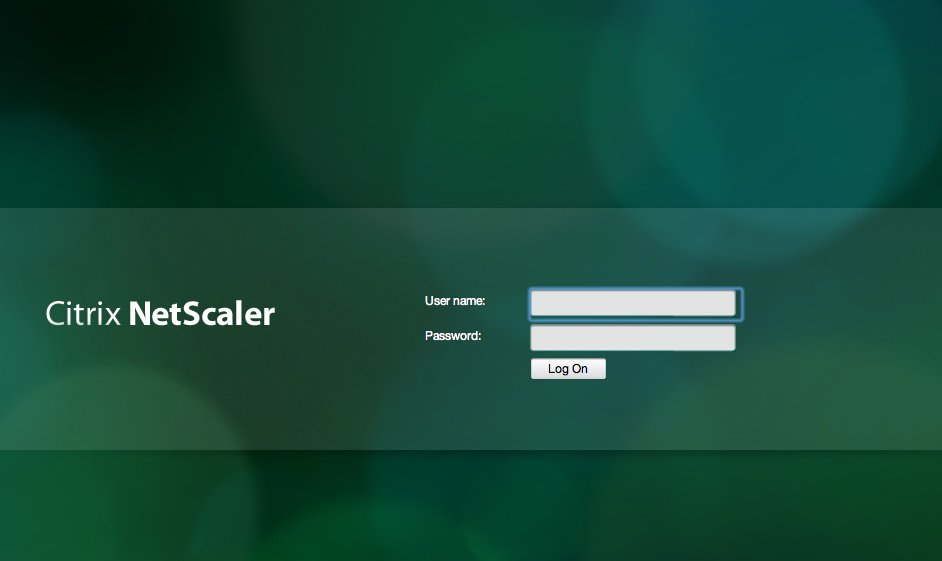
But then after I logged in I though that why not try out the SSL VPN client for my Mac! So I choose Network Access here;
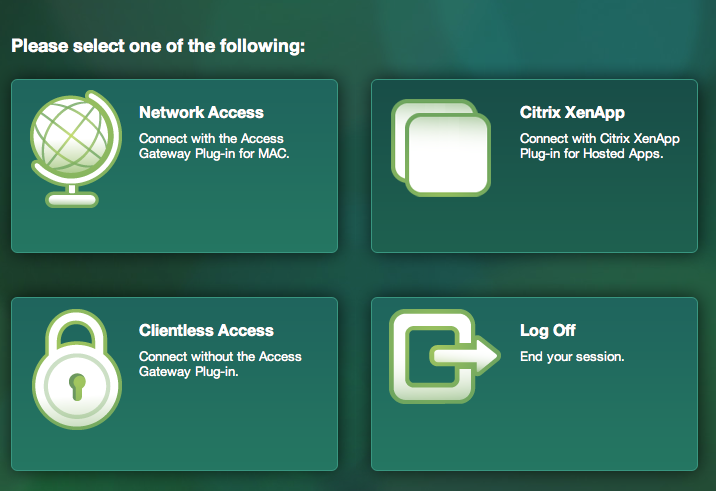
And then I realised that the modifications weren’t really all ok as you can see here when I was prompted to download the Access Gateway Plugin for OS X (SSL VPN client)…
NetScaler MPX vs. SDX dilemma
Hi again!
Ok, I may be totally off and wrong here but I see a bit of a problem with the Citrix product packaging and offering around the whole NetScaler product.
I love the fact that the product is available as virtual appliances (VPX) and physical appliances (MPX) and the lovely “mix-product” which is the SDX platform. The SDX is a lovely addition and I see so many reasons for why you want to go towards that platform, so bear with me.
The NetScaler product itself is a great product and the feature set it rich! It’s definitely rich in terms of what features it offers from the same appliance! Some of the marketing of the product against competitors is that you can do it all (GSLB, LB, SSL offloading, SSL VPN, Application Firewall, ICA/HDX proxy etc.) on one appliance instead of purchasing several. Have a look at the editions of the product and the rich feature offering;
But I must challenge this whole idea of putting all features/capabilities on one appliance! What if you decide to build a service on the NetScaler product and decide to provide these capabilities;
- Access Gateway
- Network Connect (SSL VPN access)
- Network Proxy (ICA/HDX proxying)
- End-to-end Web Security (AAA etc.)
- Load Balancing (LB, GSLB)
So imagine that if for some reason you need a new version of the NetScaler appliance or if Citrix provides a fix for a bug/issue that is related to one of the capabilities. Then you have to stop your whole service delivery of all of them just to apply a patch/update targeted for one of them. Is that good from an incident, problem, change management point of view? I guess that’s why I like the SDX platform where I then can put the capabilities on different VPX instances on the same SDX HW platform.
This then also leads you to the whole cost of the service if you also like this idea of separation of duties, how much does the SDX cost and what does the VPX instances cost (they are purchased in bundles of 5 where 5 is included with the SDX purchase). And except for the cost of the HW, SW and SA you have the complexity that you have to select which of the SDX platforms to choose (see a more detailed NetScaler Datasheet here). And this is the biggest issue as I see it! I’d like to recommend the SDX platform to more customers than the enterprise segment. But then you have an issue, the SDX platforms starts on the 11 500 appliance.
Why doesn’t Citrix offer the SDX model on the smaller appliances?? I’d like to understand that because I think that most customers out there will not require that much throughput or CCU etc that the 11 500 delivers….
And there are more reasons to why you would like an SDX model other than separation of duties.. but more on that in another post.
Cheers!
//Richard
Receiver for Win8 – Requires Storefront and Access Gateway Enterprise
And all of a sudden we have a new week with new opportunities! 🙂
One interesting news is that the Preview of the Receiver for Windows 8 (WinRT) is out! I’ll try it out ASAP but one thing that many has noticed is the requirement that it has in terms of Storefront, and if you want to secure your connection then Access Gateway (Enterprise Edition) is needed! I wonder how this will be received amongst all of you out there if that requirement will be there when it’s released…
I guess that Citrix has some work to do in terms of adding all Web Interface features into StoreFront ASAP otherwise I think that many will be quite upset.
This release of Receiver for Windows 8 (WinRT) provides:
- Application and desktop virtualization
- Deployment through the Microsoft App Store
- Self-service account management and favorites
- Supported on Intel-based (32- and 64-bit) and ARM architectures
- Native Metro design
- Native gesture support
- Support for Storefront Services including follow me applications
- Support for Access Gateway Enterprise Edition
- In-session clipboard support
- In-session network printing
Citrix release blog of the preview version:
“You’ll need the Windows 8 RTM (release to manufacturing) version on your device. You’ll also need CloudGateway Express ( Storefront Services ) for desktop and applications access and a properly-configured Access Gateway (Enterprise Edition) for remote access.”
For more info see the edocs documentation here!
Have a great week!
//Richard




 The IT Melting Pot!