Archive
Why no Snaphot feat. on NetScaler like on AG? – #Citrix, #NetScaler
Ok, I had the “pleasure” to be working with an Access Gateway setup a little while ago… and I don’t know if I should actually say that it was a pleasure when I all did was missing the NetScaler.
But there is one feature that Access Gateway has that NetScaler doesn’t that I like and see a need for; Snapshots!
Why hasn’t Citrix build the same EASY way to make a snapshot of a config on NetScaler??? This would simplify things a lot from a change management point of view. You could of course make this happen yourself but need to be savvy and it’s hazzle… It would also ensure that admins that aren’t hardcore NetScaler nerds actually could get some confidence to change stuff and have a back out plan to revert to a previous snapshot if something goes wrong.
And the great thing about a snapshot is that it represents all the Access Gateway settings, licenses, and certificates at a specific time. If you have multiple software versions installed on Access Gateway, you can have snapshots that span the different software versions. Imagine if there was a button you could press to do that done on the NetScaler!
Video of how it works: How To: Take and Restore Snapshots on Citrix Access Gateway 5.0
Creating Snapshots to Manage Access Gateway Configuration Settings
I think that this will be a good thing to add now when more shops will setup Access Gateway Enterprise on NetScaler and only use it for just that…especially now when it’s also going End of Life (EOL).
Citrix: Please make this happen! 😉
//Richard
Win RT jailbroken to run 3rd party Desktop apps – #Windows, #RT, thx @brianmadden
It was only a matter of time: Windows RT has been hacked to allow non-Microsoft applications to run in Desktop. Prior to this hack, your Windows RT tablet (such as the Surface RT) could only run Metro apps, a special, touch-oriented version of Office… and that’s it. Now, in theory, you can run any Desktop app on Windows RT [See: What is Windows RT?]
The hack, performed by Clokr, exploits a vulnerability in the Windows kernel that has existed for a long time — since before Microsoft ported Windows from x86 to ARM, in fact. Basically, the Windows kernel on your computer is configured to only execute files that meet a certain level of authentication. There are four levels: Unsigned (0), Authenticode (4), Microsoft (8), and Windows (12). On your x86 Windows system, the default setting is Unsigned — you can run anything you like. With Windows RT, the default, hard-coded setting is Microsoft (8); i.e. only apps signed by Microsoft, or parts of Windows itself, can be executed.
Continue reading here!
//Richard
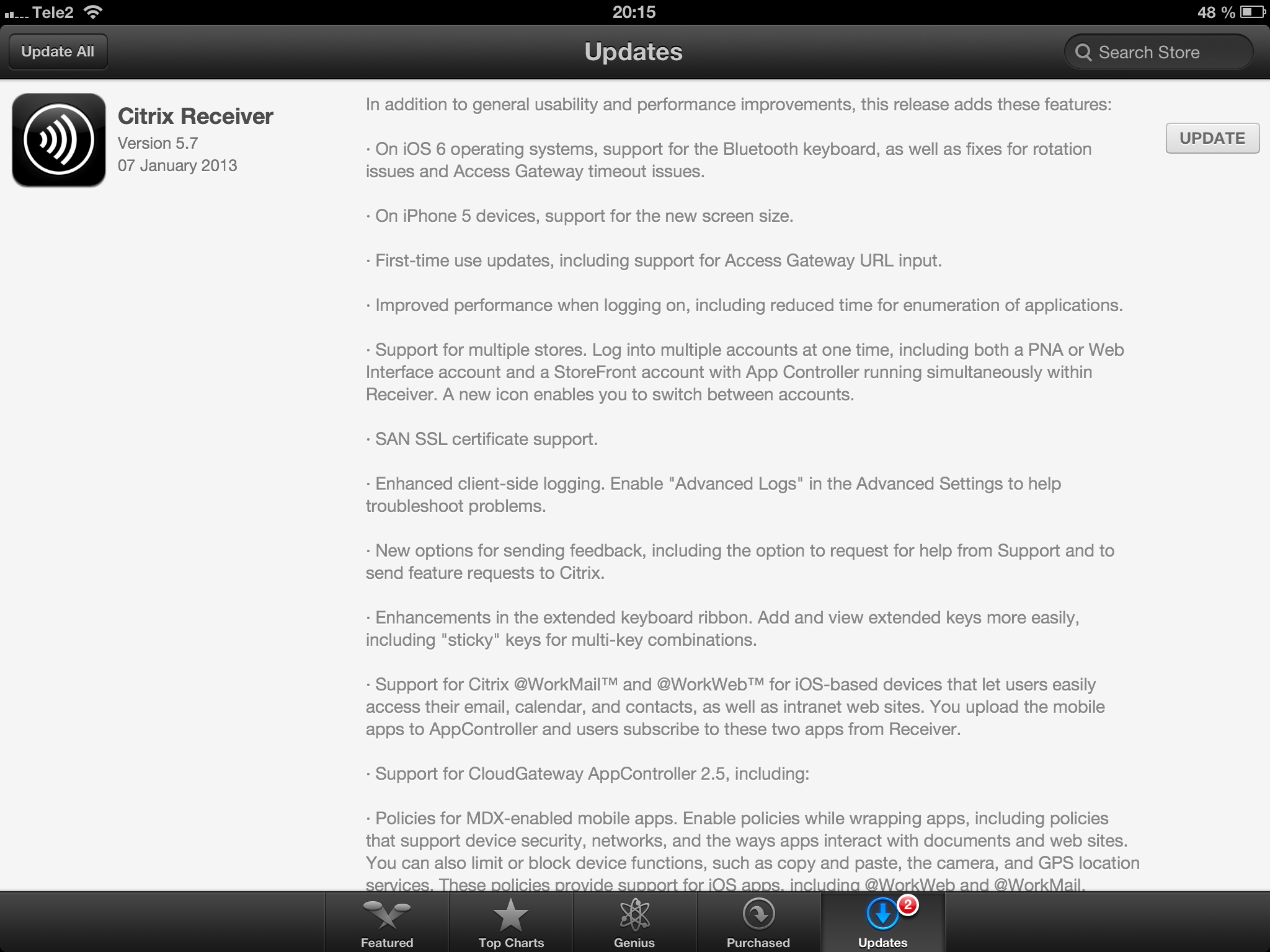
Receiver 5.7 for iOS released! – #Citrix, #Receiver, #CloudGateway
Receiver 5.7 for iOS is here!
//Richard
New Citrix Access Gateway Release – #AG, #SmartAccess, #Receiver, #Citrix
Ok, just as we expected there is now a new release of Access Gateway that goes hand in hand with the new Receivers as I wrote about in the following posts:
Receiver for Windows 3.4 released
Receiver for Mac 11.7 Released
And of course as you could read in the first post above there are great improvements of the end-user experience when accessing resources, now you have ONE login for both the Receiver and to the Access Gateway plugin. And as that posts also highlights is the support for host check (EPA scans) on Receiver use cases as well! Finally! 😉
More info on the new Access Gateway release 10.0.71.6014.e below:
With the release of Citrix CloudGateway 2.5, comes the release of Citrix Access Gateway 10.0.71.6014.e. Citrix CloudGateway as you are aware, is the Citrix Enterprise Mobility offering, complete with Citrix Receiver running enterprise applications on the end point, Citrix Storefront running your enterprise app store, Citrix AppController running your mobile policy management and Citrix Access Gateway providing remote access to all this infrastructure.
With every CloudGateway release, Access Gateway continues to build incredible integration and smart abilities, which makes it the de-facto remote access solution for your CloudGateway deployments. Access Gateway is the only remote access solution today, which can offer seamless Receiver configuration using Email based discovery and provide intelligent integration with Storefront and AppController, to provide single sign-on to all your enterprise applications.
With this new release, Citrix Access Gateway will be able to provide the following value additions in your CloudGateway deployments:
- Seamless Desktop Receiver experience: With this release of Access Gateway, end users will no longer have to sign into their Access Gateway plug-ins as a manual step, to access apps / sites that require a full SSL tunnel. Receivers automatically launch a SSL VPN session via Access Gateway as needed. Result is – end user just deals with Citrix Receiver and Receiver internally (and automatically) deals with Access Gateway on user’s behalf.
- EPA with ICAProxy / CVPN: Receivers can now seamlessly launch AG plug-ins to connect to an Access Gateway vServer configured with End Point Analysis policies, in ICAProxy and CVPN modes as well. Earlier, this was supported only for Full Tunnel access.
- Session Sharing: Receiver and AG plug-in have always been two separate entities, and because of that, they establish two parallel sessions with Access Gateway. With this release, we have added the smarts in our Receiver and Access Gateway integration, to understand each other, and be able to share the same session with Access Gateway appliance. Good News – this now leads to simplified access from end user perspective, and optimal session/license consumption from Administrator perspective.
- Device Wipe/Lock support for AppController: With CloudGateway 2.5, AppController is launching the ability to register and track mobile devices via AppController. These registered mobile devices can then be locked / wiped, if the..
Continue reading here!
//Richard
Great Microsoft System Center 2012 documentation – #SCCM, #SCOM
If you’re looking for something to read when not busy working or have a day of then I recommend to have a look at these great docs for System Center 2012!
- Technical Documentation for System Center 2012 – Configuration Manager;
- Technical Documentation Download for System Center 2012 – Operations Manager›
- Technical Documentation Download for System Center 2012 – Virtual Machine Manager›
- Technical Documentation Download for System Center 2012 – Service Manager›
- Technical Documentation Download for System Center 2012 – Orchestrator›
- Technical Documentation Download for System Center 2012 – Data Protection Manager›
- Technical Documentation Download for System Center 2012 – App Controller›
Happy reading! 😉
//Richard
#Zenprise is now a part of #Citrix
Zenprise is now officially a part of Citrix! For a press release and additional info read here.
I am really excited about this!! But my initial question about this acquisition is how the offerings will be bundled together. Right now you can purchase CloudGateway to get the MAM capabilities for mobile apps and data, and of course then also deliver XenApp, XenDesktop plus SaaS and internal web services. And that’s a nice offering but now with the more capable MDM parts from Zenprise, what will the license model look like and what will in the end a “Platinum” license provide?
My hope is of course that the whole license model is changed to be aligned with all acquisitions from the past years so that you could purchase a “Platinum” license that truly covers all the capabilities and products to make life easier for everyone….
My fear though is that Zenprise will be added as a separate MDM capability on top of CloudGateway as the “Diamond” edition! 😉 and it will probably exist in both CCU and named user/device models to make life even harder…
Please Citrix: surprise us with a new price and license model that spans the whole product/service stack! 🙂
//Richard
#Ubuntu for phones – backed by #Canonical
I must say that this is really cool and looks great!!


iOS is there as a stable platform that companies can rely on in terms of that SW development on this platform for native apps are great due to that Apple provides both the HW and the SW and therefore simplifies build of apps, you don’t have to make like 150 versions for all the device types out there that you need if you’re developing native apps for Android that uses complex features of the device. I guess the same scenario will come true for Ubuntu unless they only ship it with a small range of devices and keep the focus on true HTML5 apps as long as it fulfills the need…
I wonder how and when Canonical or others will take this Ubuntu platform on and bring it to market on a broad scale…. Anyway it looks very promising!
Read more here and go through the great feature set and design!
//Richard
#Ericsson – 10 hot consumer trends for 2013
– Ericsson ConsumerLab has identified some of the most important consumer trends for the coming year
– The cloud reshaping consumer needs and women driving the smartphone market are some of the important trends
– Young people’s behavior changes society and the internet gets put to new use in times of economic uncertainty
As 2012 draws to a close, Ericsson ConsumerLab has identified the hottest consumer trends for 2013 and beyond. For more than 15 years, ConsumerLab has conducted research into people’s values, behavior and ways of using ICT products and services.
Continue reading here!
//Richard
Large collection of Free #Microsoft #eBooks via @anders_keis
This is a great contribution! Thx a lot Anders Keis Hansen for providing the info to me!
A lot of ebooks provided by Microsoft Press including: SharePoint, Visual Studio, Windows Phone, Windows 8, Office 365, Office 2010, SQL Server 2012, Azure, and more.
Many of these ebooks are offered in three formats – PDF, Mobi (Kindle) and epub. Hope you find them useful & Happy Learning!
These books were originally posted by Eric Ligman, you can read the original posts from here:
1- Large collection of Free Microsoft eBooks for you, including: SharePoint, Visual Studio, Windows Phone, Windows 8, Office 365, Office 2010, SQL Server 2012, Azure, and more.
2- Another large collection of Free Microsoft eBooks and Resource Kits for you, including: SharePoint 2013, Office 2013, Office 365, Duet 2.0, Azure, Cloud, Windows Phone, Lync, Dynamics CRM, and more.
Continue reading and downloading here!
//Richard
#Citrix #Receiver 3.4 and 11.7 = is the #SmartAccess story more real now? – #CloudGateway, #AGEE, #NetScaler, #StoreFront
Citrix has now released version 3.4 of the Receiver for Mac and Windows, but what is the main added value with this release?
First of I’d like to ask you to review my previous post where I questioned the Citrix SmartAccess story that I believe is not there end-to-end and that really is a lacking feature for scenarios where you’d for instance want to support more BYOD models etc. You need to determine the person accessing the service and also what what type of device it is, trusted or not etc. And I in the previous post I argued that Citrix doesn’t deliver according to their SmartAccess story;
#Citrix #SmartAccess = A complete story or not? – #NetScaler #AGEE #EPA
And for you that haven’t read about the new Receiver 11.7 or OS X and 3.4 for Windows check these posts:
Receiver for Windows 3.4 released
Receiver for Mac 11.7 Released
The table below is from the previous SmartAccess post and my theoretical review right now is that the SmartAccess story for Windows and Mac OS X clients have improved. As you can see in the two rows for Receiver 3.3 and 11.6 where you would access through a Receiver through an AGEE you would NOT be able to perform host checks using the EPA scans.
This was just not possible though the native Receiver didn’t have that capability to trigger the EPA scans. And the EPA plugin itself was not available in the native Receiver on the OS X, it was bundled into the Access Gateway plugin.
| Client | Access method | EPA/Host-check possible on AGEE | Comment |
| Windows with Citrix Receiver for Windows 3.3 | Receiver 3.3 | NO | You’ll never be able to do host-checks on this device if Receiver access is used due to that the Receiver does not have EPA scan capabilities. |
| Windows with Citrix Receiver for Windows 3.4 | Receiver 3.4 | YES | Now when the Receiver is communicating with the Access Gateway plugin and shares login credentials then you can leverage the AGEE plugin to perform EPA scans and then allow different session policies and profiles depending on the EPA scan result, and at the same time of course also pass that through to StoreFront/WI and into XenApp/XenDesktop.It does however then require that you get the AGEE plugin installed on the devices, which may be another dilemma… |
| OS X with Citrix Receiver for Mac 11.6 | Receiver 11.6 | NO | You’ll never be able to do host-checks on this device if Receiver access is used due to that the Receiver does not have EPA scan capabilities. |
| OS X with Citrix Receiver for Mac 11.7 | Receiver 11.7 | YES | Now when the Receiver is communicating with the Access Gateway plugin and shares login credentials then you can leverage the AGEE plugin to perform EPA scans and then allow different session policies and profiles depending on the EPA scan result, and at the same time of course also pass that through to StoreFront/WI and into XenApp/XenDesktop.It does however then require that you get the AGEE plugin installed on the devices, which may be another dilemma… |




 The IT Melting Pot!