Archive
Content Switching instead of Load balancing of XenApp XML brokers? – #XenApp #NetScaler #CS #LB
Ok, I was contacted by another colleague today again about a customer and their setup of XenApp load balancing. They of course had NetScalers and had read the guidelines and best practises from Citrix on how to do load balancing and monitoring of XML brokers. But they had the same issue that many have, they had to contact the network team when they needed to add farms that they should load balance, and they needed an IP for each LB vServer per XenApp farm…
And this is not the first time I’ve seen this… why doesn’t people use Content Switching instead when doing load balancing of their XenApp farms (and other resources as well of course!)?
This is the Citrix picture on how to do it;

But what I’d do instead and recommend is to use Content Switching (CS) instead. Setup a CS vServer with an IP and an A-record in DNS, in the picture below it’s the one with bogus IP 10.10.10.10 and FQDN of cs8080.envokeit.local.
Then what you do is to configure a CNAME alias for each of your farms in DNS, like farm1.envokeit.local that you can see in the picture. Have the CNAME to be an alias of the CS you just created. Then in the NetScaler you setup your LB vServers just like you’ve always done and create the Service Group and add the correct monitors etc. to it. And remember that you in this case don’t have to have an IP set on the LB vServers, these don’t have to be directly addressable from the network, only through your CS that you just setup.
Then on the CS create your policies to do CS on the hostname of the incoming requests to the respective LB vServer. No more requesting IP’s per farm and all of that, one IP and you can support MANY farms…. I just love CS! 🙂

Happy content switching! 😉
//Richard
#Citrix #SmartAccess = A complete story or not? – #NetScaler #AGEE #EPA
This little blog post is about Citrix SmartAccess. I’ve been a fan of SmartAccess for a long time, and it’s also something that Citrix has been talking a lot about in their story. The way that Citrix technology can provide applications, desktops and information to end-users on any device in a secure and controlled way.
But the purpose of this blog post is to give you my view of this story, and how true the SmartAccess story is. Remember that this is my personal view and that I’ve actually not tested all my theories below so parts of it is purely theoretical at this stage.
So a bit of background first to build my case…
Citrix has been going on about SmartAccess, and it’s been true that the Access Gateway capabilities once added to Web Interface and XenApp/XenDesktop where great in terms of adding another layer of functionality that the IT supplier could use to determine how the XenApp and XenDesktop environments where accessed, and from what type of device. The device detection/classification is done through host checks (Endpoint Analysis Scans, EPA) that the Access Gateway feature provided as a pre- or post-authentication scan. This scan then resulted that either the device met the policies or didn’t, and then this policy could be leveraged by the other internal components (XenApp/XenDesktop) to control/manage which apps, desktops and functionality (virtual channels like printing, drive mapping etc.) that the end-user should get for that specific session.
And this was/is working well for certain scenarios from a technical point of view. But is it really working for the whole story that Citrix and the whole IT-industry is driving now with BYOD etc.? Think about the message that is being pushed out there today, use any device, we can control and deliver according to security policies, we can provide access from anywhere, etc…
And this is where it becomes interesting. All of a sudden then you as an architect are to take this vision that your CIO or IT-board has and realise it into manageable IT services that combined deliver a fully fledged IT delivery of Windows, Internal Web, SaaS, Mobile and Data for this great set of use cases and scenarios. Wow… you’ve got yourself a challenge mate!
This text is from the Citrix homepage about SmartAccess;
SmartAccess allows you to control access to published applications and desktops on a server through the use of Access Gateway session policies. This permits the use of preauthentication and post-authentication checks as a condition for access to published resources, along with other factors. These include anything you can control with a XenApp or XenDesktop policy, such as printer bandwidth limits, client drive mapping, client clipboard, client audio, and client printer mapping. Any XenApp or XenDesktop policy can be applied based on whether or not users pass an Access Gateway check.
So let’s start of then with going back to the SmartAccess which is the topic of this blog!
#Netscaler authentication based on nested groups
Ok, I have to thank my colleague Roger Eklund for this great post! Check it out if you want to use nested AD groups for AGEE authentication!
So i needed to create an LDAP authentication policy in the Netscaler where the users are divided into different groups (DEPT1, DEPT2, DEPT3), and those groups are themselves inside a group (MAINGRP). So i want to authenticate the users based on nested membership in MAINGRP.

Normally without nested groups you would use a LDAP filter with something like this:
memberOf=CN=DEPT1,OU=users,OU=subou,OU=ou,DC=domain,DC=com
Which would return a result to the Netscaler if the user…
Continue reading here!
//Richard
#NetScaler Master Class Webinar on December 5, 2:00 – 4:00 PM GMT
New Citrix NetScaler Master Class! Join and make your voice heard! 😉
Come and join us for our latest NetScaler Master Class. Go back to basics as well as find out what’s new and what’s coming up soon.
This webinar event provides you the opportunity to learn about the features of the NetScaler, the tips and tricks of configuration and of course, put your questions to the experts. Don’t miss this opportunity to have your say and find out what’s going on in the world of Application Delivery Control in general and NetScaler in particular.
Date: 5th December 2012
Time: 14:00 Hrs GMT (15:00 Hrs CET)
Agenda
NetScaler “101” – HTTP Callout
“In the Spotlight” – Command Center
What’s new – NetScaler products update
News and Views – What’s going on in the ADC world
Master Class Extra – Have your say
Read more and register here!
//Richard
Command Center 5.1 Beta – A Complete New Face!
Ok, found another good and interesting blog post from Citrix. Even though this is great and I’ll try it out but I’m still awaiting more from Citrix on end-to-end monitoring and reporting… but lets give this beta a go! 🙂
This release, I am thrilled to unveil a new Face of Command Center!
Command Center 5.1 brings a fresh new appeal with an Absolute User Interface revamp. The new UI flaunts more organized and intuitive navigation which has been introduced with the aim to bring consistency across all the Citrix networking products.

The 5.1 release adds to Command Center’s analytics streak by introducing AGEE Syslog analytics. It breaks open the Syslogs into meaningful graphs and pie charts, laying out top 10 parameters of SSLVPN usage. The AGEE Syslog analytics answers questions raised around SSLVPN usage which comes across in day to day administration:
- Which are the top user sessions?
- Which are the top ICA application being used?
- Which users are consuming high bandwidth?
- While accessing VPN, which client type amongst ICA, Clientless or Agent has been used most ?
- Which users didn’t match EPA scan policies?
- Which users have had the most failed login attempts?
On top of these, it also lets you view the.. continue reading here!
//Richard
Access Gateway Licensing Demystified
Ok, this is a good blog post from Prashant Batra and touches an area that I get so many questions about!
Access Gateway Licensing Demystified
Access Gateway discussed in this blog is the Access Gateway based on NetScaler, which is popularly referred to as Access Gateway Enterprise. Citrix has recently announced End of Life for all non-NetScaler based Access Gateway platforms, which then makes Enterprise edition, the de-facto Access Gateway.
In this blog, we will discuss the two license types used on your Access Gateway appliance, the two kinds of vServers you can set up to leverage these licenses to provide standard / advanced functionalities, and an example scenario towards the end, to help illustrate these concepts in a real scenario.
License Types
Access Gateway is licensed at two levels:
- Platform License
- Universal License
Platform Licenses
Every Access Gateway (VPX/MPX) comes with a… continue reading here!
//Richard
#NetScaler #SDX design and best practise
Ok, I understand that this is something that I’ve touched upon before as well and received some comments on (NetScaler MPX vs. SDX dilemma). But I’ll still continue the reasoning behind why I think that the NetScaler SDX architecture is great, and that is needs to be offered on all the different platforms/appliance types/sizes!
To kick off the reasoning I recommend that you read this post; #NetScaler #AAA on NS 10.00 Build 70.7 = watch out!. When you’ve read both previous posts I hope that you see where I’m now going with all of this…
Just have a look at this picture where I’m trying to illustrate two design options for how you could build your NetScaler service for a tenant;

And if you then keep in mind about the AAA bug that caused the whole NetScaler engine to crash, what happens in the top scenario if this VPX had been affected? Think about if that NetScaler hosted network connectivity to you public cloud services with workloads, all SSL VPN users connected to the enterprise, all ICA/HDX proxy users into XenApp/XenDesktop, and also provided AAA features to the enterprise web apps used by customers and partners etc.? Wow, that would actually mean that one single 401 basic authentication could have taken down EVERYTHING!
But; if you would have separated your capabilities/features into separate VPX’s then you wouldn’t have had that issue. The “only” thing that would have happened if you ran into an issue that caused the NetScaler to crash then it would only affect that VPX (AAA VPX in the scenario above).
So my personal view is that it’s great that Citrix provides all the features on one appliance/instance. But it also adds quality and test efforts on Citrix to ensure that they perform testing of ALL features and functions before releasing a new build. And that may affect the lead-time to get fixes and new builds released and quality may also be impacted… and that’s what I’m afraid of is happening. So a little word of advice; separate workloads/features when you can and when you don’t want this big of a risk, and prey that Citrix soon delivers the SDX architecture on all appliances! And they would of course perhaps not just sell the larger boxes like they force us into today even if the bandwidth capabilities of that box isn’t required. But they would instead sell more VPX’ on top of the HW, that’s at least what I think.
Comments?
Cheers!
//Richard
#NetScaler #AAA on NS 10.00 Build 70.7 = watch out!
Ok, just received a heads-up from a colleague around a bug on NetScaler for the AAA feature that you should be aware of if thinking of using build 70.7!
AAA Application Traffic
- Issue ID 0319434: If 401 basic authentication is enabled on a load balancing virtual server, and authentication fails either due to invalid credentials or a Kerberos authentication failure, the NetScaler packet engine might crash.
The info received (I’ve not tested it myself but will) is that if you perform just one (1) 401 basic authentication and then the NetScaler engine crashes… so beware and upgrade to 71.6 instead!
Read more of the bug fixes in 71.6 here.
Cheers!
//Richard
#NetScaler – Join Live Webinar: Learn More about #Citrix/#Cisco Partnership and Program (AMP)
Ok, this is interesting! Have a look and join this seminar!
JOIN US for an exciting Master Class experience! At this live webinar,Wednesday November 7th, you will learn about the most critical elements of cloud infrastructures and enterprise datacenter architectures. Get details on the latest features of NetScaler, tips and tricks for easy configuration, and get a chance to consult with the experts.
Agenda:
• News and views – Cisco partnership and Ace Migration Program (AMP)
• NetScaler 101 – Responder, rewrite and URL transformation?
• In the spotlight – Innovative security strategies for protecting apps and data
• What’s new – NetScaler product updates?
• Master Class extra – Be heard and get the answers you’re looking for
Read more and register here.
//Richard
#Citrix #NetScaler, #AGEE and Macbook OS X… bad start of the evening session!
Ok, I was just going to log in and play around and setup another AppController to verify some thoughts around a customer case in our EnvokeIT environment. And what did I do? I just opened my lovely Macbook Air (no one will ever take that one from me!!) and thought I would connect into our internal EnvokeIT lab environment and decided for some reason to connect over SSL VPN this time rather than running everything on the internally published desktop.
So I opened the browser and connected to our AGEE vip that presented me with the rather ok-looking login page as you can see here that my colleague modified to make it a bit more aligned with the StoreFront/Receiver for Web that we use in this little environment (otherwise you get that black ugly NetScaler login prompt, please get your product look & feel in synch Citrix!).
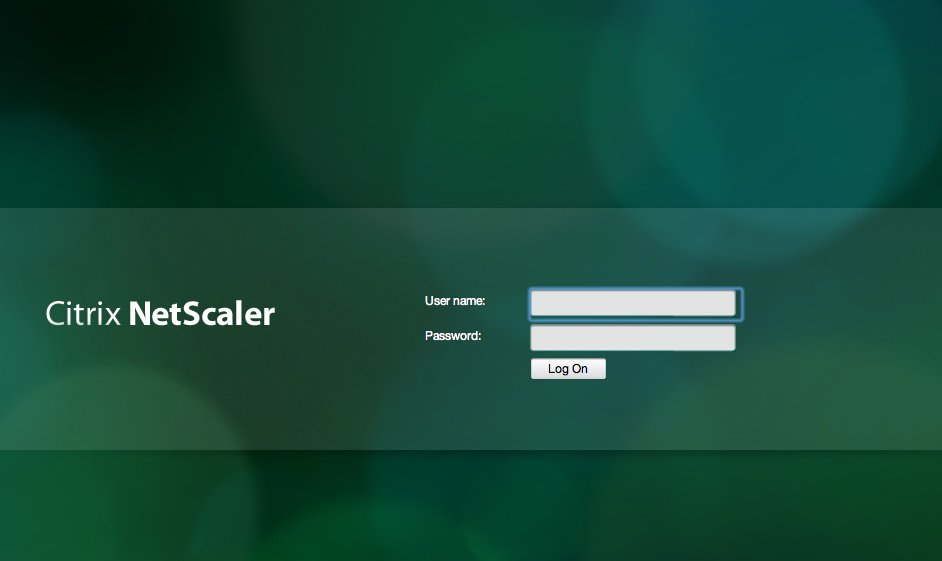
But then after I logged in I though that why not try out the SSL VPN client for my Mac! So I choose Network Access here;
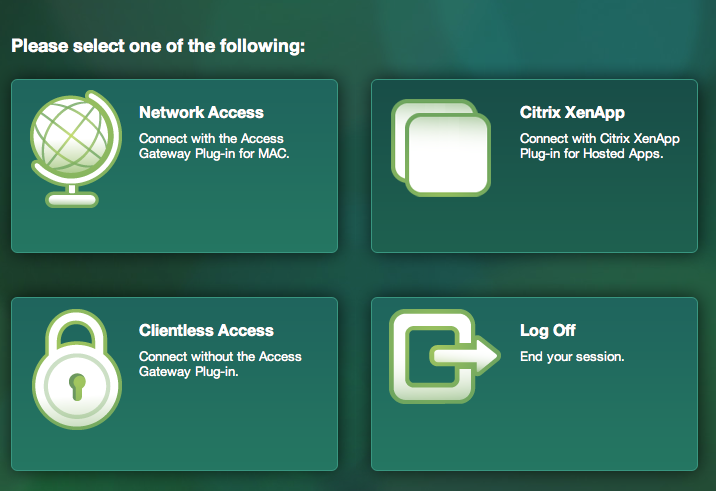
And then I realised that the modifications weren’t really all ok as you can see here when I was prompted to download the Access Gateway Plugin for OS X (SSL VPN client)…




 The IT Melting Pot!