Archive
#XenDesktop 7.1 Service Template Tech Preview for System Center 2012 Virtual Machine Manager – #SCVMM
This is interesting! Really good and can’t wait to try it out!
Introduction
Let’s face it, installing distributed, enterprise-class virtual desktop and server based computing infrastructure is time consuming and complex. The infrastructure consists of many components that are installed on individual servers and then configured to work together. Traditionally this has largely been a manual, error prone process.
The Citrix XenDesktop 7.1 Service Template for System Center 2012 Virtual Machine Manager (SCVMM) leverages the rich automation capabilities available in Microsoft’s private cloud offering to significantly streamline and simplify the installation experience. The XenDesktop 7.1 Service Template enables rapid deployment of virtual app and desktop infrastructure on Microsoft System Center 2012 private clouds. This Tech Preview is available now and includes the latest 7.1 version of XenDesktop that supports Windows Server 2012 R2 and System Center 2012 R2 Virtual Machine Manager.
Key Benefits:
- Rapid Deployment – A fully configured XenDesktop 7.1 deployment that adheres to Citrix best practices is automatically installed in about an hour; a manual installation can take a day or more.
- Reduction of human errors and the unwanted consequences – IT administrators answer 9 questions about the XenDesktop deployment, including the VM Network to use, the domain to join, the SQL server used to host the database, the SCVMM server to host the desktops, and the administrative service accounts to connect to each of these resources. Once this information is entered, the Service Template automation installs the XenDesktop infrastructure the same way, every time, ensuring consistency and correctness.
- Reduction in cost of IT Operations – XenDesktop infrastructure consistently configured with automation is less costly to support because the configuration adheres to best practice standards.
- Free highly skilled and knowledgeable staff from repeatable and mundane tasks – A Citrix administrator’s time is better spent focused on ensuring that users get access to the applications they need, rather than lengthy production installation tasks.
- Simplified Eval to Retail Conversion – Windows Server 2012 and later, as well as XenDesktop 7.1, support conversion of evaluation product keys to retail keys. This means that a successful POC deployment of the XenDesktop 7.1 Service Template is easily converted to a fully supported and properly configured production deployment.
- Easy Scale-Out for greater capacity – SCVMM Service Templates support a scale-out model to increase user capacity. For example, as user demand increases additional XenDesktop Controllers and StoreFront servers are easily added with a few clicks and are automatically joined to the XenDesktop site.
The XenDesktop Service Templates were developed and tested with the support of our friends and partners at Dell, who, in support of the release of XenDesktop 7.1 and the Service Template technical preview, are expected to launch new and innovative solutions that include these and other automation capabilities this quarter. These solutions are based on the Dell DVS Enterprise for Citrix XenDesktop solutions.
Simplification of Distributed Deployments
The XenDesktop 7.1 in-box installation wizard is a fantastic user experience that automatically installs all the required prerequisites and XenDesktop components in under 30 minutes. The result is a fully installed XenDesktop deployment, all on a single server, that is excellent for POCs and product evaluations. The installation and configuration challenges occur when you want to install XenDesktop in production, with enterprise-class scalability, distributed across multiple servers.
Manual Installation Steps

Performance tuning #Citrix #Storefront – via @msandbu
Great article by Marius!
Read it and also have a look here at my previous post related to this: #Citrix #StoreFront Slowness, Join and Replication issue – check list!
This is something I wanted to write about for some time now, after the release of XenDesktop 7 but there are only 24 hours in one day so therefore I didn’t have the time before now 
But the purpose of this post is to really say that Storefront is slow…..
Don’t get me wrong it not about Citrix but the combination of Storefront and IIS that makes it a bit complex and therefore this makes it a bit slow.
Now there are a couple of tricks that can tune the perfomance.
Socket Pooling
In Web Interface you could enable it from the console, but in StoreFront we have to change it in the store config. By enabling socket pooling, Storefront maintaines a pool of sockets instead of creating a socket each time a new user connects, this will give a better performance for SSL based traffic.
You can enable this by opening the web.config file under C:\inetpub\wwwroot\Citrix\storename\
pooledSockets="off"
And Change this to “on” after that you have to do an IIS reset.
Application Initialization
(NOTE: Make sure you backup the config files before making alterations)
With Windows Server 2012 we have a new feature in IIS called always running on the application pools, this allowed for IIS to make everything ready after an application pool has restarted, before this the previous IIS was set to start loading after the first user tried to login after a restart. This caused the first user to login after an application pool has restarted to take loooong time to login. With Server 2012 IIS we can change the application pool to always running.
With 2008 R2 not so easy. But we can make it happen
First we need to download the application initialization feature from Microsoft
http://www.iis.net/downloads/microsoft/application-initialization
After that is done and installed…
Continue reading here!
//Richard
How to: #Citrix #XenMobile 8.5 MAM upgrade! Part 2 – #StoreFront, #AppController, #NetScaler
Hi again!
If you haven’t read Part 1 then I highly recommend doing so prior to going directly to the upgrade that we’re covering in this post!
Prepare for a journey in this post about Citrix StoreFront upgrade, uninstallation, console and how messy it could be! NOT all the time, sometimes it “just works”! 😉
My little NetScaler is already upgraded to 10.1 so unfortunately I couldn’t take you on that journey as well, so we’ll start with the StoreFront upgrade from 1.2 to 2.0 in this post. These are the steps that we need to cover as highlighted in the migration guide that seems very short and straight forward:
Upgrade StoreFront 1.2 to 2.0.
- Logon to the StoreFront server console.
- Upgrade StoreFront by running the StoreFront 2.0 installer as an administrator.
- When the upgrade is completed, open StoreFront administration snap-in, remove CloudGateway controller from each store as this will be moved in the migration solution.
- Open NetScaler Gateway Properties and for each gateway defined and change the version field in settings from 9.x to 10.0.x or later.
- Test the configuration by logging on through web browser or Citrix Receiver.
- Verify if the users are able to login and authenticate to StoreFront defined stores configured.
Is it this easy?
Ok, I’ve downloaded the 2.0 installer, and I’m logged on to the server.
Before we even start the upgrade there are things that could go wrong in removal or upgrades of StoreFront. And one that I’ve seen cause a lot of headache for a lot of people out there is that they have the Windows Firewall service disabled. Though the installation and removal wants to delete or add these rules the installation will fail unless this service is running. As you can see in this picture below you see the FW rule added in StoreFront 1.2:

So let’s verify that the Windows FW service is started, and it is!

I’ll now start the installation by double-clicking the StoreFront 2.0 installer!

What is this popup that came directly after starting the installer?

Wait, ok so you guys at Citrix couldn’t ask me whether you could do this for me? My plan is to upgrade, so please just add a little step in your upgrade program that does this for me… change request #1 for the next SF release and it’s upgrade process! Verify pre-requisites or deal with them!
#Citrix #XenMobile 8.5 MAM upgrade! Part 1 – #StoreFront, #AppController, #NetScaler
In this little blog series series you’ll follow a little upgrade process to XenMobile 8.5 for Mobile Application Management (previously known as CloudGateway).
Ok, I don’t exactly know where to begin. I must first say that Citrix is THE master when it comes to renaming products, updating/changing the architecture, changing consoles (claiming to reducing the number of them like every year but at the same time introduce new ones).
How hard can it be to make crystal clear documentation and upgrade processes that works and are easy? I feel already that my tone in this blog post is “a bit” negative… but I think that Citrix actually deserves it this time.
I must now take a step back and calm down and point out that Citrix is delivering some MAJOR changes and good news/features in the new XenMobile 8.5 release though! It’s great (when you’ve got it up and running) and I must say that I don’t see anyone that is near them in delivering all these capabilities in a nice end-to-end delivery!! 🙂
Have a look at everything that is new, deployment scenarios etc. here before you even start thinking to upgrade or change your current NetScaler, StoreFront and AppController environment!
Once you’ve started to read the different design scenarios you’ll see that App Controller can be placed in front of StoreFront, in the back of StoreFront or totally without StoreFront… all the options just make your head spin! Because Citrix doesn’t really make it clear on how all of this should work with a Receiver and Worx Home depending if the device is on the internal network, external through NetScaler or what the capabilities that you need are supported in the different scenarios in a simple way, just text that explains it. And I find the pictures and text a bit misleading:

As you see above the App Controller is added as a “Farm” just as in 2.6, but is that the truth now in version 2.8 of App Controller?
If you have a look at the text from this page it’s getting even more confusing: Read more…
Choose your #Citrix #NetScaler … wisely… – via @hlouwers
This is a question I get a lot and I must say that Henny Louwers did answer it well in this blog post!
I spend a lot of my time breaking down the different models of Citrix NetScaler appliances and different Software Editions within the Citrix NetScaler portfolio.
I decided to set up a blog about this since the path is usually pretty much (lengthy but) the same. This does not mean the answer is always easy because there are a lot of questions that need to be answered.
The first thing I would like to get off my chest is the following: Stop seeing/selling the Citrix NetScaler as a replacement for Secure Gateway. It is so much more than that. I often have discussions with various engineers and consultants telling me that Citrix NetScaler is so expensive for a Remote Access solution because Secure Gateway always used to be free. No offense but a Citrix NetScaler solution belongs to the networking department, not the Citrix XenApp sys admin department. Or maybe limited.
That leads me to the first difficult thing of a Citrix NetScaler project. The adoption of the Citrix NetScaler appliances to the networking guys of an organization. They need to embrace the solution to make this a success. For some reason they too see it as a ‘’Citrix’’ solution. For that reason one of the most important meetings to setup is usually with the networking guys to try to explain the L3-L7 functionality of the Citrix NetScaler solution. When they realize it competes with F5, Juniper, Cisco, etc then we are on the right track.
NetScaler Gateway or NetScaler Standard Edition
Usually the first question of a customer is regarding something simple like replacing the Remote Access solution. Since the NetScaler is going to be the main platform for publishing Citrix publications a NetScaler Gateway can be considered as a valid option. This is when I tell a customer it would be wise to spend a little extra on the NetScaler Standard Edition since this would leverage the solution be having full load balancing capabilities (among others). When you compare prices between the NetScaler Gateway and NetScaler Standard Edition you will see that the Standard Edition will be somewhat more expensive but I for one think that it is worth the difference given the feature set that come with the Standard Edition. Of course the NetScaler Gateway can always be upgraded to a NetScaler Standard Edition (or higher) if you will.
Another feature of Citrix NetScaler Standard Edition is the ability to run Citrix Web Interface on the appliance. Honestly, I do think is not really that important anymore….
Continue reading here!
//Richard
#XenDesktop 7 and #AppController setup – #Citrix, #MAM – via @msandbu
Good job on this blog post by Marius Sandbu!
XenDesktop 7 setup and AppController setup
So the big day is here, XenDesktop 7 is released from Citrix and with it ends the old XenApp architecture.
Support for Server based session hosts is still there but the architecture is merged into XenDesktop.
Other features include:
App-V integration
License console integrated into Studio
Storefront administration also from the same console.
The list goes on and pictures say more than a thousand words.
(Can also say that Citrix also released a new version of the Receiver platform for both Mac and Windows today, which includes support for XenDesktop 7 and Storefront.
http://blogs.citrix.com/2013/06/25/receiver-for-windows-4-0-released-today/
http://blogs.citrix.com/2013/06/25/whats-new-with-receiver-for-mac-11-8/
XenDesktop 7 can be downloaded from Mycitrix.com à
http://www.citrix.com/downloads/xendesktop.html
Now the installation is pretty straight forward just choose Standard delivery controller install and it will include all of the needed components. After they are installed we need to create a deployment.
When you start Desktop Studio we choose create new deployment.

So we create a new site…
Continue reading here!
//Richard
#App-V and #XenDesktop 7 – #Citrix, #AppV
A couple of good posts from Citrix (Ram Kumar Mantena & Nagendra Kumar) around the support for App-V on XenDesktop 7 and what to think of etc.
Tips/Tricks for Using App-V Integration with XenDesktop 7.0
XenDesktop 7.0 is released and it supports both Apps and Desktop Virtualization. One of the key features of this release is support for Microsoft App-V. As this is the first release for App-V support, here are some tips/things to consider for an easy deployment of App-V 5.0 in a XenDesktop Environment.
- XenDesktop 7.0 supports Server based App-V deployment scenario where Admin uses App-V Publishing Server and Management Server to manage apps.
- Microsoft App-V client does not support more than 5 Publishing Servers. In Citrix Desktop Studio, although the admin can add one Management and one Publishing server through Studio UI, he can also add multiple Publishing Servers using low level SDKs. It is recommended to add only 5 Publishing Servers. Though Studio low level SDKs take more than five Publishing Servers, studio enumerates App-V apps from first 5 Publishing Servers.
- When adding the Management Server and Publishing Server in App-V publishing node, if the test connection fails and App-V Server is up and running, make sure WinRm is up and running.
- Once the Virtual Desktop Agent is installed on Server/Client, make sure CtxAppVCOMAdmin is member of Administrator group. This is required as some of the App-V operations on VDA side need administrator privileges. This is the user account pre-created by Citrix XenDesktop VDA installation. [CTX138057]
- It is recommended to enable SharedContentStoreMode…. Read more…
Finally multi-site and enterprise readiness of #StoreFront subscription DB! – #Citrix
This has been one of the things that many larger companies where asking for in the earlier versions of StoreFront (and to get rid of the SQL database of course). Before you could not in a supported/good/easy way get the user subscription database that contained all the items (apps and desktops) that the end-user had subscribed to replicated between sites and StoreFront groups.
For instance if you had a datacenter in Stockholm and then one in Beijing, and had a storefront server group at each datacenter and then used GSLB to load balance the StoreFront or Access Gateway access into those then users could travel and then end up on the other StoreFront group of servers and then didn’t have his/her subscriptions… this was not that good but with StoreFront 2.0 there is now support for how to synchronize the subscription database between the stores on the different groups/sites.
This is still a messy configuration I must say, how hard is it to build it into the console Citrix?!?! Same things as many of the config changes that you still have to do in web.config files…. really not that admin-friendly…
But here you find you how to setup the replication “jobs”:
And of course Citrix also added some other features in this new release:
What’s new
Separate database no longer required. The requirement for a separate database has been removed. Users’ application subscription data are stored locally and automatically replicated between StoreFront servers. For more information, see Plan your StoreFront deployment.
High availability and multi-site configuration. To enable load balancing and failover between the deployments providing the desktops and applications, you can define groupings and hierarchies, including specific backup deployments. You can restrict user access to specific resources by mapping deployments to Active Directory user groups. For more information, see StoreFront high availability and multi-site configuration.
Smart card authentication. StoreFront supports smart card authentication through both Receiver for Windows and NetScaler Gateway. Smart card authentication from desktop appliances and repurposed PCs through Desktop Appliance sites and XenApp Services URLs is also supported. For more information, see Use smart cards with StoreFront.
Receiver for HTML5 integration. You can configure Receiver for Web sites to enable users who cannot install Citrix Receiver to access their desktops and applications directly within HTML5-compatible web browsers. For more information, see Receiver for Web sites.
Desktop Appliance sites. You can enable users to access their desktops from non-domain-joined desktop appliances. The web browser on the appliance is configured to access the Desktop Appliance site for a store in full-screen mode at startup. For more information, see Desktop Appliance sites.
Receiver for Web site shortcuts. You can embed on your websites links to desktops and applications available through Receiver for Web sites. For more information, seeReceiver for Web sites.
XenMobile App Controller workflow integration. Receiver for Web site users can subscribe to applications to which you are managing access with App Controller user account management. For more information about App Controller user account management, see Configuring Applications for User Account Management.
#Citrix #XenDesktop 7 released – #RTW, #BYOD, #HSD, #VDI
Ok, it’s here! The official release is now available for everyone!
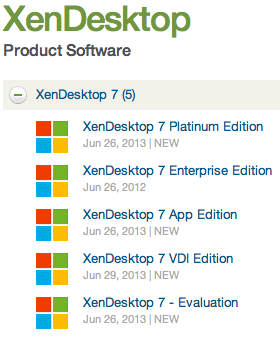
There are tons of blog posts and materials already out there and some great features as well that comes with this new release from Citrix. If you haven’t already played with the Excalibur release and know about them I suggest that you start evaluating and testing now!
Here are some good links to have a look at:
- XenDesktop 7 Overview
- XenDesktop 7 Feature matrix
- Excalibur is XenDesktop 7: what does this mean for XenApp and XenDesktop customers?
- XenDesktop 7: Upgrade & migration paths for XenDesktop and XenApp customers
- XenDesktop 7: AppDNA and Platinum Activation
- Reference Architecture: Director and EdgeSight
- XenDesktop 7 edocs – Documentation
- XenDesktop 7 Admin Guide
- XenDesktop 7 Upgrade Guide
- XenDesktop 7 Install Guide
Enjoy! 🙂
//Richard
Top 10 #CitrixSynergy sessions…watch them today!
Have a look at the 10 most popular Citrix synergy sessions! They are now uploaded and ready for you to see:
- SYN501: Geek Speak Tonight! (Desktop Virtualization panel) & SYN501 (Mobility panel)
- SYN415: Advanced best practices for migrating from Web Interface to StoreFront
- SYN321: Next-generation desktop and app delivery with XenDesktop 7, Microsoft System Center 2012
- SYN334: What’s new in XenDesktop and XenApp Platinum
- SYN320: XenDesktop 7: what you should know about FlexCast management architecture and XenApp migration
- SYN299: One Step Beyond – An audience with the Citrix CTO’s
- SYN322: XenDesktop 7: reinventing HDX for mobile, 3D graphics and beyond
- SYN222: Architecting a global XenApp farm with regional users using NetScaler and StoreFront
- SYN404: Introducing the Citrix Diagnostic Toolkit
- SYN206: What’s new in ShareFile Enterprise
Continue reading here!
//Richard




 The IT Melting Pot!