Archive
#ShareFile app for #Windows 8 – #Citrix, #BYOD
Citrix leads the way with the new ShareFile app for Windows 8

Users are excited about tablets and the market is growing rapidly. With Windows 8, Microsoft is providing a great tablet OS as well as their own hardware in the Microsoft Surface RT and Surface Pro. This article from CIO indicates that a Forrester survey showed that 32% of users want their next work tablet to run Windows.
Citrix is bringing easy file sharing to the latest version of Windows. If you are one of those users looking to get a tablet running Windows 8 or if you have a laptop/desktop running Windows 8, we now have multiple ways to leverage ShareFile on Windows 8 with the introduction of the new ShareFile app in the Windows Store. This app provides a full-screen experience on Windows 8 for accessing ShareFile and integrates directly with the new Windows 8 charm bar for OS-level integration with the Search, Share, and Settings charms. Of course, we included support for the great device security features like remote wipe and users can login with their AD credentials. The app also supports these great features:
- Browse your account
- Download and view documents
- Request and send files via email
- Transfer big files
- Add users to folders on your ShareFile account
- Offline access to view downloaded files
- For Enterprise accounts, users will be able to access their data using their corporate credentials
- IT administrators will be able to control and audit access
Check out a video of the app in action on YouTube. More details…
Continue reading here!
//Richard
iOS 6.1 banned from corporate servers due to Exchange snafu – via @rspruijt
Summary: iPads and iPhones running the newest version of iOS are being blocked in some enterprises because bugs are overloading corporate Exchange servers.
One of the benefits of Apple’s iOS devices such as the iPad and iPhone is that you can upgrade to the latest version as soon as it comes out. Being on the cutting edge is usually a good thing, but sometimes it can come back to bite you. If you are connecting to an Exchange server for mail and calendar services, the latest version of iOS has an unpleasant surprise in store for you.
Reports started surfacing in late January about excessive logging on Exchange servers caused by the upgrade to 6.1. A report on Microsoft Technet states:
I had a user upgrade to 6.1 and immediately after he finished, his phone/IPAD started causing excessive logging on the exchange server.
I found the problem by using exmon and saw the CPU utilization in conjunction with high session count.
He shut down Outlook and the problem remained. He turned off his iPad and the problem went away. The only change he said he made that morning was upgrading to iOS 6.1.
This problem has been confirmed by many sources. Windows IT Pro’s Tony Redmond reports:
I’ve picked up a few other reports that cannot be publicly attributed at this point that also refer to excessive transaction log generation after iOS 6.1 devices are introduced into Exchange 2010 or Exchange 2007 environments. I assume the same is true for Exchange 2013 as the underlying cause is likely to be in Apple’s mail app code that calls ActiveSync…
Continue reading here!
//Richard
It’s here! #Citrix #Receiver for Win 8/RT 1.2
The first official release for your touch-enabled Win RT tablet or Windows 8 Pro device now on the Windows Store! It adds the ability to connect to XenApp Services and XenDesktop Services sites for Web Interface deployments, not just StoreFront enabled sites. Connections can be direct or through Access Gateway Enterprise Edition. We also added the ability to open ica files if you’re using browser access. And we shouldn’t overlook the ability to save your password, if allowed by server policy.
This version will be useable in more configurations.
Click here to try this version. It is still a good idea to ask your IT department if it can be used in your environment. IT managers can find details on configurations supported and settings at Citrix eDocs.
Here is what it provides:
- Secure access to virtual desktops and enterprise apps
- Secure access to Web and SaaS apps (requires CloudGateway Enterprise)
- Work anywhere on any Windows 8 computer or tablet
- Account configuration using your email address, a server URL, or a provisioning file
- Auto-provisioned applications
- Use one published app at a time, along with multiple Web and SaaS apps
- Automatic display of the keyboard when needed
- Use of native controls for selecting an item from a list
- Option to save your Receiver password if allowed by server
And more functionality is coming
Look for updates every few months. Among other improvements, we’ve started work on multi-touch, audio, session sharing (support for multiple sessions)…
Continue reading here!
//Richard
More Than 50% of Mobile Apps Deployed Will be Hybrid – #Gartner, #BYOD
Gartner Says by 2016, More Than 50 Percent of Mobile Apps Deployed Will be Hybrid
Gartner’s 2013 Mobile and Wireless Predictions Reflect Mobility’s Impact on the Broader
With enterprises under extreme pressure from management and employees to develop and deploy mobile applications to accommodate mobile work styles and increase customer engagement, Gartner, Inc. predicts that more than 50 percent of mobile apps deployed by 2016 will be hybrid.
“Mobility has always been a separate topic for IT professionals, but it is now influencing mainstream strategies and tactics in the wider areas of technology enablement and enterprise architectures,” said Ken Dulaney, vice president and distinguished analyst at Gartner. “Increasingly, enterprises are finding that they need to support multiple platforms, especially as the [bring your own device] BYOD trend gains momentum.”
To address the need for mobile applications, enterprises are looking to leverage applications across multiple platforms. The advantages of the hybrid architecture, which combines the portability of HTML5 Web apps with a native container that facilitates access to native device features, will appeal to many enterprises.
The need for context awareness in mobile applications has increased with the capabilities of mobile devices, causing developers to consider both hybrid and native architectures. For applications to leverage location information, notification systems, mapping capabilities and even on-device hardware such as the camera, the applications need to be developed using either hybrid or native architectures. This has caused enterprise developers to consider alternatives to Web application……
Continue reading here!
//Richard
Performance Tuning Guidelines for #Windows Server 2012
This is a whitepaper that all techies out there should read if you’re dealing with Windows Server 2012!
About This Download
This guide describes important tuning parameters and settings that you can adjust to improve the performance and energy efficiency of the Windows Server 2012 operating system. It describes each setting and its potential effect to help you make an informed decision about its relevance to your system, workload, and performance goals.
The guide is for information technology (IT) professionals and system administrators who need to tune the performance of a server that is running Windows Server 2012.
Included in this white paper:
- Choosing and Tuning Server Hardware
- Performance Tuning for the Networking Subsystem
- Performance Tools for Network Workloads
- Performance Tuning for the Storage Subsystem
- Performance Tuning for Web Servers
- Performance Tuning for File Servers
- Performance Tuning for a File Server Workload (FSCT)
- Performance Counters for SMB 3.0
- Performance Tuning for File Server Workload (SPECsfs2008)
- Performance Tuning for Active Directory Servers
- Performance Tuning for Remote Desktop Session Host (Formerly Terminal Server)
- Performance Tuning for Remote Desktop Virtualization Host
- Performance Tuning for Remote Desktop Gateway
- Performance Tuning Remote Desktop Services Workload for Knowledge Workers
- Performance Tuning for Virtualization Servers
- Performance Tuning for SAP Sales and Distribution
- Performance Tuning for OLTP Workloads
Download here!
//Richard
Native vs HTML5 – Which option is best?? – #Mobility via @appcelerator and @r0bsterry
This was a really good presentation from Appcelerator Inc!!
Check it out!!
#Citrix #StoreFront Planning Guide
Ok, this product has caused some headache since it was released. And I must say that this guide is something that Citrix should have release a long time ago… there are so many companies out there struggling with how to deal with Web Interface being faced out and how/what to do with StoreFront!
So enjoy!
Download StoreFront Planning Guide!
//Richard
Mac Receiver Launches Application and Closes Abruptly – #Citrix, #Receiver
Ok, had a bit of a “challenge” today with my little Receiver 11.7 on my Macbook Air…. the darn thing just “vanished” after the XenApp/XenDesktop session was shown for about half a second…
And the solution was the following:
Symptoms
User is unable to login from a MacBook using the Citrix Receiver for Mac. The session launches and eventually disappears without any error message.
Cause
Since the Mac devices do not have a registry like Windows devices, a license needs to be issued to the client devices name. If the device does not have a name then it cannot be issued a license. It attempts to assign a license to a null value, which it cannot do and hence the session drops.
Resolution
- Find the System Preferences Icon on the toolbar.

- Open the Sharing folder in the System Preferences options.

Virtualizing your desktops? Six experts share their advice – #Citrix, #XenDesktop
If you follow a few simple principles, desktop virtualization projects are pretty straightforward.
But if you barrel ahead, ignoring little things like users, apps, data and hardware, you could be in for a bit of a train wreck.
So we thought we’d make this easy – with a new eBook that captures best-practice deployment advice from six of the most experienced desktop virtualization experts: Desktop Virtualization Deployment Insights: Six Experts Share Their Advice.

Download the free eBook from here: Desktop Virtualization Deployment Insights: Six experts share their advice
//Richard
SSO to StoreFront not working in CVPN mode – #Citrix, #NetScaler, #StoreFront
Single Sign-On from Access Gateway to StoreFront not working in CVPN mode
There is yet another “thing” to have in mind when setting up Access Gateway and StoreFront in CVPN mode!
It’s been an interesting day (or days/weeks/months I must admit) with some “issues” with a NetScaler ADC, Access Gateway with CVPN profiles and StoreFront 1.2. And one thing that we have been struggling with was Single Sign-On to StoreFront when we had the AG configured for CVPN access. And it was just this environment where I’ve seen this issue!!
After a lot of troubleshooting the Citrix guys came up with an explanation on why SSO from AG doesn’t work in this specific environment! And it’s not an obvious one to find I must say… but I now understand why it doesn’t work!
So let’s explain the design reason for why it doesn’t work (so bear with me, solution at the end!!)…
The following picture tries to give a VERY rough picture of how it could look like, clients on the Internet on the left, then a NetScaler ADC with the Access Gateway feature enabled and a vServer configured. This AG vServer has session policies and profiles for ICA proxy (old traditional ICA proxy policy) and the little newer CVPN mode. And YES; I’ve left out a lot of stuff like AD etc. to simplify this picture A LOT…

The overall idea and config is that AG authenticates the user and then shall do SSO to StoreFront. The CVPN policy have been created according to all best practices etc. (Citrix CloudGateway Express 2.0 – Implementation Guide).
But SSO still doesn’t work!! If you login through a browser when having the CVPN policy linked to the vServer you’ll see that authentication works perfectly but then when it tries to passthrough the authentication to StoreFront it fails.
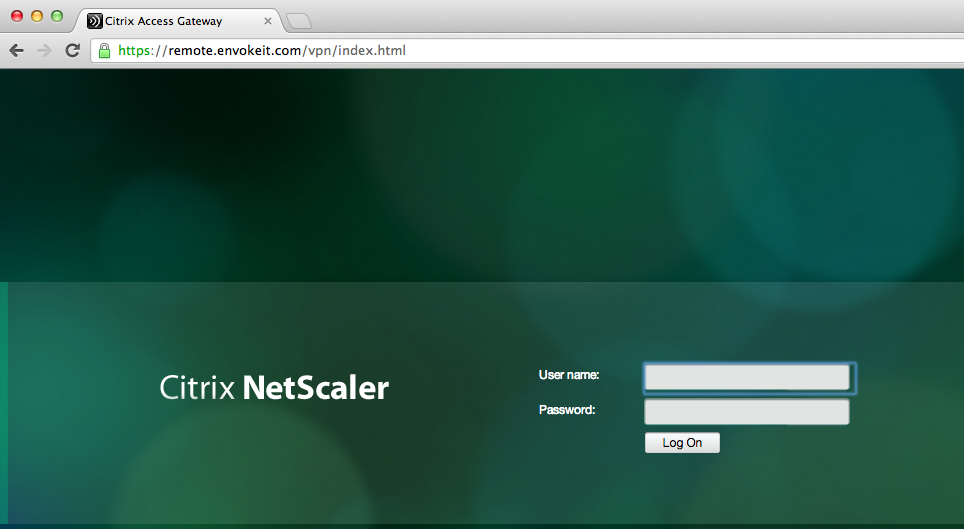
This picture just shows the login to the NetScaler ADC Access Gateway vServer:




 The IT Melting Pot!