Archive
iOS 6.1 banned from corporate servers due to Exchange snafu – via @rspruijt
Summary: iPads and iPhones running the newest version of iOS are being blocked in some enterprises because bugs are overloading corporate Exchange servers.
One of the benefits of Apple’s iOS devices such as the iPad and iPhone is that you can upgrade to the latest version as soon as it comes out. Being on the cutting edge is usually a good thing, but sometimes it can come back to bite you. If you are connecting to an Exchange server for mail and calendar services, the latest version of iOS has an unpleasant surprise in store for you.
Reports started surfacing in late January about excessive logging on Exchange servers caused by the upgrade to 6.1. A report on Microsoft Technet states:
I had a user upgrade to 6.1 and immediately after he finished, his phone/IPAD started causing excessive logging on the exchange server.
I found the problem by using exmon and saw the CPU utilization in conjunction with high session count.
He shut down Outlook and the problem remained. He turned off his iPad and the problem went away. The only change he said he made that morning was upgrading to iOS 6.1.
This problem has been confirmed by many sources. Windows IT Pro’s Tony Redmond reports:
I’ve picked up a few other reports that cannot be publicly attributed at this point that also refer to excessive transaction log generation after iOS 6.1 devices are introduced into Exchange 2010 or Exchange 2007 environments. I assume the same is true for Exchange 2013 as the underlying cause is likely to be in Apple’s mail app code that calls ActiveSync…
Continue reading here!
//Richard
More Than 50% of Mobile Apps Deployed Will be Hybrid – #Gartner, #BYOD
Gartner Says by 2016, More Than 50 Percent of Mobile Apps Deployed Will be Hybrid
Gartner’s 2013 Mobile and Wireless Predictions Reflect Mobility’s Impact on the Broader
With enterprises under extreme pressure from management and employees to develop and deploy mobile applications to accommodate mobile work styles and increase customer engagement, Gartner, Inc. predicts that more than 50 percent of mobile apps deployed by 2016 will be hybrid.
“Mobility has always been a separate topic for IT professionals, but it is now influencing mainstream strategies and tactics in the wider areas of technology enablement and enterprise architectures,” said Ken Dulaney, vice president and distinguished analyst at Gartner. “Increasingly, enterprises are finding that they need to support multiple platforms, especially as the [bring your own device] BYOD trend gains momentum.”
To address the need for mobile applications, enterprises are looking to leverage applications across multiple platforms. The advantages of the hybrid architecture, which combines the portability of HTML5 Web apps with a native container that facilitates access to native device features, will appeal to many enterprises.
The need for context awareness in mobile applications has increased with the capabilities of mobile devices, causing developers to consider both hybrid and native architectures. For applications to leverage location information, notification systems, mapping capabilities and even on-device hardware such as the camera, the applications need to be developed using either hybrid or native architectures. This has caused enterprise developers to consider alternatives to Web application……
Continue reading here!
//Richard
Native vs HTML5 – Which option is best?? – #Mobility via @appcelerator and @r0bsterry
This was a really good presentation from Appcelerator Inc!!
Check it out!!
Faster, more secure access to business files on the go – #Citrix, #ShareFile,
Very interesting update to ShareFile apps or iOS! Especially the encryption on the devices by the pin-protection! This is something that I know companies have been waiting for! Thanks for a great blog post Peter Schulz!
Announcing all new updates to ShareFile for iPhone and iPad!
We hope you’ve had a chance to check out the ShareFile for iPhone and iPad apps – available for download from the Apple App Store. Today, we are excited to announce new features across both apps that address two major customer needs: 1) security and 2) access. These features include:
- Passcode support with local encryption – The ShareFile apps now allow the user to select a PIN to assign to an account in ShareFile. This provides a simpler means of accessing your account without having to type in your account password each time.
- Jailbreak Detection – This feature allows account administrators to block account access from devices that are detected to be jailbroken.
- Support for StorageZone Connectors – StorageZone Connectors let you connect existing file shares to ShareFile and access the data remotely on your iOS device. Customers have shared that they want easy access to their data wherever it’s stored across their organization. We built StorageZone Connectors with this in mind, allowing users to view data stored beyond ShareFile.

Each of these updates improves the mobile file sharing experience by making it easier and safer to access your data from anywhere. For everyday use, my personal favorite is passcode support with local encryption.

When I use my iPad, I don’t want to bother with setting up a device passcode for normal use, but I still want to protect my ShareFile data from anyone who might pick up the device. On the other hand, I don’t want to type in my (fairly long) password each time I launch the app. With this update, I can set a 4 digit PIN just for my ShareFile account. Where does the local encryption come in? ShareFile always flags your data for device encryption, but iOS will only enable that when you have a device passcode set. When you turn on the ShareFile PIN, we will encrypt your data using AES 256-bit encryption even though the iOS protection isn’t enabled…
Continue reading here!
//Richard
Webinar – #Citrix Mobile Device Management – #CloudGateway – @RobSanders
How to secure native iOS and Android email as well as other apps for business use
Thursday, 24th January 2013, 3:00pm GMT (4:00pm CET)
Citrix provides two new mobile apps to support mobile workers with secure email and web browsing on their BYO and corporate mobile devices – @WorkMail and @WorkWeb.Come to this technical webinar to learn more about how these and other native iOS and Android applications can be securely distributed and managed for your business.
Topics include:
- Managing, securing and controlling web and native mobile applications and data
- Secure mobile containers
- Seamless app integration
- Policy-based access controls
- Application-specific Micro VPN
This live webinar presented by Rob Sanders and will be followed by a live Q&A session.
Space is limited.
Register here!
//Richard
Lifecycle Milestones for Citrix Receiver – #Citrix, #Receiver
For each major version (e.g., v3.0) of a Citrix Receiver for Windows, Mac, Linux, Java, or WinCE, customers will receive a minimum lifecycle of four years. The lifecycle consists of a Mainstream Maintenance Phase for at least the first three years followed by an Extended Maintenance Phase for the remainder of the lifecycle. The specific dates for each major release of these components will be posted in the tables below.
During the Mainstream Maintenance phase, customers that remain current in a Citrix Technical Support program receive 24x7x365 worldwide support. Support includes assistance from experts and connects you to the latest troubleshooting tools, techniques and resources you need to protect your Citrix investment. Citrix will provide code-level maintenance in the form of minor version releases, and in some cases, Cumulative Updates (maintenance releases containing multiple fixes) when Citrix determines they are required to resolve issues with Receiver. The release of a minor version or Cumulative Update may define a new maintenance baseline. Citrix customers may be required to upgrade to a specific minor version or Cumulative Update to receive continued maintenance. When a new maintenance baseline is defined, Citrix will continue to provide support for each minor version (e.g., v3.3) for a minimum of 12 months after the release of the next minor version (e.g., v3.4). Minor versions may include functional enhancements as well as code-level maintenance.
During the Extended Maintenance Phase, technical support continues as before but code-level maintenance will be limited to security-related issues deemed critical by Citrix.
For Citrix Receiver for Android, Chromebook, iOS, or Windows 8/RT, customers that remain current in a Citrix Technical Support program receive 24x7x365 worldwide support for the version of Receivers that are currently available from the respective vendor app store. Code-level maintenance is provided with the next version made available in the respective vendor app store.
Lifecycle dates for Citrix Receiver for Windows, Mac, Linux, Java, and WinCE
The tables below list the major versions…
Put Citrix Receiver App Banners in Web Interface for Android and iOS – #Citrix, #Receiver
A good blog post from Roy Tokeshi about Citrix Receiver setup and provisioning.
I’ve used the Citrix Mobile Receiver Setup URL Generator for quite some time and like it (but now of course you’ll get pretty far with email-based enrolment if you can use that), but it’s still valid for some use cases and scenarios. But to add the banner to the download of the app itself is something I’ve not done, interesting!
One of the cool things you can do to help your users connect to your XenDesktop and XenApp environments is the Citrix Mobile Receiver Setup URL Generator at:http://community.citrix.com/MobileReceiverSetupUrlGenerator/

The output of this generator is a couple of links. The first is an iOS configuration link and the second is the Android configuration link. What is great about this is once the user gets this link on their iOS or Android device, via email, text message, or carrier pigeon with a micro SD card strapped to its leg , all the user has to do is click on the link and the local instance of the mobile Citrix Receiver is auto-configured.
- VCDC Email
- Application warning iOS
Something that Apple had made available is called a Smart App Banner. (I suggest that you don’t shout “Smart App Banners!” across the cube farm unless you want to start a bunch of prairie dogging or HR emails.) Regardless, the folks at Apple created an easy way for you to advertise the Citrix Receiver app itself from within web interface. At Citrix Systems we have had had a couple of different temporarily consistent hostnames we point at to get our apps and desktops. Among my customers, apps.company.com or atwork.company.com have popped up a few times. The point being, the user puts a name in the browser and the web interface client detect takes over, suggests a client version for Mac, Windows, Java and off they go to application or desktop nirvana. But what about the lonely neglected mobile devices. We tell our bosses that we need iPhones, iPads, and Androids for work. So the smart thing to do is to get a few work apps on there before bosses catch us playing Angry Birds, or Radical.FM So the question is, “How do I use this on my web interface?” That is an excellent question. We are going to take the cute little meta tag referenced in that Apple Dev article and paste that right into the login.aspx file in our web interface site. For the purposes of demonstration, I’m going to use our Virtual Computing Demo Center or VCDC as an example. The default web interface that acts as a front end of the demo instance is hosted on a virtual machine acting as the DDC for XenDesktop. The screenshots I am using are based on the connection I make to a XenApp desktop logged on as administrator. \\ddc\c$\inetpub\wwwroot\Citrix\DesktopWeb\auth\login.aspx looked like this:

Now, modified at the top line it looks like this.

Remember that this is something that is only supported in iOS and in fact from the default Safari browser. Here are some screenshots…
Continue reading here!
//Richard
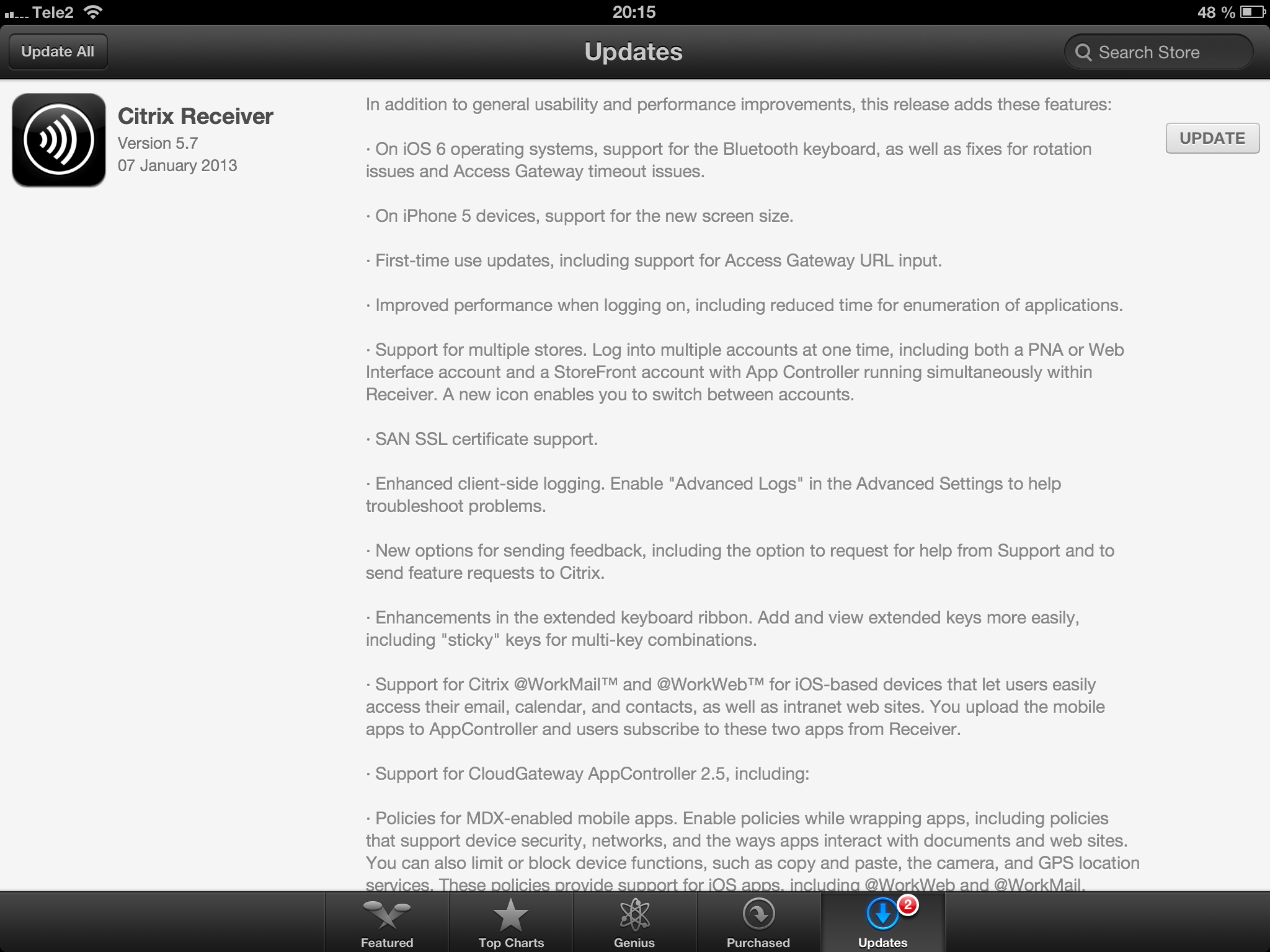
Receiver 5.7 for iOS released! – #Citrix, #Receiver, #CloudGateway
Receiver 5.7 for iOS is here!
//Richard
#Ubuntu for phones – backed by #Canonical
I must say that this is really cool and looks great!!


iOS is there as a stable platform that companies can rely on in terms of that SW development on this platform for native apps are great due to that Apple provides both the HW and the SW and therefore simplifies build of apps, you don’t have to make like 150 versions for all the device types out there that you need if you’re developing native apps for Android that uses complex features of the device. I guess the same scenario will come true for Ubuntu unless they only ship it with a small range of devices and keep the focus on true HTML5 apps as long as it fulfills the need…
I wonder how and when Canonical or others will take this Ubuntu platform on and bring it to market on a broad scale…. Anyway it looks very promising!
Read more here and go through the great feature set and design!
//Richard
Free online Computer Science courses from #Harvard College
Ok, this is really interesting (at least for a nerd like myself)!
I just stumbled across this website where the Harvard College hosts some of its courses online, you can view video recording from classes, get access to all slides, source code etc and take the course for free yourself!
They now have the following courses up there;
- Computer Science 50: Introduction to Computer Science I – Introduction to the intellectual enterprises of computer science and the art of programming. This course teaches students how to think algorithmically and solve problems efficiently. Topics include abstraction, algorithms, encapsulation, data structures, databases, memory management, security, software development, virtualization, and websites. Languages include C, PHP, and JavaScript plus SQL, CSS, and HTML. Problem sets inspired by real-world domains of biology, cryptography, finance, forensics, and gaming. Designed for concentrators and non-concentrators alike, with or without prior programming experience.
- Computer Science 164: Mobile Software Engineering – Introduction to principles of software engineering for mobile devices and best practices, including code reviews, source control, and unit tests. Topics include Ajax, encapsulation, event handling, HTTP, memory management, MVC, object-oriented design, and user experience. Languages include HTML5, JavaScript, Objective-C, and PHP. Projects include mobile web apps and native iOS apps.
- Computer Science E1: Understanding Computers and the Internet – This course is all about understanding: understanding what’s going on inside your computer when you flip on the switch, why tech support has you constantly rebooting your computer, how everything you do on the Internet can be watched by others, and how your computer can become infected with a worm just by turning it on. In this course we demystify computers and the Internet, along with their jargon, so that students understand not only what they can do with each but also how it all works and why. Students leave this course armed with a new vocabulary and equipped for further exploration of computers and the Internet. Topics include hardware, software, the Internet, multimedia, security, website development, programming, and dotcoms. Through optional hands-on sections and workshops, local students have opportunities to dissect as well as upgrade a computer with additional hardware, search the Internet more effectively, build a wireless network, create digital images, eradicate spyware, and design webpages. Problem sets offer online students similar opportunities. This course is designed both for those with little, if any, computer experience and for those who use a computer every day.
- Computer Science E76: Building Mobile Applications – Today’s applications are increasingly mobile. Computers are no longer confined to desks and laps but instead live in our pockets and hands. This course teaches students how to build mobile apps for Android and iOS, two of today’s most popular platforms, and how to deploy them in Android Market and the App Store. Students learn how to write native apps for Android using Eclipse and the Android SDK, how to write native apps for iPhones, iPod touches, and iPads using Xcode and the iOS SDK, and how to write web apps for both platforms.
Continue reading and take the courses here!
Happy coding! 😉
//Richard




 The IT Melting Pot!
