Archive
Virtualizing your desktops? Six experts share their advice – #Citrix, #XenDesktop
If you follow a few simple principles, desktop virtualization projects are pretty straightforward.
But if you barrel ahead, ignoring little things like users, apps, data and hardware, you could be in for a bit of a train wreck.
So we thought we’d make this easy – with a new eBook that captures best-practice deployment advice from six of the most experienced desktop virtualization experts: Desktop Virtualization Deployment Insights: Six Experts Share Their Advice.

Download the free eBook from here: Desktop Virtualization Deployment Insights: Six experts share their advice
//Richard
SSO to StoreFront not working in CVPN mode – #Citrix, #NetScaler, #StoreFront
Single Sign-On from Access Gateway to StoreFront not working in CVPN mode
There is yet another “thing” to have in mind when setting up Access Gateway and StoreFront in CVPN mode!
It’s been an interesting day (or days/weeks/months I must admit) with some “issues” with a NetScaler ADC, Access Gateway with CVPN profiles and StoreFront 1.2. And one thing that we have been struggling with was Single Sign-On to StoreFront when we had the AG configured for CVPN access. And it was just this environment where I’ve seen this issue!!
After a lot of troubleshooting the Citrix guys came up with an explanation on why SSO from AG doesn’t work in this specific environment! And it’s not an obvious one to find I must say… but I now understand why it doesn’t work!
So let’s explain the design reason for why it doesn’t work (so bear with me, solution at the end!!)…
The following picture tries to give a VERY rough picture of how it could look like, clients on the Internet on the left, then a NetScaler ADC with the Access Gateway feature enabled and a vServer configured. This AG vServer has session policies and profiles for ICA proxy (old traditional ICA proxy policy) and the little newer CVPN mode. And YES; I’ve left out a lot of stuff like AD etc. to simplify this picture A LOT…

The overall idea and config is that AG authenticates the user and then shall do SSO to StoreFront. The CVPN policy have been created according to all best practices etc. (Citrix CloudGateway Express 2.0 – Implementation Guide).
But SSO still doesn’t work!! If you login through a browser when having the CVPN policy linked to the vServer you’ll see that authentication works perfectly but then when it tries to passthrough the authentication to StoreFront it fails.
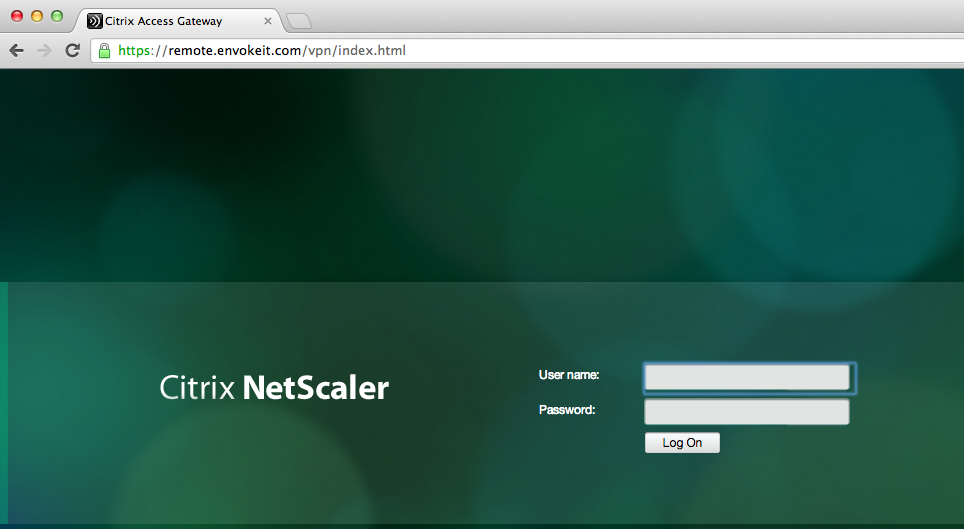
This picture just shows the login to the NetScaler ADC Access Gateway vServer:
Host checks/EPA scans are not for everyone – #Citrix, #NetScaler, #AccessGateway
This is an interesting blog post from Citrix… It captures a scenario that I know one of my previous customers was thinking of, so have a look at it!
The main thing that think of when reading this though is that EPA scans are NOT for everyone, I agree. And please also read my earlier posts on why it cannot be done with todays products from Citrix.
#Citrix #SmartAccess = A complete story or not? – #NetScaler #AGEE #EPA
Even though the latest Receiver Receivers changed some scenarios and enables host checks/EPA scans it still doesn’t provide the full picture. But I’ll be publishing a more detailed picture on why later, some late night I’ll be able to complete it! 😉
Here you have the blog post from Tobias Frigger:
A customer of one of my Citrix Consulting colleagues recently came up with an interesting request.
Like many others they are using Citrix NetScaler’s Access Gateway Enterprise Edition module to grant remote secure remote access to applications and desktops.
Additionally, they use a client management and software distribution solution to deploy the EPA plugin to client computers and therefore wanted to suppress Access Gateway offering the EPA scan plugin for download through the browser. This introduces some additional level of control over which client is entitled to connect through Access Gateway.
An approach restricting certain user groups from logging in by using group memberships is a more common scenario, but in this case the customer intended to restrict the end points and not the users. When end users lack administrative permissions to install custom software, preventing the download is indeed an effective measure.
A job for Citrix Consulting!
As you know, Access Gateway Enterprise Edition offers two ways of running Endpoint Analysis (EPA) scans – before and after authentication. Consequently, there are two procedures.
The formal requirements
- Remove the download button displayed when accessing the AGEE virtual server and the plugin is not detected by the browser or if the plugin is outdated
- Alter the message text such that it refers user to contact their system administrator if they think the plugin should be installed.
- When using a post-authentication EPA scan, add a “logout” button.

Backup
As a precaution, we want to make backup copies…
Continue reading here!
//Richard
#Citrix Receiver for HTML5 Version 1.1 Released – #Receiver
Citrix Receiver for HTML5 Version 1.1 is released.. And it now has the support for all the Major Desktop Browsers.
Version 1.1 supports the latest updates of the following Desktop browsers
- Internet Explorer 10
- Safari 6
- Google Chrome
- Firefox
You can download this from https://www.citrix.com/content/citrix/en_us/downloads/citrix-receiver/receivers-by-platform/receiver-for-html5/
eDocs Location : http://support.citrix.com/proddocs/topic/receiver-html5-11/receiver-html5-version-wrapper.html
Key things to check out for while installing and configuring Citrix Receiver for HTML5 v1.1
Direct Internal Acces
- XenApp 6.5 server to be updated with FP1 and latest Hotfix
- Install the NEW Citrix Receiver for HTML5 Version 1.1 on your Storefront 1.2 server (Uninstall the old version manually before installing this new version)
- Open the installed “Citrix HTML5 HDX Engine Configuration” tool and Add the “Receiver for Web” URLs to configure for HTML5 access
- You can now open the supported browsers listed above on the client side and enter the “Receiver for Web” URL
- If you are prompted with the logon screen where you have the option to download the native Citrix Receiver, just click on “Log on”
- Now, add your application/desktop and click on it to launch
- You have your application running in a browser Tab!!
- For this, you will just need to have the latest Access Gateway 10 version 10.0.71.6014.e
Forum : You can use Receiver for HTML5 Forum for reporting issues, questions, and general discussions.
KB articles : You can refer to the below KB articles to troubleshoot some of the cases.
Known Issue : With Internet…
Continue reading here!
//Richard
#Citrix Consulting Services – Principal Consultant vacancy – #CCS, #Job
Citrix Consulting Services (CCS) is expanding in Sweden (or within the GEO).
I admire these guys, most because of the sacrifice they make for their jobs. It would take a lot before I’d agree to this:
Willing to travel 70-80% travel within the GEO for GEO-based roles.
But if you want to join an interesting work environment where your workplace changes a lot and you want to develop your technical skill set within the Citrix products and services I suggest that you apply! 🙂
Position Summary
Citrix is a leading provider of virtual computing solutions that help people work and play from anywhere, on any device. Innovation, creativity and a passion for ever-improving performance drive our company and our people forward. Citrix solutions pave the way for business to thrive in the cloud era, embracing mobile users, personal devices, wireless access, app stores, SaaS, and cloud infrastructure. We’re currently looking for a Senior Consultant to join our Consulting Services team in Sweden.
The Principal Consultant leads internal and customer-facing projects of medium to large-size or complexity. Principal Consultants often lead all aspects and the development of project deliverables of internal projects (system integration, whitepapers, scalability and performance tests) to a large extent and can lead most customer engagements. The Principal Consultant effectively and accurately scopes internal and customer facing projects and identifies and positions follow-on work at customers and with stakeholders. The Principal Consultant has developed the foundational skills of consulting and is highly proficient in at least one major Citrix product and the adjacent technologies. The position requires an individual to utilize their skills in the consulting methodology, server-based computing concepts, documentation standards and organization, time management, Citrix products and technologies, software installation, and networking skills on internal Consulting Solutions assignments or client engagements. The Principal Consultant can individually solve problems of higher complexity and assist and guide more junior resources through their problem resolutions.
The position requires a team player that seeks to supplement their skills through the use of project experience, self-study manuals, and point of need training. Good written and verbal communication skills are also required.
Primary Duties/Responsibilities
The Principal Consultant leads all aspects of projects of medium complexity and takes responsibility for sections of projects of high-complexity.
- Plans and leads all aspects of basic and intermediate projects.
- Proactively detects technical deficiencies and develops practical, workable solutions to problems.
- Establishes himself\herself as a technical expert with varying industry knowledge.
- Takes full responsibility…
Continue reading here!
//Richard
Faster, more secure access to business files on the go – #Citrix, #ShareFile,
Very interesting update to ShareFile apps or iOS! Especially the encryption on the devices by the pin-protection! This is something that I know companies have been waiting for! Thanks for a great blog post Peter Schulz!
Announcing all new updates to ShareFile for iPhone and iPad!
We hope you’ve had a chance to check out the ShareFile for iPhone and iPad apps – available for download from the Apple App Store. Today, we are excited to announce new features across both apps that address two major customer needs: 1) security and 2) access. These features include:
- Passcode support with local encryption – The ShareFile apps now allow the user to select a PIN to assign to an account in ShareFile. This provides a simpler means of accessing your account without having to type in your account password each time.
- Jailbreak Detection – This feature allows account administrators to block account access from devices that are detected to be jailbroken.
- Support for StorageZone Connectors – StorageZone Connectors let you connect existing file shares to ShareFile and access the data remotely on your iOS device. Customers have shared that they want easy access to their data wherever it’s stored across their organization. We built StorageZone Connectors with this in mind, allowing users to view data stored beyond ShareFile.

Each of these updates improves the mobile file sharing experience by making it easier and safer to access your data from anywhere. For everyday use, my personal favorite is passcode support with local encryption.

When I use my iPad, I don’t want to bother with setting up a device passcode for normal use, but I still want to protect my ShareFile data from anyone who might pick up the device. On the other hand, I don’t want to type in my (fairly long) password each time I launch the app. With this update, I can set a 4 digit PIN just for my ShareFile account. Where does the local encryption come in? ShareFile always flags your data for device encryption, but iOS will only enable that when you have a device passcode set. When you turn on the ShareFile PIN, we will encrypt your data using AES 256-bit encryption even though the iOS protection isn’t enabled…
Continue reading here!
//Richard
Who’s making money in the cloud? – #Citrix, #SAP, #Fujitsu, #HP, via @douglasabrown
This was a very interesting post as well that Douglas posted!
Who’s really making money in the cloud computing market?
It can be tough to say for sure because most cloud computing companies don’t make official revenue and earnings figures available. But, that hasn’t stopped some analysts from making estimating at least the revenue results.

Analyst firm Technology Business Research estimates annual revenue for the top public cloud companies in 2012 across infrastructure as a service (IaaS), software as a service (SaaS) and platform as a service (PaaS)…
Continue reading here!
//Richard
#Citrix #NetScaler VPX on the #Cisco 1110 Virtual Network Services platform – via @pigram86
Interesting!!! 🙂
This week at Cisco live! in London, Citrix is demonstrating the Citrix NetScaler VPX virtual application delivery controller (vADC) on the Nexus 1110 Cloud Services Platform . NetScaler VPX is the industry-leading vADC and is further testimony to the expanding ecosystem for the Cisco Nexus 1000V virtual networking portfolio and the Cloud Network Services platform. The integrated Cisco-Citrix solution follows on the heels of last year’s agreement by the two companies that Cisco would reference sell the Citrix NetScaler portfolio, and Cisco’s demonstration of its Nexus 1000V virtual networking portfolio on Citrix XenServer.


The Nexus 1110 is the latest generation of appliances that started with the Nexus 1010. The Nexus 1110 helps customers that are virtualizing more of their application and security services and want to run them on a dedicated platform. For example, virtual firewalls, like our Virtual Security Gateway (VSG), complement physical firewall appliances to support virtual application deployments and VM mobility requirements. The Nexus 1110 appliance serves that need, running a range of virtual services on a platform that the networking and security teams can more directly control than the other application servers.
With Citrix NetScaler VPX integrated into the Nexus 1110 Cloud Services Platform, enterprise IT admins can scale-out deployments by enabling additional virtual NetScaler instances (VM’s) directly from the Nexus 1110. NetScaler VPX also provides feature and management consistency across physical and virtual ADC’s, as well as consistency across physical and virtual workloads that are being managed. The NetScaler…
Continue reading here!
//Richard
POC vs. Pilot vs. Production via #Citrix blogs
A good summary here from Scott Campbell! And I see many cases where steps are forgotten, scope’ing being totally off and customer getting unhappy in the end…
To successfully deploy a Citrix solution, it’s important to be aware of how users are interacting with the environment, understand the purpose of the environment, and plan how the environment fits into the support structure. In the course of my 8+ years with Citrix I have seen countless customer environments, and being aware of the items above can make or break your deployment. At a basic level it comes down to understanding the difference between a Proof of Concept, Pilot and Production. There tends to be a few unique commonalities across all POCs, all Pilots and all Production deployments that made them successful.
Additionally, I’ll discuss a hybrid approach that uses a simplified and streamlined approach to accelerate a virtualization project to get a medium sized user population on-boarded.
This article is by no means meant to be exhaustive, but is instead to provide some food for thought to get you in the right mindset and on the right path when planning your virtualization project.
POC – Proof of Concept
It probably sounds intuitive, but the point of a POC is to prove the feasibility of a solution, or the feasibility of a critical aspect of a solution. Typically a POC is trying to answer questions similar to the ones below:
- Will this technology meet our needs?
- Will this product perform as advertised?
- Will the prospective end user communities be productive with the new way of doing things?
- Will the ultimate solution be feasible?
What does a POC look like? In order for a POC to be successful, it must be broken up into the following steps:
- Definition of success criteria.Clearly and specifically defining success criteria will set you up for success. Appropriate success criteria typically come from business decision makers, IT, end-users, or end-user representatives. Obtaining success criteria from the internet or solution vendors typically presents a skewed point of view and probably won’t accurately address what is important to your situation.There are two..
Continue reading here!
//Richard
New #Citrix #Visio Stencils – via @djfeller – #XenApp #XenDesktop #XenClient #XenServer
Thanks a lot for the great work you did on Project Accelerator, and for sharing the Visio stencils!! 🙂
By spending a little time in the Assess phase, Project Accelerator creates this awesome looking diagram

The truth is, this diagram took many, many, many revisions. We wanted to create something that was easy to follow while providing the most important information people wanted to see, which included IOPS, servers, VMs, storage space, desktop images, infrastructure components, and so much more. It took a few revisions before I had something in Visio that did all of that. Then we gave my diagram to Marta Guerra, a senior designer on the Project Accelerator team. She turned the diagram into something easy to follow and very clean with new images/icons for all of the components. I’m still impressed. I know many of you are too because you’ve asked for the Visio stencils.
Unfortunately, Project Accelerator diagrams aren’t done in Visio, but that didn’t stop us from giving you what you wanted. With the help of Marta, I’ve been able to turn these images into a new set of Citrix Visio Stencils.
Get them here!
//Richard




 The IT Melting Pot!
