Archive
#Gartner report – How to Choose Between #Hyper-V and #vSphere – #IaaS
The constant battle between the hypervisor and orchestration of IaaS etc. is of course continuing! But it is really fun I must say that Microsoft is getting more and more mature with it’s offerings in this space, great job!
One of the things that I tend to think most of is the cost, scalability and flexibility of the infrastructure that we build and how we build it, I often see that we tend to do what we’ve done for so many years now. We buy our SAN/NAS storage, we buy our servers but lean towards Blade servers though we think that’s the latest and coolest, and then we try to squeeze that into some sort of POD/FlexPods/UCS or whatever we like to call it to find our optimal “volume of Compute, Network and Storage” that we can scale. But is this scalable like the bigger cloud players like Google, Amazon etc.? Is this 2013 state of the art? I think that we’re just fooling ourselves a bit and build whatever we’ve done for all these years and don’t really provide the business with anything new… but that’s my view… I know what I’d look at and most of you that have read my earlier blog posts know that I love the way of scaling out and doing more like the big players using something like Nutanix and ensure that you choose the right IaaS components as a part of that stack, as well as the orchestration layer (OpenStack, System Center, CloudStack, Cloud Platform or whatever you prefer after you’ve done your homework).
Back to the topic a bit, I’d say that the hypervisor is of no importance anymore, that’s why everyone if giving it away for free or to the open source community! Vendors are after the more IaaS/PaaS orchestration layer and get into that because if they get that business then they have nested their way into your business processes, that’s where ultimately that will deliver the value as IT services in an automated way once you’ve got your business services and processes in place, and then it’s harder to make a change and they will live fat and happy on you for some years to come! 😉
#Citrix #Receiver for Linux 13 released
Finally Citrix has released a Receiver version for Linux that for instance has StoreFront support! Can’t wait to try it out and see if it gives the same user experience etc like the one on OS X and Windows!
Here you have some details about it and links to the product documentation:
Access Windows applications and virtual desktops, as well as web and SaaS applications. Enable anywhere access from your Linux thin client/desktop or use web access.
What’s new
The following new features are available in this release:
- Support for XenDesktop 7 features – Receiver supports many of the new features and enhancements in XenDesktop 7, including Windows Media client-side content fetching, HDX 3D Pro, HDX RealTime webcam compression, Server-rendered Rich Graphics, and IPv6 support.
Note: Link-local network addresses are not supported in IPv6 environments. You must have at least one global or unique-local address assigned to your network interface.
- VDI-in-a-Box support – You can use Receiver to connect to virtual desktops created with Citrix VDI-in-a-Box.
- Self-service UI – A new graphical user interface (UI), like that in other Citrix Receivers, replaces the configuration manager, wfcmgr. After they are set up with an account, users can subscribe to desktops and applications, and then start them.
- Deprecated and removed utilities – The pnabrowse command-line utility is deprecated in favor of the new storebrowse command-line utility. The icabrowse and wfcmgr utilities have been removed.
- StoreFront support – You can now connect to StoreFront stores as well as Citrix XenApp sites (also known as Program Neighborhood Agent sites).
- UDP audio support – Most audio features are transported using the ICA stream and are secured in the same way as other ICA traffic. User Datagram Protocol (UDP) Audio uses a separate, unsecured, transport mechanism, but is more consistent when the network is busy. UDP Audio is primarily designed for Voice over IP (VoIP) connections and requires that audio traffic is of medium quality (that is Speex wideband) and unencrypted.
- Packaging – An armhf (hard float) Debian package and tarball are now included in the download packages. In addition, the Debian package for Intel systems uses multiarch (a Debian feature) for installations on 32- and 64-bit systems. 32-bit binaries are also available in RPM packages.
- System Flow Control – Video display has been enhanced on low-performance user devices that connect to high-performance servers. In such setups, System Flow Control prevents sessions becoming uncontrollable and unusable.
- Localization – Receiver is now available in German, Spanish, French, Japanese, and Simplified Chinese.
- Keyboard improvements – You can now specify which local key combination (Ctrl+Alt+End or Ctrl+Alt+Enter) generates the Ctrl+Alt+Delete combination on a remote Windows desktop. In addition, a new option supports Croatian keyboard layouts.
- Deferred XSync – While one frame is still on screen, Receiver can now decode tiles for the next frame. This provides a performance improvement compared with previous releases, in which Receiver waited for a frame to finish being displayed before decoding the next frame.
- Audio and webcam playback improvements – Various changes are implemented that conserve CPU cycles and reduce latency.
- Audio settings – Several new audio settings are now available in module.ini.
For more product and release info read here!
//Richard
#Ericsson Mobility Report – November – via @Ericsson, #mobility
This is really interesting to read! Great job Ericsson!
On the pulse of the Networked Society
Ericsson has performed in-depth data traffic measurements since the early days of mobile broadband from a large base of live networks covering all regions of the world.
The aim of this report is to share analysis based on these measurements, internal forecasts and other relevant studies to provide insights into the current traffic and market trends.
We will continue to share traffic and market data, along with our analysis, on a regular basis. We hope you find it engaging and valuable.
In the last issue of the Ericsson Mobility Report we described app coverage. In the November 2013 edition we take this analysis a step further by using the radio characteristics of a WCDMA/HSPA network to predict coverage area and indoor penetration for popular smartphone applications such as streaming music and video, video telephony, and circuit-switched voice. We also apply the same app type requirements on downlink speed to compare network performance in 17 cities globally.
Download the November report here!
What’s also cool is that Ericsson have published a Traffic Exploration tool that is really cool! 🙂
Create your own graph

Create your own graphs, tables and data using our Traffic Exploration tool that contains data from the Ericsson Mobility Report.
To read more about the Ericsson mobility reports do so here!
//Richard
Sizing #XenDesktop 7 App Edition VMs – #Citrix
A good update on VM sizing by Daniel Feller!
In the Mobilizing Windows applications for 500 users design guide, we made the recommendation to allocate 8vCPUs for each virtual XenDesktop 7 App Edition host (formerly known as XenApp). Spreading this out across a server with two Intel Xeon E5-2690 @2.9GHz processors and 192 GB of RAM, we were yielding about 200 users per physical server and roughly 50 users per virtual server.
Of course, the design guide is the end result of a lot of testing by the Citrix Solutions Lab. During the tests, we had the Solutions Lab compare many (and I mean many) different configurations where they changed the number of vCPU, RAM size, and RAM allocation (dynamic/static) as well as a few other things. All of these tests were done with Windows Server 2012 with Hyper-V. We ended up with the following:

A few interesting things:
- Dynamic vs static RAM in Hyper-V appeared to have little, if any, impact on overall scalability. The only time when the RAM allocation had a negative impact was when not enough RAM was allocated (no surprise there).
- The 8vCPU and the 4vCPU configurations resulted in very similar user concurrency levels. Get ready… The battle is about to begin as to whether we should use 8 or 4 vCPU. (Is anyone else besides me having flashbacks to 2009?)
A few years ago, we debated about using 2vCPU or 4vCPU for XenApp 5 virtual machines. A few years later, the debate is resurfacing but this time, the numbers have doubled: 4 or 8. Here is what you should be thinking about… VMs are getting bigger because the hardware is getting faster, RAM is getting cheaper and the hypervisors are getting better…
Continue reading here!
//Richard
#Rackspace launches high performance cloud servers – #IaaS via @ldignan
Rackspace on Tuesday rolled out new high performance cloud servers with all solid-state storage, more memory and the latest Intel processors.
The company aims to take its high performance cloud servers and pitch them to companies focused on big data workloads. Rackspace’s performance cloud servers are available immediately in the company’s Northern Virginia region and will come online in Dallas, Chicago and London this month. Sydney and Hong Kong regions will launch in the first half of 2014.
Among the key features:
- The public cloud servers have RAID 10-protected solid state drives;
- Intel Xeon E5 processors;
- Up to 120 Gigabytes of RAM;
- 40 Gigabits per second of network throughput.
Overall, the public cloud servers, which run on OpenStack, provide a healthy performance boost of Rackspace’s previous offering. The performance cloud servers are optimized for Rackspace’s cloud block storage.
Rackspace said it will offer the performance cloud servers as part of a hybrid data center package.
Continue reading here!
//Richard
Performance tuning #Citrix #Storefront – via @msandbu
Great article by Marius!
Read it and also have a look here at my previous post related to this: #Citrix #StoreFront Slowness, Join and Replication issue – check list!
This is something I wanted to write about for some time now, after the release of XenDesktop 7 but there are only 24 hours in one day so therefore I didn’t have the time before now 
But the purpose of this post is to really say that Storefront is slow…..
Don’t get me wrong it not about Citrix but the combination of Storefront and IIS that makes it a bit complex and therefore this makes it a bit slow.
Now there are a couple of tricks that can tune the perfomance.
Socket Pooling
In Web Interface you could enable it from the console, but in StoreFront we have to change it in the store config. By enabling socket pooling, Storefront maintaines a pool of sockets instead of creating a socket each time a new user connects, this will give a better performance for SSL based traffic.
You can enable this by opening the web.config file under C:\inetpub\wwwroot\Citrix\storename\
pooledSockets="off"
And Change this to “on” after that you have to do an IIS reset.
Application Initialization
(NOTE: Make sure you backup the config files before making alterations)
With Windows Server 2012 we have a new feature in IIS called always running on the application pools, this allowed for IIS to make everything ready after an application pool has restarted, before this the previous IIS was set to start loading after the first user tried to login after a restart. This caused the first user to login after an application pool has restarted to take loooong time to login. With Server 2012 IIS we can change the application pool to always running.
With 2008 R2 not so easy. But we can make it happen
First we need to download the application initialization feature from Microsoft
http://www.iis.net/downloads/microsoft/application-initialization
After that is done and installed…
Continue reading here!
//Richard
Solving the Compute and Storage scalability dilemma – #Nutanix, via @josh_odgers
The topic of Compute, Network and STORAGE is a hot topic as I’ve written in blog posts before this one (How to pick virtualization (HW, NW, Storage) solution for your #VDI environment? – #Nutanix, @StevenPoitras) … and still a lot of colleagues and customers are struggling with finding better solutions and architecture.
How can we ensure that we get the same or better performance of our new architecture? How can we scale in a more simple and linear manner? How can we ensure that we don’t have a single point of failure for all of our VM’s etc..? How are others scaling and doing this in a better way?
I’m not a storage expert, but I do know and read that many companies out there are working on finding the optimal solution for Compute and Storage, and how they can get the cost down and be left with a more simple architecture to manage…
This is a topic that most need to address as well now when more and more organisations are starting to build their private clouds, because how are you going to scale it and how can you get closer to the delivery that the big players provide? Gartner even had Software-Defined-Storage (SDS) as the number 2 trend going forward: #Gartner Outlines 10 IT Trends To Watch – via @MichealRoth, #Nutanix, #VMWare
Right now I see Nutanix as the leader here! They rock! Just have a look at this linear scalability:
If you want to learn more how Nutanix can bring great value please contact us at EnvokeIT!
For an intro of Nutanix in 2 minutes have a look at these videos:
Overview:
Login VSI 4.0 – #LoginVSI, #VDI, #Scalability, #BYOD – @LoginVSI
Login VSI 4.0 released!!
Wow, I can’t believe that my week was this busy… tooo bad though I must say thank you so much to the Login VSI team for giving me the privilege to test Login VSI 4.0 Pro prior to the release… but did I have the time? Nooooo…. 😦
But it’s gonna be one of the first things I do when I get some spare time over some night/weekend in the near future!!
Below you find the press release and a bunch of pictures I got as a part of the “blogger preview” kit!
Improved ease of installation
- Minimized test image footprint
- Centralized management and updates
- Direct Desktop Launch Mode, saves on infrastructure
Improved ease of test creation
- New intuitive and workflow oriented UI
- New editor simplifies workload customization
- Benchmarking mode simplifies comparisons
Improved test realism
- More realistic user workload patterns
- More realistic dataset and data/file access
- Real-world test execution with multiple phases
Improved test insight
- New dashboard with real-time test feedback
- Enhanced VSImax accuracy
- Automated reporting of all relevant data
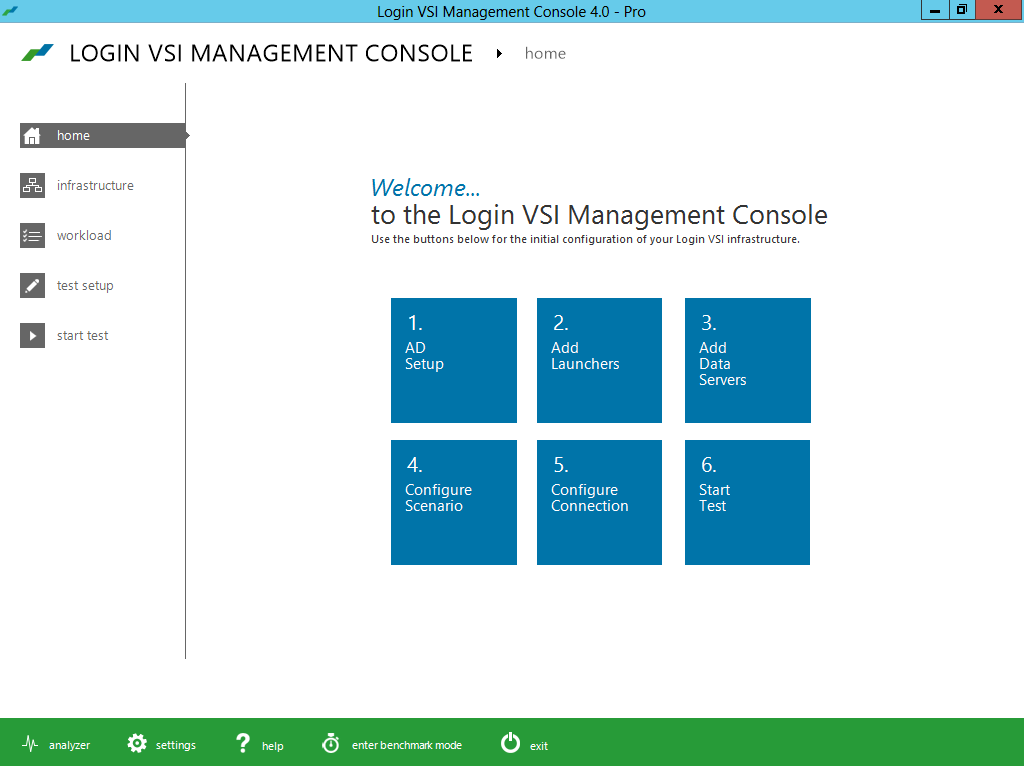
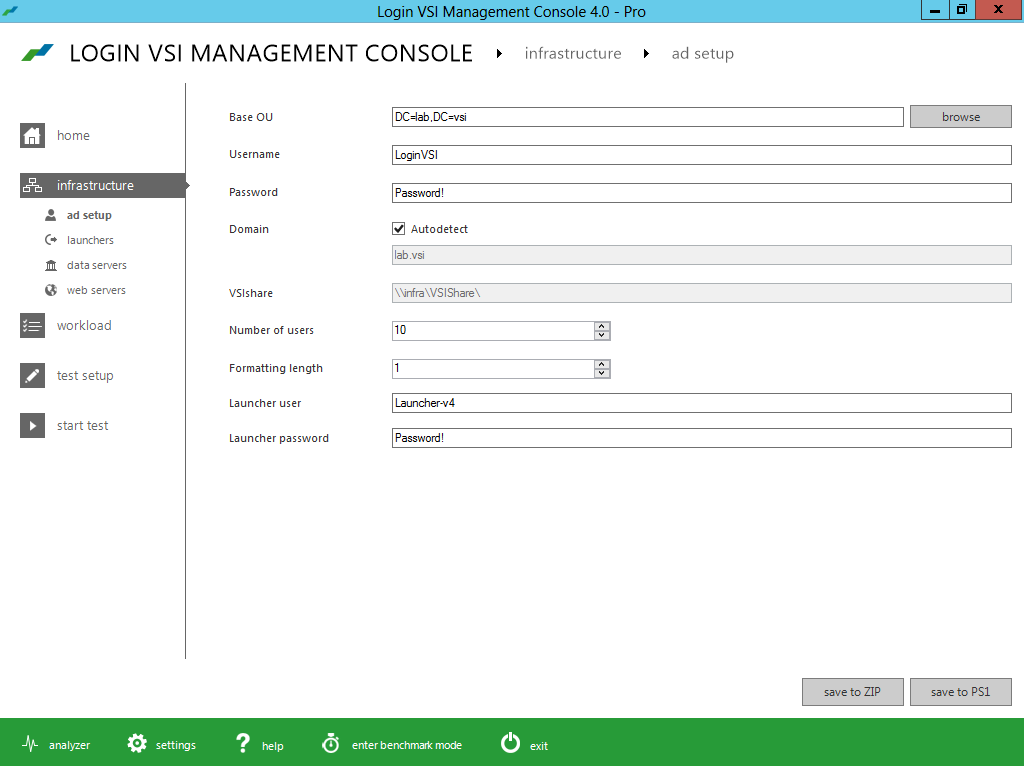
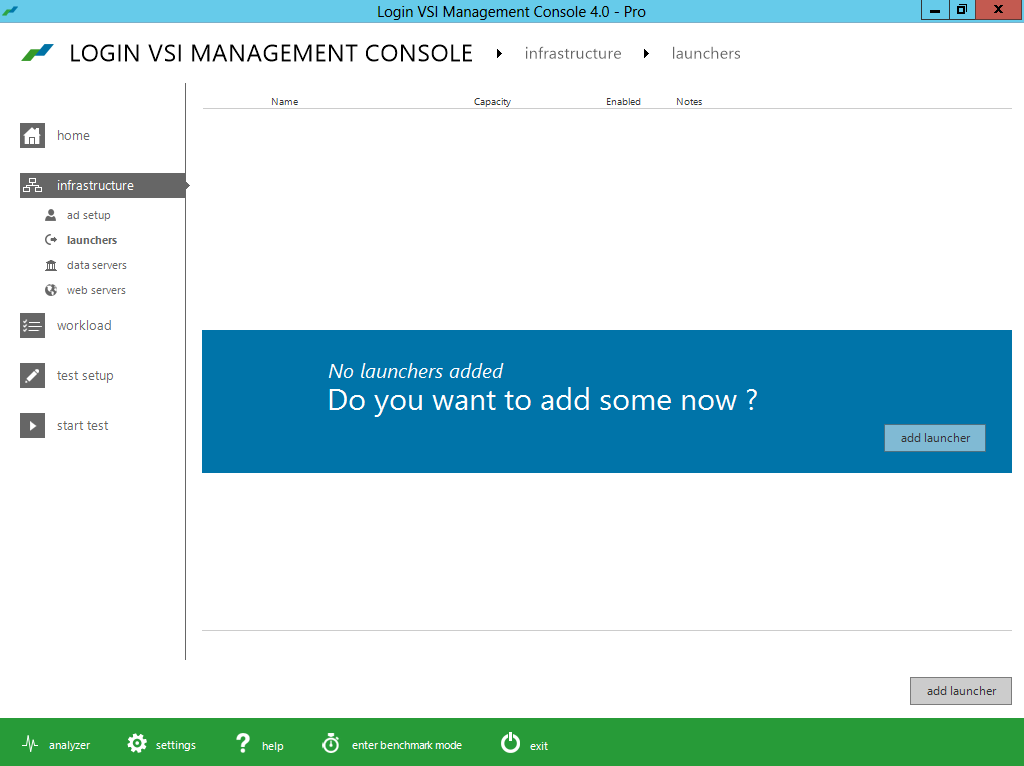

Delivering #Citrix #XenApp on #Hyper-V with PVS and #McAfee – via @TonySanchez_CTX
Good Citrix blog post from Tony Sanchez!
Architectures—whether physical or virtual—should be flexible enough to adapt to different workloads, allowing them to support changing business needs. Although implementing a new IT architecture takes time and careful planning, the process to test and validate an architecture should be easy. In the case of a virtual desktop architecture, test engineers should be able to follow a repeatable pattern, step by step, simply changing out the workload to validate the architecture under different anticipated user densities, application workloads, and configuration assumptions. The procedure should be as easy as learning a new series of dance steps (think PSY’s Gangnam Style, the most watched dance video on YouTube). The point causes me as a test engineer to ask the question: in the case of VDI, why can’t a hypervisor simply learn a new workload just like I might learn a new sequence of dance steps?
Luckily for test engineers, Citrix FlexCast® provides the ability to learn and deliver any workload type by leveraging the power of the Citrix Provisioning Services® (PVS). Recently I worked with engineers from Citrix and Dell, collaborating to build a FlexCast reference architecture for deploying XenApp® and XenDesktop® on Hyper-V on a Dell infrastructure. Testing of this reference architecture looked at how XenApp and XenDesktop performed under various workloads, altering hypervisor configuration settings and examining the overall user experience and user densities. At the drop of dime, FlexCast and PVS enabled a simple switch of the architecture to a new workload.
Based on that reference architecture effort, we recently began a Single Server Scalability (SSS) test using the latest hardware and software releases available. This blog focuses on that effort — what I call the “XenApp dance step for FlexCast style” and how XenApp workloads perform on Hyper-V. (A follow-on blog article will focus on an alternate “dance” sequence for XenDesktop.) The focus of this blog is how the configuration of the McAfee virus scanning software can impact performance and scaling.
In previous blogs, I describe the testing process and methodology that leverages the Login VSI test harness, along with key tips for success. Since those same methods and recommendations apply here, let’s review the configurations we used for this scalability testing as well as the workloads and actual test results.
For background reading, I highly recommend that you review Frank Anderson’s post on XenApp physical versus virtual testing results with Hyper-V. Frank is my colleague and a great resource for insights about testing, including implementation tips and general best practices. In addition, the related Dell and Citrix white paper describing the FlexCast reference architecture for deploying XenApp and XenDesktop on Hyper-V is available here.
Continue reading here!
//Richard
Performance Tuning Guidelines for #Windows Server 2012
This is a whitepaper that all techies out there should read if you’re dealing with Windows Server 2012!
About This Download
This guide describes important tuning parameters and settings that you can adjust to improve the performance and energy efficiency of the Windows Server 2012 operating system. It describes each setting and its potential effect to help you make an informed decision about its relevance to your system, workload, and performance goals.
The guide is for information technology (IT) professionals and system administrators who need to tune the performance of a server that is running Windows Server 2012.
Included in this white paper:
- Choosing and Tuning Server Hardware
- Performance Tuning for the Networking Subsystem
- Performance Tools for Network Workloads
- Performance Tuning for the Storage Subsystem
- Performance Tuning for Web Servers
- Performance Tuning for File Servers
- Performance Tuning for a File Server Workload (FSCT)
- Performance Counters for SMB 3.0
- Performance Tuning for File Server Workload (SPECsfs2008)
- Performance Tuning for Active Directory Servers
- Performance Tuning for Remote Desktop Session Host (Formerly Terminal Server)
- Performance Tuning for Remote Desktop Virtualization Host
- Performance Tuning for Remote Desktop Gateway
- Performance Tuning Remote Desktop Services Workload for Knowledge Workers
- Performance Tuning for Virtualization Servers
- Performance Tuning for SAP Sales and Distribution
- Performance Tuning for OLTP Workloads
Download here!
//Richard




 The IT Melting Pot!