Archive
Receiver 5.7 for iOS released! – #Citrix, #Receiver, #CloudGateway
Receiver 5.7 for iOS is here!
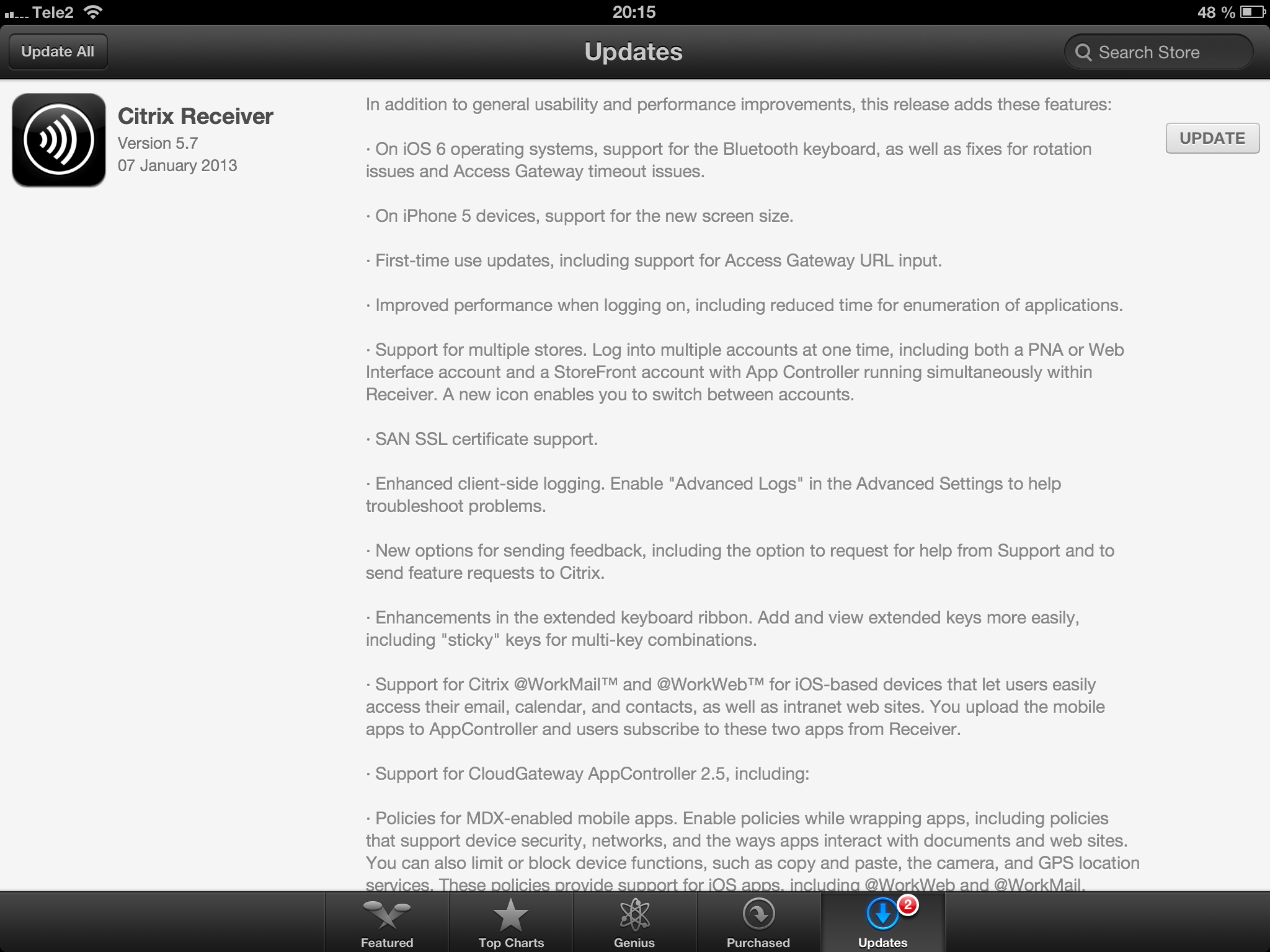
//Richard
New Citrix Access Gateway Release – #AG, #SmartAccess, #Receiver, #Citrix
Ok, just as we expected there is now a new release of Access Gateway that goes hand in hand with the new Receivers as I wrote about in the following posts:
Receiver for Windows 3.4 released
Receiver for Mac 11.7 Released
And of course as you could read in the first post above there are great improvements of the end-user experience when accessing resources, now you have ONE login for both the Receiver and to the Access Gateway plugin. And as that posts also highlights is the support for host check (EPA scans) on Receiver use cases as well! Finally! 😉
More info on the new Access Gateway release 10.0.71.6014.e below:
With the release of Citrix CloudGateway 2.5, comes the release of Citrix Access Gateway 10.0.71.6014.e. Citrix CloudGateway as you are aware, is the Citrix Enterprise Mobility offering, complete with Citrix Receiver running enterprise applications on the end point, Citrix Storefront running your enterprise app store, Citrix AppController running your mobile policy management and Citrix Access Gateway providing remote access to all this infrastructure.
With every CloudGateway release, Access Gateway continues to build incredible integration and smart abilities, which makes it the de-facto remote access solution for your CloudGateway deployments. Access Gateway is the only remote access solution today, which can offer seamless Receiver configuration using Email based discovery and provide intelligent integration with Storefront and AppController, to provide single sign-on to all your enterprise applications.
With this new release, Citrix Access Gateway will be able to provide the following value additions in your CloudGateway deployments:
- Seamless Desktop Receiver experience: With this release of Access Gateway, end users will no longer have to sign into their Access Gateway plug-ins as a manual step, to access apps / sites that require a full SSL tunnel. Receivers automatically launch a SSL VPN session via Access Gateway as needed. Result is – end user just deals with Citrix Receiver and Receiver internally (and automatically) deals with Access Gateway on user’s behalf.
- EPA with ICAProxy / CVPN: Receivers can now seamlessly launch AG plug-ins to connect to an Access Gateway vServer configured with End Point Analysis policies, in ICAProxy and CVPN modes as well. Earlier, this was supported only for Full Tunnel access.
- Session Sharing: Receiver and AG plug-in have always been two separate entities, and because of that, they establish two parallel sessions with Access Gateway. With this release, we have added the smarts in our Receiver and Access Gateway integration, to understand each other, and be able to share the same session with Access Gateway appliance. Good News – this now leads to simplified access from end user perspective, and optimal session/license consumption from Administrator perspective.
- Device Wipe/Lock support for AppController: With CloudGateway 2.5, AppController is launching the ability to register and track mobile devices via AppController. These registered mobile devices can then be locked / wiped, if the..
Continue reading here!
//Richard
#Citrix #Receiver 3.4 and 11.7 = is the #SmartAccess story more real now? – #CloudGateway, #AGEE, #NetScaler, #StoreFront
Citrix has now released version 3.4 of the Receiver for Mac and Windows, but what is the main added value with this release?
First of I’d like to ask you to review my previous post where I questioned the Citrix SmartAccess story that I believe is not there end-to-end and that really is a lacking feature for scenarios where you’d for instance want to support more BYOD models etc. You need to determine the person accessing the service and also what what type of device it is, trusted or not etc. And I in the previous post I argued that Citrix doesn’t deliver according to their SmartAccess story;
#Citrix #SmartAccess = A complete story or not? – #NetScaler #AGEE #EPA
And for you that haven’t read about the new Receiver 11.7 or OS X and 3.4 for Windows check these posts:
Receiver for Windows 3.4 released
Receiver for Mac 11.7 Released
The table below is from the previous SmartAccess post and my theoretical review right now is that the SmartAccess story for Windows and Mac OS X clients have improved. As you can see in the two rows for Receiver 3.3 and 11.6 where you would access through a Receiver through an AGEE you would NOT be able to perform host checks using the EPA scans.
This was just not possible though the native Receiver didn’t have that capability to trigger the EPA scans. And the EPA plugin itself was not available in the native Receiver on the OS X, it was bundled into the Access Gateway plugin.
| Client | Access method | EPA/Host-check possible on AGEE | Comment |
| Windows with Citrix Receiver for Windows 3.3 | Receiver 3.3 | NO | You’ll never be able to do host-checks on this device if Receiver access is used due to that the Receiver does not have EPA scan capabilities. |
| Windows with Citrix Receiver for Windows 3.4 | Receiver 3.4 | YES | Now when the Receiver is communicating with the Access Gateway plugin and shares login credentials then you can leverage the AGEE plugin to perform EPA scans and then allow different session policies and profiles depending on the EPA scan result, and at the same time of course also pass that through to StoreFront/WI and into XenApp/XenDesktop.It does however then require that you get the AGEE plugin installed on the devices, which may be another dilemma… |
| OS X with Citrix Receiver for Mac 11.6 | Receiver 11.6 | NO | You’ll never be able to do host-checks on this device if Receiver access is used due to that the Receiver does not have EPA scan capabilities. |
| OS X with Citrix Receiver for Mac 11.7 | Receiver 11.7 | YES | Now when the Receiver is communicating with the Access Gateway plugin and shares login credentials then you can leverage the AGEE plugin to perform EPA scans and then allow different session policies and profiles depending on the EPA scan result, and at the same time of course also pass that through to StoreFront/WI and into XenApp/XenDesktop.It does however then require that you get the AGEE plugin installed on the devices, which may be another dilemma… |
Receiver for Windows 3.4 released
About Receiver for Windows 3.4
Citrix Receiver for Windows provides users with self-service access to resources published on XenApp or XenDesktop servers. Receiver combines ease of deployment and use, and offers quick, secure access to hosted applications, desktops, and data. Receiver also provides on-demand access to Windows, Web, and Software as a Service (SaaS) applications. You can use it for Web access or configure it for use with Citrix CloudGateway.
What’s new
Citrix Receiver for Windows 3.4 (CitrixReceiver.exe) provides the following new features and enhancements.
- Single authentication to the Access Gateway:
- Use of a single session for both VPN and clientless access so that a Receiver user logs on once for both types of access and consumes only one license. This feature requires StoreFront.
- Automatic routing of ICA traffic through the Access Gateway ICA proxy for optimal user experience.
- Automatic start-up of a VPN tunnel when a user logs on. This feature requires that you disable the Single Sign-On with Windows setting on the Access Gateway.
- Support for Access Gateway SmartAccess controls.
- Improved logon and logoff operations:
- Users are prompted to log on to Receiver only when a logon is required. Actions that require a log on include starting an app from Receiver or the Start menu, using the Refresh Apps command, viewing or searching for apps, or adding an account. A user is logged on only to the account associated with the requested resource.
- Users remain logged on until choosing to log off or exit Receiver, roam from the internal network to an external network, or delete passwords.
- A VPN tunnel is established when a remote user performs an action that results in a logon. Internal users are logged on to StoreFront.
- Support for Windows 8. You can use Receiver for Windows 3.4 on Intel-based Windows 8 devices. (Receiver for Windows 8/RT is available on the Windows App Store for ARM-based Windows 8 devices.)
- Support for Windows Server 2012 R2, 64-bit edition.
- Support for Project Thor Technical Preview (XenApp Connector). Receiver for Windows 3.4 can be used with Project Thor Technical Preview to deliver apps with Microsoft System Center 2012 Configuration Manager.
- Usability improvements, including:
- App and desktop Start menu shortcuts are no longer copied to other devices, enabling users to control the location of shortcuts on each of their devices.
- The Request button is removed. Users can now simply click to add an app and, if a request for permission to add the app is required, a dialog box appears.
- Arrow keys can be used to navigate search results.
- Users will experience fewer dialog boxes when adding and removing apps.
- Error messages and certificate warnings are clearer.
- Users can reset Receiver to factory defaults. For information of preventing user resets, see http://support.citrix.com/article/CTX135941 in the Citrix Knowledge Center.
- Support for session pre-launch. The session pre-launch feature reduces launch times for applications delivered through Web Interface sites.
- Support for ShareFile StorageZones. Receiver for Windows supports both ShareFile-managed cloud storage and on-premises StorageZones.
- Upgraded FIPS support. Receiver for Windows 3.4 supports certificates with a minimum public key of 2,048-bit RSA and a SHA256 signature hash algorithm.
Receiver for Windows Enterprise
The Receiver for Windows Enterprise 3.4 package (CitrixReceiverEnterprise.exe) provides the following enhancements:
- Support for smart card single sign-on for Windows 7 devices. When used with Web Interface, Receiver for Windows Enterprise 3.4 enables smart card pass-through authentication from Windows 7 devices.
- Support for Fast Connect. Fast Connect provides the necessary technology for partners to rapidly authenticate users to Citrix sessions or desktops.
For information about Receiver for Windows Enterprise, including compatible systems, refer to the Receiver for Windows 3.2 documentation in Citrix eDocs.
Receiver for Mac 11.7 Released
About Receiver for Mac 11.7
Updated: 2012-12-19
Citrix Receiver for Mac provides users with self-service access to resources published on XenApp or XenDesktop servers. Receiver combines ease of deployment and use, and offers quick, secure access to hosted applications, desktops, and data.
Receiver also provides on-demand access to Windows, Web, and Software as a Service (SaaS) applications. You can use it for Web access or configure it for use with Citrix CloudGateway.
What’s new
- Single authentication to the Access Gateway:
- Use of a single session for both VPN and clientless access so that a Receiver user logs on once for both types of access and consumes only one license.
- Automatic routing of ICA traffic through the Access Gateway ICA proxy for optimal user experience.
- Automatic start-up of a VPN tunnel when a user logs on. This feature requires that you disable the Single Sign-On with Windows setting on the Access Gateway.
- Improved logon and logoff operations:
- Users are prompted to log on to Receiver only when a logon is required. Actions that require a log on include starting an app from Receiver or the Finder, using the Refresh Apps command, viewing or searching for apps, or adding an account. A user is logged on only to the account associated with the requested resource.
- Users remain logged on until choosing to log off or exit Receiver, roam from the internal network to an external network, or delete passwords.
- A VPN tunnel is established only if needed. Internal users are logged on to StoreFront.
- Usability improvements, including:
- Upgraded FIPS support. Receiver supports certificates with a public key of 2,048-bit RSA and a SHA256 signature hash algorithm.
- Support for ShareFile StorageZones. Receiver provides support for ShareFile StorageZones. StorageZones enable you to optimize ShareFile performance by locating data storage close to users and also allow you to control storage for compliance purposes. For more information about StorageZones, see the Sharefile documentation in eDocs.
HEADS UP!!! No #Citrix #Receiver in App Store – Where is Receiver for iOS?
Wow!! Not that good!

See this Citrix Blog for additional info and hopefully they’ll post updates on the issue there as well…
Receiver for iOS version 5.6.3 was released on November 28th into the App Store. On release, several customers reported an issue found only in the published release. The Citrix engineering team is researching the issue, working with the Apple team.
To limit the exposure to the customer base, the Receiver for iOS is temporarily removed from the App Store.
Please watch here for updated information.
Thank you for your feedback and patience while we resolve this issue and repost to the App Store.
Continue reading here!
//Richard
#Citrix #SmartAccess = A complete story or not? – #NetScaler #AGEE #EPA
This little blog post is about Citrix SmartAccess. I’ve been a fan of SmartAccess for a long time, and it’s also something that Citrix has been talking a lot about in their story. The way that Citrix technology can provide applications, desktops and information to end-users on any device in a secure and controlled way.
But the purpose of this blog post is to give you my view of this story, and how true the SmartAccess story is. Remember that this is my personal view and that I’ve actually not tested all my theories below so parts of it is purely theoretical at this stage.
So a bit of background first to build my case…
Citrix has been going on about SmartAccess, and it’s been true that the Access Gateway capabilities once added to Web Interface and XenApp/XenDesktop where great in terms of adding another layer of functionality that the IT supplier could use to determine how the XenApp and XenDesktop environments where accessed, and from what type of device. The device detection/classification is done through host checks (Endpoint Analysis Scans, EPA) that the Access Gateway feature provided as a pre- or post-authentication scan. This scan then resulted that either the device met the policies or didn’t, and then this policy could be leveraged by the other internal components (XenApp/XenDesktop) to control/manage which apps, desktops and functionality (virtual channels like printing, drive mapping etc.) that the end-user should get for that specific session.
And this was/is working well for certain scenarios from a technical point of view. But is it really working for the whole story that Citrix and the whole IT-industry is driving now with BYOD etc.? Think about the message that is being pushed out there today, use any device, we can control and deliver according to security policies, we can provide access from anywhere, etc…
And this is where it becomes interesting. All of a sudden then you as an architect are to take this vision that your CIO or IT-board has and realise it into manageable IT services that combined deliver a fully fledged IT delivery of Windows, Internal Web, SaaS, Mobile and Data for this great set of use cases and scenarios. Wow… you’ve got yourself a challenge mate!
This text is from the Citrix homepage about SmartAccess;
SmartAccess allows you to control access to published applications and desktops on a server through the use of Access Gateway session policies. This permits the use of preauthentication and post-authentication checks as a condition for access to published resources, along with other factors. These include anything you can control with a XenApp or XenDesktop policy, such as printer bandwidth limits, client drive mapping, client clipboard, client audio, and client printer mapping. Any XenApp or XenDesktop policy can be applied based on whether or not users pass an Access Gateway check.
So let’s start of then with going back to the SmartAccess which is the topic of this blog!
Please contribute – What do we expect from Citrix? – Citrix community enhancement list
Ok, there are a lot of things that I think we all expect Citrix to deliver now in Barcelona when Synergy soon kicks off! But so far I’ve not seen someone that has been combining a community list yet…
And the most important part I feel is that I get more and more information from companies out there that have enhancement requests and issues that they have a hard time expressing and getting into Citrix. The larger enterprises can of course through their channels get more information and also make their voice heard, but the SMB’s have a hard time to do so!
So this is my attempt to start a dialogue with all of U out there on what we expect to see from Citrix in the future! I think it would be interesting to see if the items I’m waiting for a change on is aligned with the rest of the community!
So why don’t we all contribute to a list that we all can share and prioritise over time? I can for a start moderate this list if you comment or send me items that you think should be on the list and then I’ll try to make sure that people within Citrix get the items and I’ll try to follow up! Of course we need help from the CTP’s (just to be clear; I’m not a CTP so don’t get me wrong here) and others as well to put pressure and assist in the governance of this activity.
So this is my first list of items that I think that we can build upon… It’s a first draft and far from the total number of items are there so bear with me! 😉
Please comment below to have your item(s) added to the list and let’s make a change!
| ID | Product/Area | Enhancement request/Issue | Status |
| 1 | Licensing | Ensure that all products supports the license server (NetScaler etc.) | Not fullfilled |
| 2 | Monitoring & Reporting | Ensure that you can get historical concurrent user reports that spans across ALL products (NetScaler/AG, XenApp, XenDesktop etc.) | Not fullfilled |
| 3 | Monitoring & Reporting | Ensure that Citrix provides an end-2-end monitoring and reporting service for the whole Citrix stack. This to ensure that delivery organizations can deliver reports like “Service Availability in %” over time that includes all service components (NetScaler AGEE VIP, StoreFront/WI, PVS/MSC, XenServer, XenApp/VDA, Profile Server, etc. If Citrix isn’t going to do this; then please point on a product that does the job. | Not fullfilled |
| 4 | Monitoring & Reporting | Provide a monitoring solution to ensure health and best practise configurations of all products involved in a traditional “XenDesktop” stacked service. | Not fullfilled |
| 5 | Cross-product | Improve your testing!! There have been to many issues with updates to products in the “Citrix stack” that has caused issues in others, like update to XenServer that caused PVS issues, or updates to a specific NetScaler feature that caused others to fail. | Not fullfilled |
| 6 | Cross-product | Create an central update service for all products that can inform the admin about updates not applied or if components aren’t in synch in terms of SW versions etc. | Not fullfilled |
| 7 | Cross-product | Ensure that the end-user look & feel are the same across the products used in the stack (NetScaler AGEE login page, Web Interface/StoreFront, Receiver etc..). This should not require admins to do and should be a design principle. | Not fullfilled |
| 8 | Cross-product | Come on, simplify the administration of the products in the stack = reduce the number of consoles! | Not fullfilled |
| 9 | AppController | Multi-domain support | Not fullfilled |
| 10 | AppController | Support for multiple setups that can synch the DB. This to ensure that you can have an HA pair setup for instance in Europé and one in the North Americas and have the end-user be logged in against both and have their subscriptions etc follow them (as well as of course reporting, monitoring etc. etc.) | Not fullfilled |
| 11 | AppController | Support for really large AD domains with LARGE # of AD users and AD groups | Not fullfilled |
| 12 | AppController | Support for AD domain structure where the BASE DN is different to where AD users and the AD security groups you want to use for roles | Not fullfilled |
| 13 | EdgeSight | Ensure that EdgeSight or equivalent end-user monitoring and reporting is integrated and that works on both XenApp and XenDesktop VDA’s and that doesn’t increase the IOPS with rediciolous numbers… | Not fullfilled |
| 14 | NetScaler | Create SDX platform to run on all MPX appliances, for more info why see; NetScaler MPX vs. SDX dilemma; https://richardegenas.com/2012/10/03/netscaler-mpx-vs-sdx-dilemma/ | Not fullfilled |
| 15 | NetScaler | Provide out of the box integration with the Single Sign-On product (former CPM) so that Account Self-Service can be made directly from AGEE VIP login page. | Not fullfilled |
| 16 | NetScaler | Add support for AG session policies so that ICA proxy can be turned on for specific published apps and desktops and not per session. This for situations where you might have one app or desktop that sits behind an AGEE and others don’t. | Not fullfilled |
| 17 | NetScaler | The NetScaler/Access Gateway HTML/GUI pages used shall be able to be customized per AGEE/AAA Virtual Server. Today they are global pages so that specific modifications/customizations cannot be made and you have to buy an additional NetScaler unless major customizations are done and then life-cycle management becomes an issue. | Not fullfilled |
| 18 | NetScaler | Change so that you can specify different Authentication policies and requirements mapped to Session policies instead of to a Virtual Server, AAA group etc. This could then provide a way so that you could offer ICA proxy mode with single auth and two-factor if you launch/select to open an SSL VPN tunnel | Not fullfilled |
| 19 | NetScaler | It would be good if you on the Receiver could select what authentication you want to perform upon login and not just at setup of the Account. That would mean that you could pass that info the the NS VS and then in AGEE handle that to the authentcaiton policies and session policies. Then a user that has forgotten a hardtoken could still get access but only in ICA proxy mode and have all virtual channels disabled without having to have multiple accounts in the Receiver and admin doesn’t need multiple NS AGEE VS. | Not fullfilled |
| 20 | Merchandising Server | Ensure that it supports larger AD environments and multi-domain support | Not fullfilled |
| 21 | Merchandising Server | Create a central DB for config etc or ensure that MS is migrated into SF asap. | Not fullfilled |
| 22 | Provisioning Services | Improved/simplified support/update functionality for when you use KMS licensing | Not fullfilled |
| 23 | Provisioning Services | Create REAL update msp or msi files for updates, you can’t require admins to go in and replace DLL-files etc in 2012 | Not fullfilled |
| 24 | Provisioning Services | Implement replication of vDisk files (diff-files) etc so that it’s automated within the PVS solution so that you don’t have to rely on DFS-R etc. | Not fullfilled |
| 25 | ShareFile | Ensure that encryption on local devices are available for all device types and OS’s (iOS, Android, Windows Phone, Win XP/7/8, Linux, OS X) | Not fullfilled |
| 26 | ShareFile | Design the product so that you could leverage public storage providers for your storage but encrypt it using your own PKI service and proxy traffic to it through the Storage Center server(s) without having to invest in in-house storage solutions and reduce CAPEX. | Not fullfilled |
| 27 | ShareFile | Design the solution so that you can configure the plygin/Receiver functionality when it comes to StoreFront on groups/roles instead of just for the whole account. | Not fullfilled |
| 28 | Storefront | Support for multiple setups that can synch the DB. This to ensure that you can have an HA pair setup for instance in Europé and one in the North Americas and have the end-user be logged in against both and have their subscriptions etc follow them (as well as of course reporting, monitoring etc. etc.) | Not fullfilled |
| 29 | Storefront | Simplify configuration and branding of the StoreFront for Web sites like most other providers have and they had in Web Interface | Not fullfilled |
| 30 | Storefront | Add all features that where available in Web Interface | Not fullfilled |
| 31 | StoreFront | Design the product to allow the user to select whether he/she can group apps and desktops into folders or tabs in StoreFront for Web | Not fullfilled |
| 32 | Receiver | Ensure that email-enrollment to StoreFront stores can somehow support multidomain support (like if you have multiple users having the same email-address; name@company.com can be linked to different AD domains | Not fullfilled |
| 33 | Receiver | Corporate branding for the Receiver, logo, text etc. | Not fullfilled |
| 34 | Receiver | Ensure that all Receivers have the same look & feel and functionality. Like the secondary and primary password field names should be the same on a Mac and a Windows client, as well as other features. | Not fullfilled |
| 35 | Receiver | Add so that Receiver passes DOMAINNAME to NetScaler/AG VS so that it can be used to determine which AD domain to authenticate with. In todays version you have to either make one VS per domain or cascade through multiple domains on the same VS. And cascading is available as a workaround but triggers failed logins against AD and is not that nice and security/AD teams are not that happy… | Not fullfilled |
| 36 | XenDesktop | Support for Linux VDA’s (Ubuntu for example) | Not fullfilled |
| 37 | XenApp | Support for Linux Terminal Servers (Ubuntu for example) | Not fullfilled |
I’ll post an excel-spreadsheet as well for download soon, and then let’s see if there is an interest or not! 😉
Cheers!
//Richard
Receiver for Win8 – Requires Storefront and Access Gateway Enterprise
And all of a sudden we have a new week with new opportunities! 🙂
One interesting news is that the Preview of the Receiver for Windows 8 (WinRT) is out! I’ll try it out ASAP but one thing that many has noticed is the requirement that it has in terms of Storefront, and if you want to secure your connection then Access Gateway (Enterprise Edition) is needed! I wonder how this will be received amongst all of you out there if that requirement will be there when it’s released…
I guess that Citrix has some work to do in terms of adding all Web Interface features into StoreFront ASAP otherwise I think that many will be quite upset.
This release of Receiver for Windows 8 (WinRT) provides:
- Application and desktop virtualization
- Deployment through the Microsoft App Store
- Self-service account management and favorites
- Supported on Intel-based (32- and 64-bit) and ARM architectures
- Native Metro design
- Native gesture support
- Support for Storefront Services including follow me applications
- Support for Access Gateway Enterprise Edition
- In-session clipboard support
- In-session network printing
Citrix release blog of the preview version:
“You’ll need the Windows 8 RTM (release to manufacturing) version on your device. You’ll also need CloudGateway Express ( Storefront Services ) for desktop and applications access and a properly-configured Access Gateway (Enterprise Edition) for remote access.”
For more info see the edocs documentation here!
Have a great week!
//Richard
Five steps to designing your enterprise mobility strategy
Ok, I must agree with Nathalie here in her post. It’s a strategy from a “Citrix” point of view of course which is aligned with their overall message…
Five steps to designing your enterprise mobility strategy
/Richard




 The IT Melting Pot!