Archive
Citrix Worx Apps announced! – part 2, #CitrixSynergy, #BYOD
Hi again,
Ok, yesterday I posted that Citrix announces the Worx apps which I think is a GREAT story and it looks as the killer apps!
Citrix Worx Apps announced! #CitrixSynergy, #BYOD
I got you excited I guess, but this is of course also not something that we’ll see released in May! The first release now in June will release the Worx Enroll and Worx Home apps, but Worx Home will only be the “store” for Mobile and Web apps. The XenDesktop/XenApp integration comes in the next release so until then the Receiver is still the client for that type of delivery.
I got to play around with Worx Home a bit yesterday and I really liked the way it displays the apps and how they easily can be sorted in a groups by type or folder structure. And then when you get XA/XD items in there and they are placed right next to all the other apps on your mobile device and you can launch Excel from you iPad directly instead of going through and opening the Worx Home or Receiver app the integration is really user friendly. But then again; don’t we still for the majority of the use cases think that XA/XD are “legacy” solutions? wouldn’t we rather strive to get into a complete SaaS model instead of adding these expensive hosted solutions? I know it won’t go away and there are great use cases for XA and XD but I would still say it’s legacy, park it and contain it and work on your strategy to change the model and become future ready! 😉
And for those that don’t go off and purchase the Mobile Solution Bundle in the future can continue to use the Receiver for their “legacy” XenApp/XenDesktop service delivery. The question is how this will be evolving though, I foresee a risk that to much of the focus in the future will be agains the Worx apps and that is something that may lead to longer release cycles of fixes and updates of the Receiver. That my of course not be an issue either though many companies today are struggling with that Citrix “goes to fast” and it’s hard to keep up (and Citrix has a hard time keeping up as well).
Stay tuned for a more complete update after Synergy!
//Richard
Citrix Worx Apps announced! #CitrixSynergy, #BYOD
“Worx Enroll” and “Worx Home” apps announced to support the MDM, MAM, Web, Saas and Win apps/desktop (XA/XD) from ONE STORE!!
This is something that we all have been waiting for!! Finally a one-stop-shop/app in where an end user can use their personal devices and consume MAM, MIM and WaaS (Windows as a Service) deliverables without enrolling to a full MDM service. And those devices that are corporate assets enables you to do the same delivery and add the MDM capabilities needed (e.g: geofencing, pass code and other policies and asset mgmt) with the same end user UI!!!
I want to see this in action and get my hands on it NOW! 😉
//Richard
#CitrixSynergy keynote – What will be announced?
So here we are! Keynote is about to start!
what can we expect? This is one thing that I definitely like to see:
– MDM + MAM + MIM + XA/XD= one solution/service! Have they finally made some progress into integrating Zenprise, AppController and StoreFront into one “App Store” and policy governance model so that we have one (1) app that handles both MDM, MAM and MIM from a device/user perspective?
Let the show begin! 🙂
//Richard

#BYOD: From optional to mandatory by 2017, says #Gartner
I agree with this great article and the analysis made by Gartner.
Bring-your-own-device (BYOD) has for some time been gaining traction in the workplace, as not only a way of freeing up IT costs but also liberalizing workers from being virtually chained, clunky, aging machines at their desks.
But latest research from Gartner suggests that by 2017, half of employers may impose a mandatory BYOD policy — requiring staffs to bring their own laptop, tablet and smartphone to work.
As an optional policy, workplaces still have an IT fallback option, but many are choosing to bring their own tablets and smartphones to work in order to work more effectively using the technology they feel more comfortable with.
Some interesting tidbits from the research:
- 38 percent of companies expect to stop providing workplace devices to staff by 2016. (PCs, such as desktops and laptops, are included in the definition of BYOD.)
- BYOD is most prevalent in midsize and larger enterprises, often generating between $500m-$5bn in revenue per year, with 2,500-5,000 employees on the roster.
- BRIC nations, such as India, China, and Brazil, will most likely already be using a personal device — typically a “standard mobile phone” — at work.
- Meanwhile, companies in the U.S. are more likely to allow BYOD than those in Europe (likely due to stronger data protection rules, see below).
- Around half of all BYOD programs provide a partial reimbursement, while full reimbursement costs “will become rare.”
- Gartner vice president David Willis says companies should “subsidize only the service plan on a smartphone.”
But there’s a problem within. Those who have yet to adopt a BYOD policy often generally cite one of two good reasons (or both): interoperability and…
Continue reading here!
//Richard
Enable Enterprise #Mobility and Secure Android, iOS and Windows Devices – #BYOD
This is a good blog post from Christopher Campbell that also has links to Citrix BYOD Solutions and Citrix BYOD Starter Kit.
Lots of devices with many different operating systems. Lots of users bringing Android, iOS and Windows mobile devices into the workplace. Securing all these devices and the apps and data they’re accessing can make enabling Enterprise Mobility an intimidating task. Is it going to be BYOD, COPE, MDM, MAM, MIM or a combination? One size doesn’t fit all and addressing these challenges can be painful if you’re deploying a multiple vendor solution stack.

Some of the top mobile threats now include but are not limited to:
- Data loss from lost and stolen devices
- Information stealing mobile malware
- Vulnerabilities from device, OS and 3rd party apps
- Insecure Wi-Fi, network access and rogue access points
- Insufficient management tools and capabilities
Join Citrix Chief Security Strategist Kurt Roemer to find out how IT can maintain control and protect business information accessed from Android, iOS and Windows tablets and smartphones.
Watch Now and you will learn:
- Security considerations and risk mitigation options when supporting BYOD
- The architecture required to support tablets and smartphones accessing sensitive business information
- How Citrix BYOD solutions enable secure access to enterprise desktops, apps and files from any device
- Best practices for IT to maintain control over Android, Apple iOS and Windows tablets and smartphones used in the workplace
WATCH ON-DEMAND TODAY and learn how to make a complete end-to-end, fully integrated Enterprise Mobility solution work for the business, user and IT…
Continue reading here!
//Richard
Connect #Office365 to #AD for Free, with #Okta
This is kind of cool! Check it out!
Connect Office365 to AD for Free, with Okta
- Simple Set Up and Configuration – Enabling AD integration is a simple, wizard driven process. With the click of a button from the Okta administrative console you can download the Okta Active Directory agent and install it on any Windows Server that has access to your Domain Controller.
- Intelligent User Synchronization – Once the agent is installed and the initial user import takes place Okta intelligently processes the results.
- Robust Delegated Authentication – Okta’s AD integration also allows you to delegate the authentication into Okta, to your on-premises AD Domain.
- Integrated Desktop Single Sign-On – Okta leverages Microsoft’s Integrated Windows Authentication to seamlessly authenticate users to Okta that are already authenticated with their Windows domain.
ACTIVE DIRECTORY OVERVIEW

Login VSI 4.0 – #LoginVSI, #VDI, #Scalability, #BYOD – @LoginVSI
Login VSI 4.0 released!!
Wow, I can’t believe that my week was this busy… tooo bad though I must say thank you so much to the Login VSI team for giving me the privilege to test Login VSI 4.0 Pro prior to the release… but did I have the time? Nooooo…. 😦
But it’s gonna be one of the first things I do when I get some spare time over some night/weekend in the near future!!
Below you find the press release and a bunch of pictures I got as a part of the “blogger preview” kit!
Improved ease of installation
- Minimized test image footprint
- Centralized management and updates
- Direct Desktop Launch Mode, saves on infrastructure
Improved ease of test creation
- New intuitive and workflow oriented UI
- New editor simplifies workload customization
- Benchmarking mode simplifies comparisons
Improved test realism
- More realistic user workload patterns
- More realistic dataset and data/file access
- Real-world test execution with multiple phases
Improved test insight
- New dashboard with real-time test feedback
- Enhanced VSImax accuracy
- Automated reporting of all relevant data
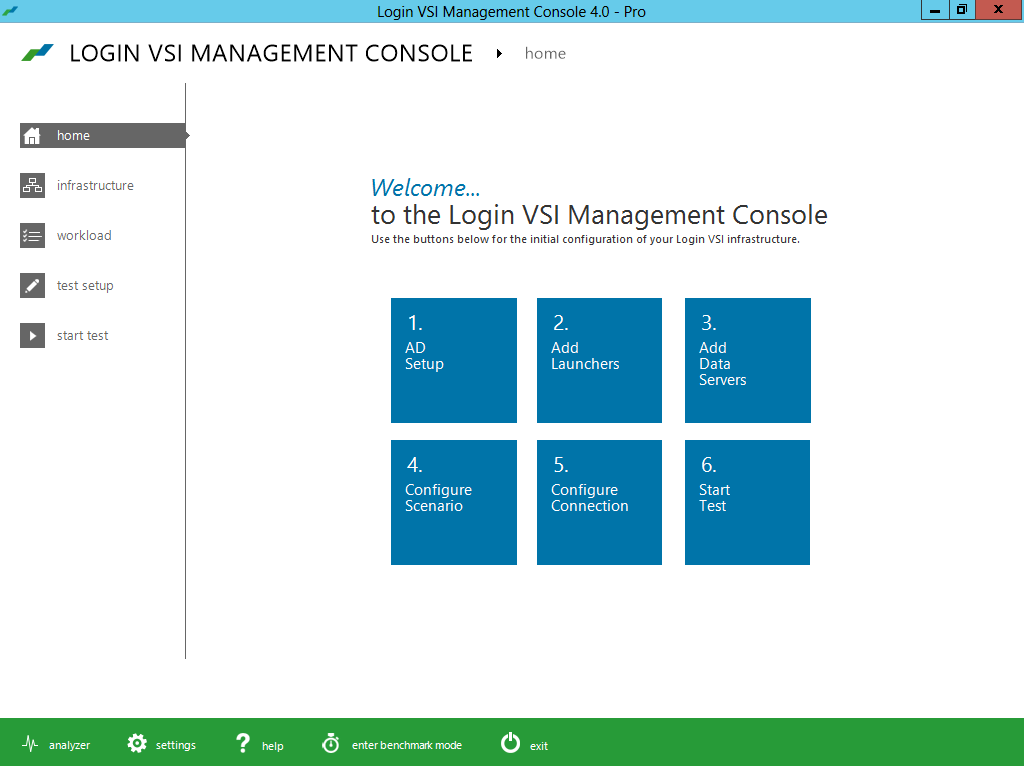
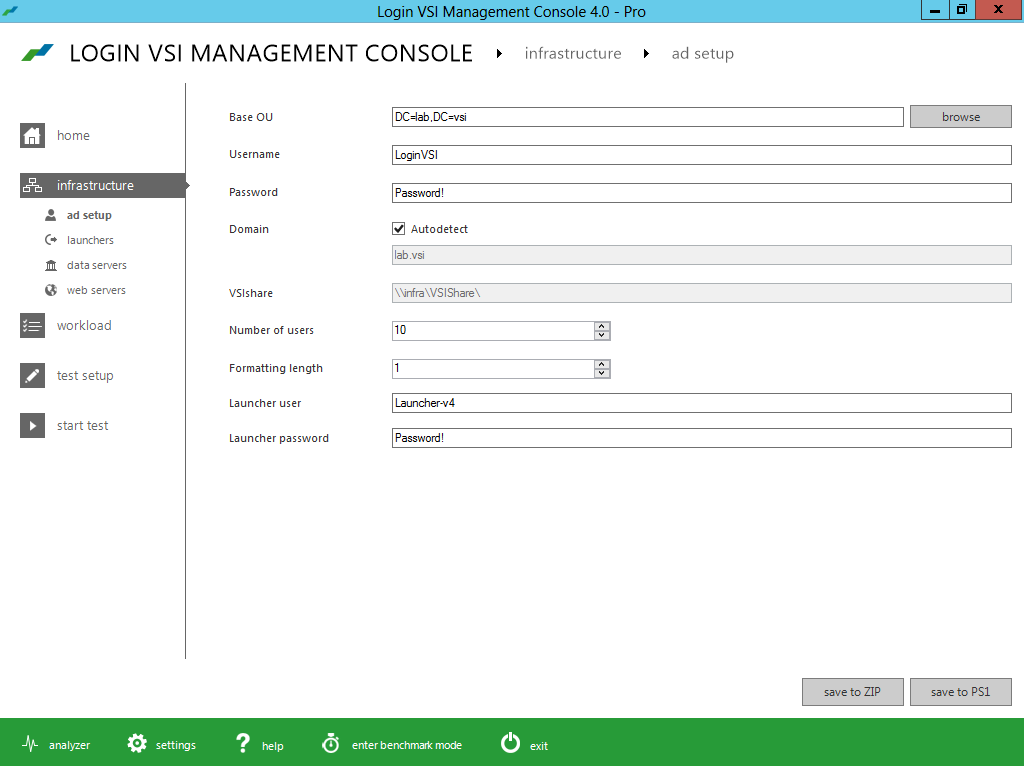
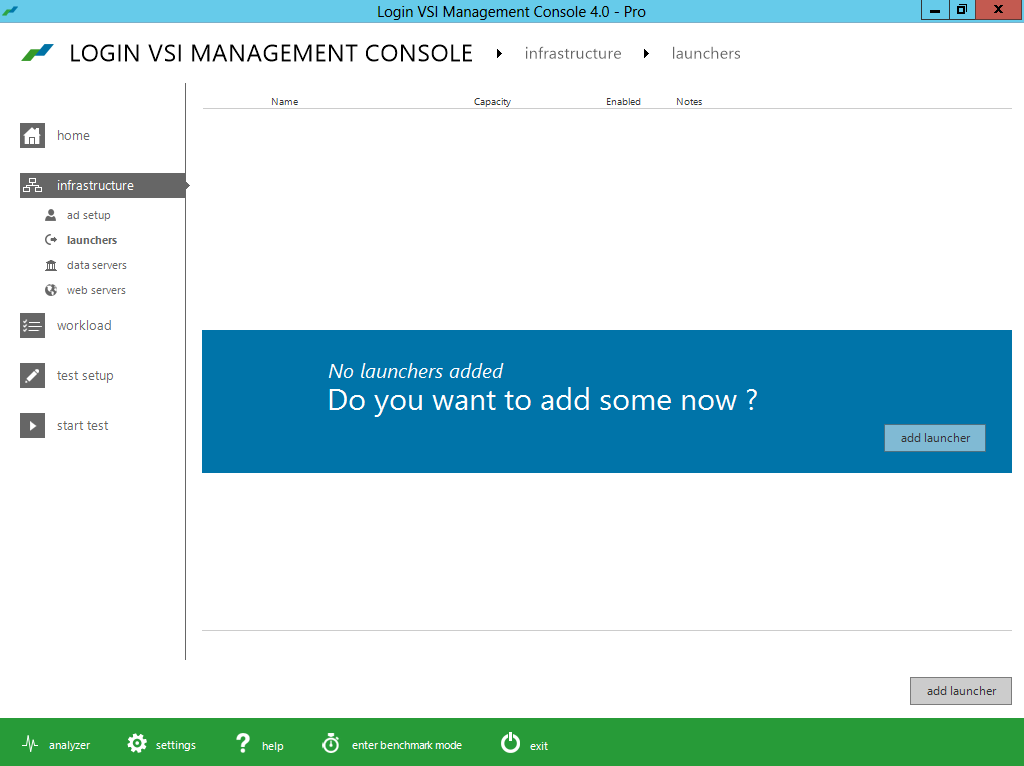

#Citrix #Receiver 5.7.2 for iOS released
Yet another Receiver have been released!

What’s new
The 5.7.2 release gives you the following improvements:
– You can download an @Work app, even when your Receiver has a poor connection.
– You can now see the correct name of the UTC time zone on your device when the “Use local time of client” policy setting is configured on the desktop.
– On the iPad when connected to a session, you can rotate your iPad many times and the session continues to run.
– When connected to a WiFi network with your iPad, you can roam from one WiFi network to another and continue to access apps through Receiver.
//Richard
WOW! – MS readies ‘Mohoro’ Windows desktop as a service – #BYOD, #DaaS – via @brianmadden
What can you say!?!? It wouldn’t surprise me a bit!! Of course Microsoft would come out with an Azure based cloud offerings of Desktops as a Service! I will follow this progress for sure, interesting and NOT so nice for quite a number of partners out there…
Summary: Microsoft is believed to be building a Windows Azure-hosted desktop virtualization service that could be available on a pay-per-use basis.
In yet another example of its growing emphasis on remaking itself as a devices and services company, Microsoft looks to be developing a pay-per-use “Windows desktop as a service” that will run on Windows Azure.

The desktop virtualization service, codenamed Mohoro, is in a very early development phase, from what I’ve heard from sources. I don’t know the final launch target, but I wouldn’t be surprised if it isn’t until the second half of 2014.
Mohoro is a town located on the island of Grande Comore in the Comoros Islands in the Indian Ocean. Given that members of the Microsoft India Development Center may be playing a key role in Mohoro’s development, according to my sources, the codename choice seems appropriate.
Microsoft owns the Mohoro.com and Mohoro.Net domain names.
Mohoro, like another Windows service, Windows Intune, is a product of Microsoft’s Server and Tools unit, I hear. Windows Intune is still not yet hosted on Windows Azure (as far as I know), but supposedly the plan is to move it to Azure at some point. Windows Intune already does make use of Windows Azure Active Directory as its directory and authentication service.
The same way that Windows Intune is the cloud complement to System Center, Mohoro seems to be the cloud version of Remote Desktop/Remote App.
This is like “Remote App as a hosted service,” said one of my contacts. It could be for companies who want thin clients or to run legacy apps on new PCs. Right now, companies have to have their own servers in the equation to do this, but “with Mohoro, you click a few buttons, deploy your apps, use Intune to push out configuration to all of your company’s devices, and you’re done,” my contact added.
Microsoft currently offers multiple ways for users to access their Windows desktops remotely via different virtualization technologies and products.
The aforementioned Remote App/Remote Desktop allows Windows users to connect to a remote Windows PC and access resources from it. On the Windows RT front, given that operating system’s restrictions on use of almost any existing Win32 applications, Remote Desktop provides a way for users to continue to use apps they already have on new hardware like the Microsoft Surface RT. Licensing of Remote Desktop and Remote Desktop Services is complex, however, and requires access to server infrastructure on the back-end.
Currently, it is not possible under Microsoft’s licensing terms to run Windows client in virtual machines hosted on Windows Azure. (The new Azure VMs do allow…
Continue to read this great blog post by Mary Jo Foley here!
//Richard
Free whitepaper: Enterprise #Architecture and ITIL: Implementing Service Strategy
Have a look at this free whitepaper!
In the previous paper “Enterprise Architecture and ITIL: Where is the Value in ITIL?” Trevor Lea-Cox looked at why and under what circumstances Service Management, the focus of ITIL® is important.
Essentially Service Management is important because the concept and use of services is a powerful mechanism for structuring and managing the growth of an organization, including the IT function. As the IT function grows, IT Services reach a level of complexity where they can no longer be managed on an informal basis. ITIL provides the best practice guidelines for managing IT Services on a (progressively) more formal basis.
In this paper Trevor will:
- Review (briefly) the recommendations of ITIL for developing and managing a Service Strategy for IT Services.
- Try to clarify what is meant by an “IT Service”.
- Then apply these principles to managing a small EA department within an IT function.
Register and download here!
//Richard




 The IT Melting Pot!